
Themes (Ball-and-Stick) plugin
Short answer: Click Color & style in the toolbar and set Look to Ball and stick. Themes is installed by default.
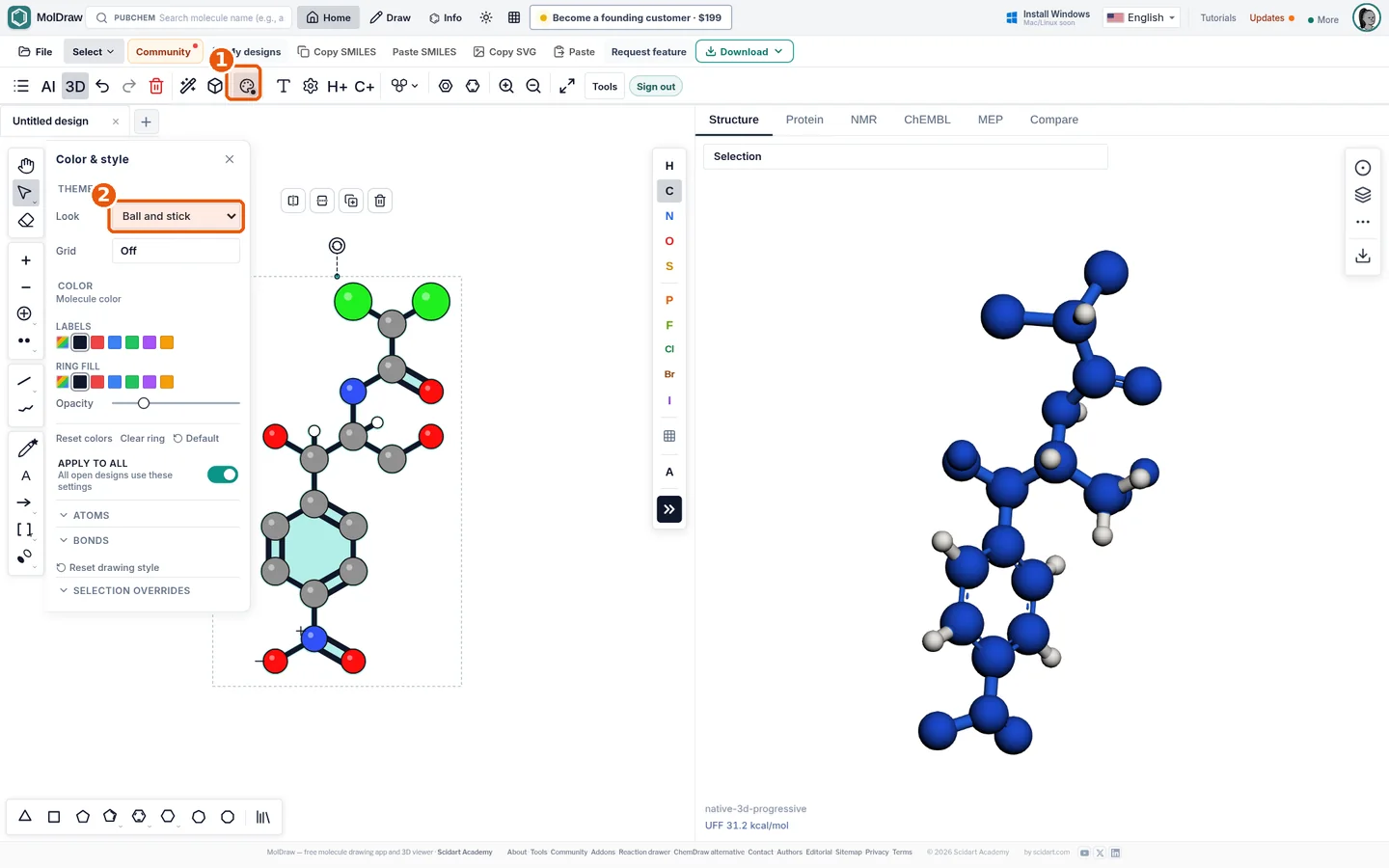
- Color & style button in the toolbar.
- Look menu: choose Default or Ball and stick.
What it does#
Themes change only how structures are drawn, not the chemistry. You can apply the look to the selection or, with Apply to all, to every design. Label and ring-fill colours, opacity and atom/bond overrides in the same panel still work, and exports (PNG/SVG) keep the theme.
Who it is for#
Teachers and students making visually clear figures, and anyone who wants a 3D-style image without opening the 3D viewer.
How to use it#
- Draw or load a structure.
- Click Color & style (callout 1).
- Set Look to Ball and stick (callout 2).
- Toggle Apply to all to restyle all open designs.
- Export with Download , PNG or SVG.
Tips#
- For a true rotatable 3D model use the 3D molecular model viewer.
- Explore ready-made 3D pages in the molecule library.
- Switch back to Default for journal-style skeletal structures.
Questions and answers
Is the ball-and-stick theme 3D?
No, it is a 2D drawing style with shaded spheres. Use the 3D viewer for rotatable models.
Does it need an account?
No. Themes is installed by default.
Which colours are used?
Standard CPK colours: C grey, H white, O red, N blue, S yellow, Cl green, Br dark red.