
AI Spectroscopy plugin
Short answer: Add a Gemini API key in Settings , AI, install Spectroscopy, open AI chat and ask e.g. "Predict the EI mass spectrum of this molecule".
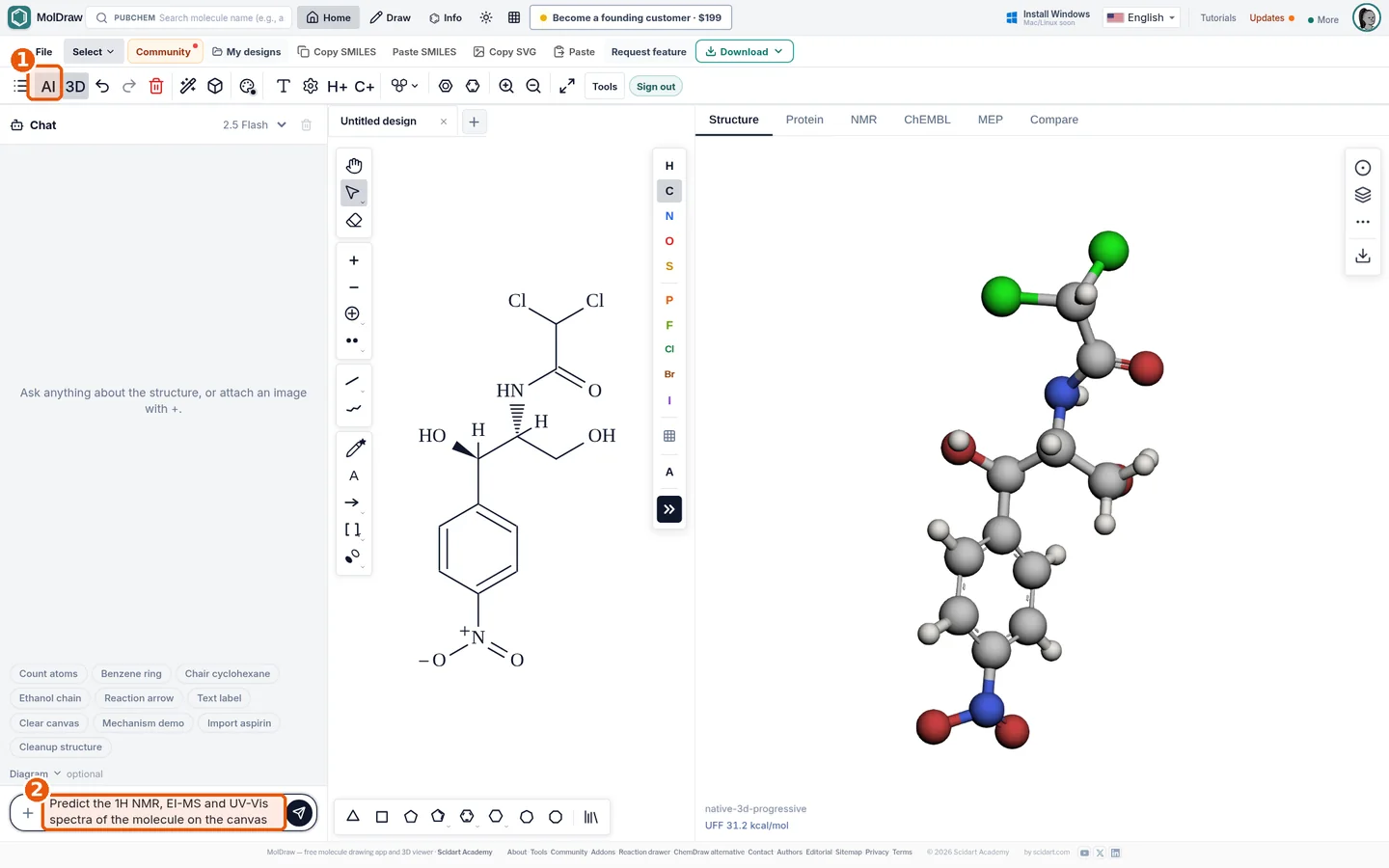
- AI chat button in the toolbar.
- Prompt box: describe which spectrum you want.
What it does#
The plugin sends your structure to the AI model. The model returns peaks in a fixed format. MolDraw shows them as tables and charts.
The values come from a language model. Use them to learn and explain. Do not use them as reference data. Check real spectra in SDBS or NIST.
Who it is for#
Students who want a quick guess at a spectrum. Teachers who make practice problems.
How to use it#
- Open the MolDraw editor and sign in. Click Settings, then Plugins, then Install next to AI Spectroscopy.
- Open Settings , AI and paste your Gemini API key (stored only in your browser).
- Install Spectroscopy from Settings , Plugins.
- Draw the molecule.
- Click AI chat (callout 1).
- Type a request in the prompt box (callout 2), e.g. "Predict the 1H NMR spectrum".
- Open the result window to see the spectrum, peak table and notes.
Tips#
- Ask follow-up questions such as "Why is the base peak at m/z 43?"
- Check the molecular ion with the exact mass calculator.
- Learn to read the plots with the mass spectrum, IR and NMR guides.
Questions and answers
Does the AI Spectroscopy plugin cost money?
The plugin is free; requests use your own Gemini API key, which has a free tier from Google.
Are AI-predicted spectra accurate?
They are plausible estimates for teaching. Always confirm with experimental data or rule-based predictors.
Which spectra can it predict?
1H/13C NMR, mass spectra (EI) and UV-Vis absorption.