
Plugins overview
Short answer: Plugins add extra features to MolDraw. Open Settings, then Plugins, and click Install. Most need a free account.
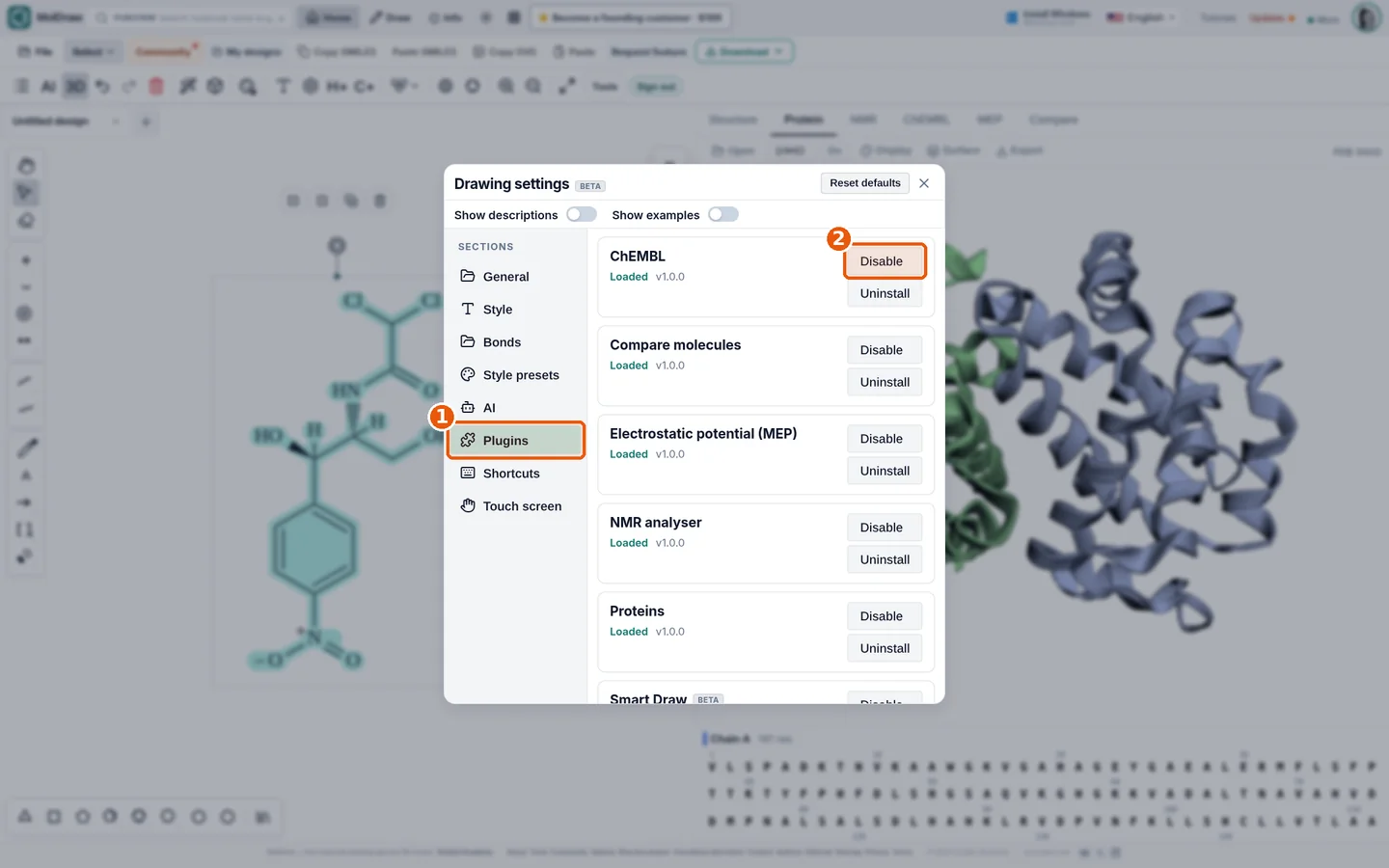
- Sign in to MolDraw.
- Click Settings (gear icon).
- Click Plugins.
- Click Install next to the plugin you want.
All plugins#
- NMR Analyser: Predict 1H, 13C, COSY, HSQC and HMBC spectra. You get peak tables and atom labels.
- ChEMBL: Look up bioactivity, targets and similar compounds in ChEMBL for any molecule.
- Electrostatic Potential (MEP): Color a 3D surface by electrostatic potential from Gasteiger charges.
- Compare Molecules: Compare structures side by side. See Tanimoto similarity, group changes and export CSV.
- Protein Viewer: Load a PDB entry by ID or file. Show cartoon or surface and export images.
- Smart Draw: Sketch with a pen, mouse or finger. Strokes turn into bonds, rings and labels.
- AI Spectroscopy: Ask the AI chat for NMR, mass and UV-Vis predictions of your molecule.
- Themes (Ball-and-Stick): Switch the 2D canvas to a colored ball and stick look for slides and posters.
Note
Protein viewer and Themes are on by default. They work without an account.
Questions and answers
Are plugins free?
Yes. All plugins are free. Most need a free account.
Where do plugin panels open?
Most open as tabs next to Structure in the right panel.