
Smart Draw plugin
Short answer: Install Smart Draw, pick the Smart Draw pencil in the left toolbar, sketch, then pause or press Enter to convert.
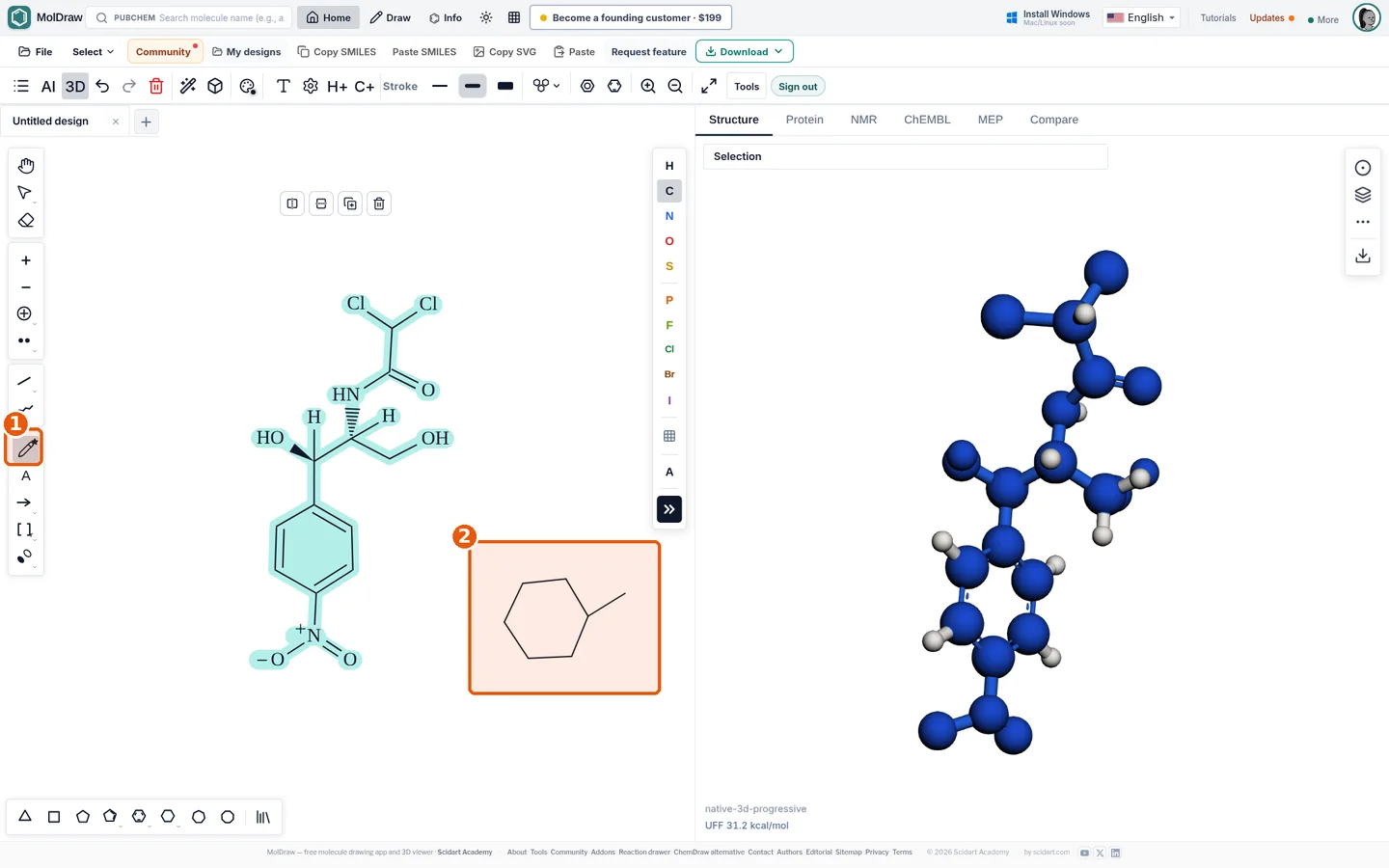
- Smart Draw tool in the left toolbar.
- Sketch area: freehand strokes are recognised as a ring plus a substituent bond.
What it does#
Draw with the Smart Draw pencil. MolDraw reads your strokes.
- Straight strokes become bonds.
- Closed shapes become rings of the same size.
- Written letters become atom labels.
The result is a normal MolDraw structure. You can edit it, clean it up or export it.
Who it is for#
Tablet and stylus users. Teachers who draw on a whiteboard. Students who find clicking slow.
How to use it#
- Open the MolDraw editor and sign in. Click Settings, then Plugins, then Install next to Smart Draw.
- Install Smart Draw from Settings , Plugins.
- Select the Smart Draw tool in the left toolbar (callout 1).
- Sketch bonds or a ring on the canvas (callout 2). Keep strokes reasonably straight.
- Pause for about 1.2 s, or press Enter, to convert the strokes.
- Write a letter at a bond end to place a heteroatom, or switch to the normal tools to refine.
- Use Cleanup to tidy bond lengths and angles.
Tips#
- Draw rings in one continuous stroke for the best recognition.
- On iPad, use Apple Pencil and enable the touch-screen settings in Settings , Touch screen.
- After converting, copy the SMILES with Copy SMILES or check the formula with the SMILES to formula tool.
Questions and answers
Does Smart Draw work offline?
Yes. Stroke recognition runs locally in the browser; no data is sent to a server.
Can I draw on a phone or tablet?
Yes, with a finger or stylus. A stylus gives the cleanest strokes.
What can it recognise?
Single bonds, chains, rings (3 to 8 members), connections to existing atoms and simple atom labels.