
Symmetry and Point Groups plugin
Short answer: Install Symmetry from Settings, Plugins, open the Symmetry tab in the 3D panel, then press Use my drawing or pick an example.
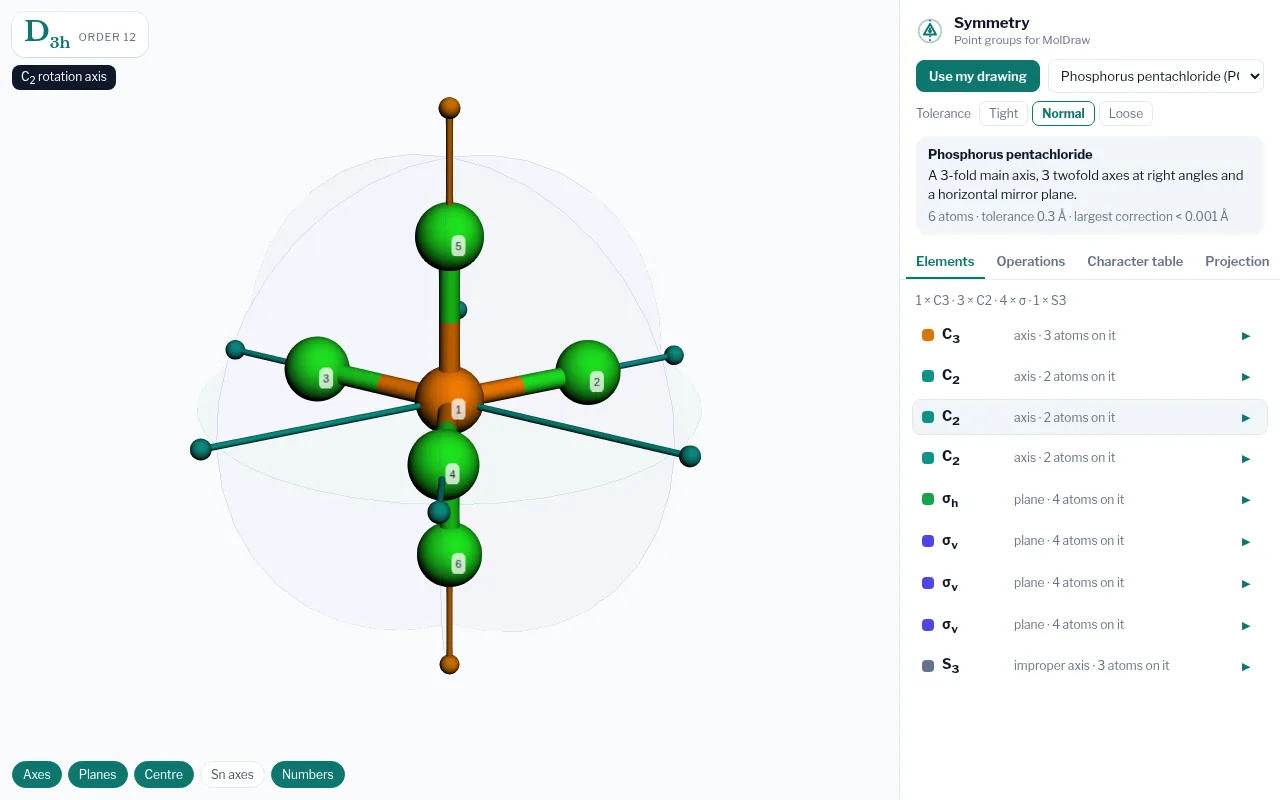
- Point group badge with the group order.
- 3D viewer with axes, planes and the inversion centre.
- Source: use your drawing or a built-in example.
- Tabs: elements, operations, character table and projection.
- Layer chips to show or hide each kind of element.
What it does#
The plugin centres the molecule at its centre of mass, classifies its moments of inertia, and tests candidate rotations, reflections, inversion and improper rotations by checking that every atom lands on an atom of the same element within a tolerance. The group is then rebuilt from ideal operations and the coordinates are symmetrised. Character tables follow Cotton and Harris and Bertolucci, with Mulliken axis conventions.
Who it is for#
Students learning group theory and spectroscopy, teachers who want to show operations live, and chemists checking the symmetry of a structure.
How to use it#
- Open the MolDraw editor and sign in. Click Settings, then Plugins, then Install next to Symmetry and Point Groups.
- Draw a molecule, or pick an example such as water, benzene or C60.
- Open the Symmetry tab (callout 4) and press Use my drawing (callout 3).
- Read the point group in the badge (callout 1).
- Hover an element in the list to highlight it in 3D (callout 2).
- Click an element or an operation to play it. Atoms move and land on equivalent atoms.
- Open Character table for irreducible representations and their functions.
Tips#
- Use Tight tolerance for accurate structures and Loose for rough drawings.
- For C2v the B1 and B2 labels depend on which plane is called xz. The plugin puts the molecular plane in yz and says so.
- Turn on Numbers to follow each atom through an operation.
Questions and answers
How does MolDraw find the point group?
It tests every candidate symmetry operation by mapping atoms onto atoms of the same element within a distance tolerance, following the standard Schoenflies flowchart, including linear, cubic and icosahedral groups.
Which point groups are supported?
All molecular point groups are detected, from C1 to Ih and the linear groups. Character tables are stored for 43 common groups.
Is it free?
Yes, with a free MolDraw account.