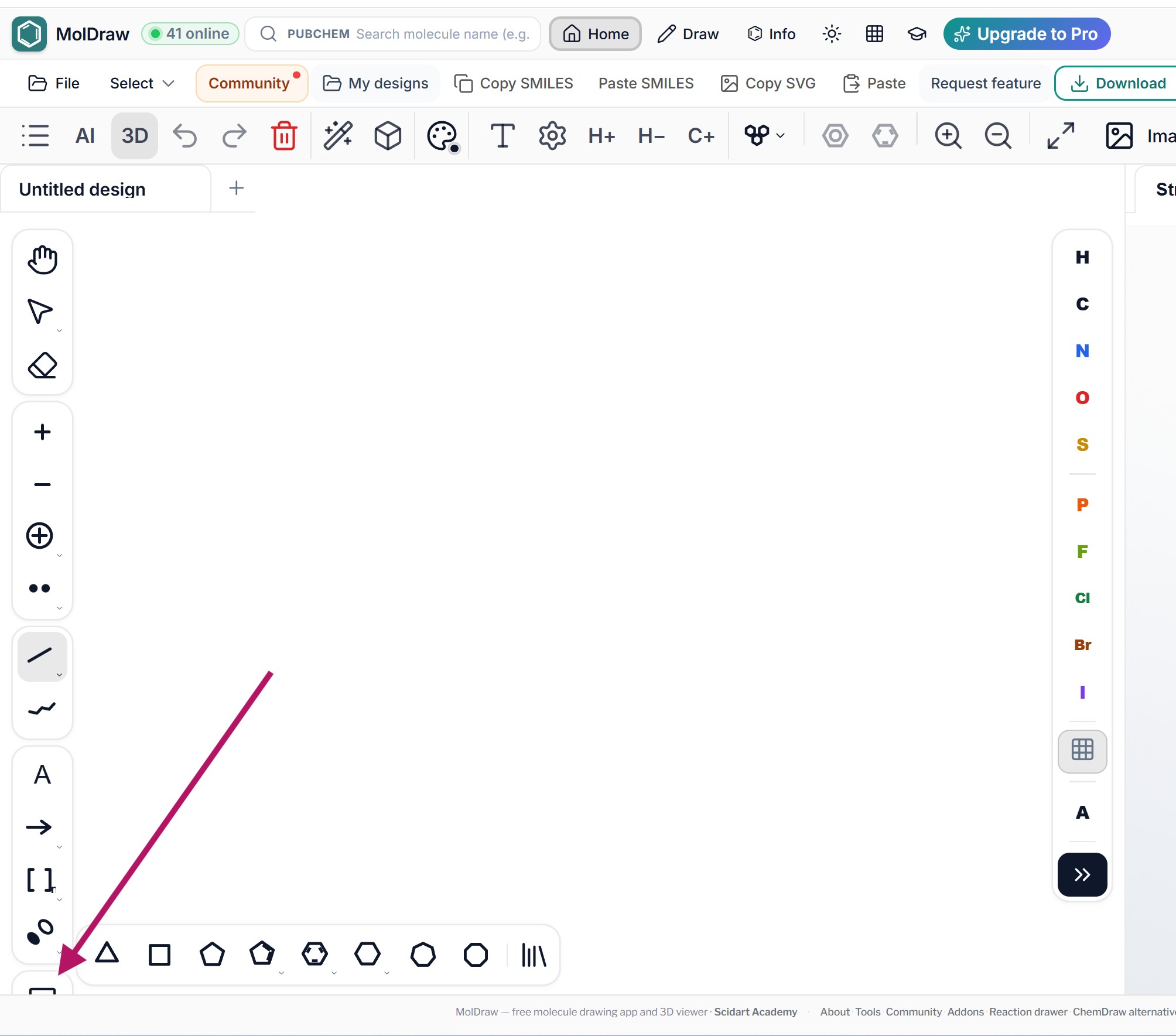
The template icon button is not displayed correctlyDone
The template icon button is not displayed correctly on the web version as shown in the screenshot.
Request a feature here so the community can vote and track progress. Sign in to submit.
The template icon button is not displayed correctly on the web version as shown in the screenshot.
Excellent changes. The program is a great help to my students. A suggestion for improvement would be to include the energies of the generated conformers (from most to least stable). Currently, they are only listed.
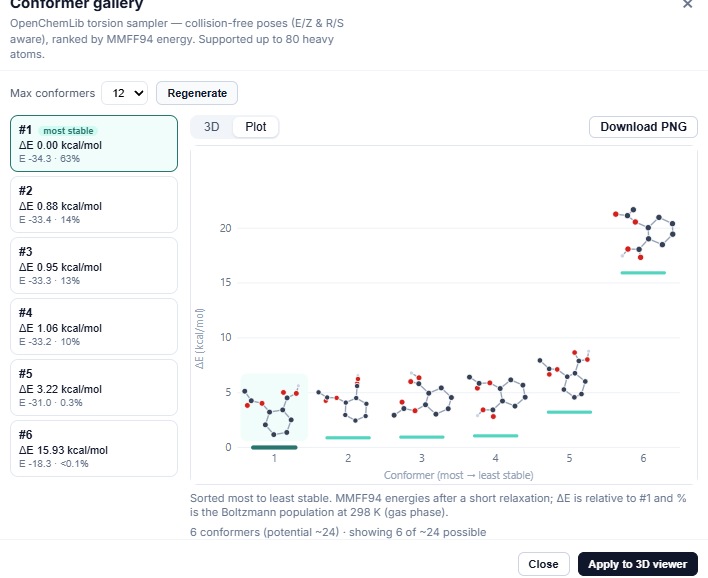
Thanks, glad it’s helping your students! Done: the Conformer gallery now ranks conformers by MMFF94 energy, most stable first. Each one shows ΔE (kcal/mol above the most stable) and its Boltzmann population at 298 K. Reload the app to see it.
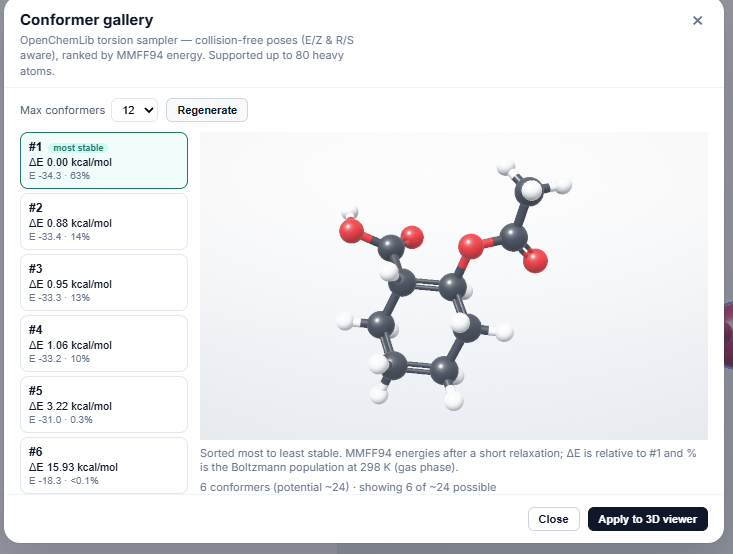
@vanderson you can also plot it in the graph, if you find anything to be fixed or improved let me know
I would like to make the orbitals bigger, and the gap between them adjustable, so that I can put one lobe above the atom and one beneath it.
If it is possible, I have one more request. I would like to put like radicals and lone pairs in the hybride orbital lobe.
Done! Pick the Lone pair or Free radical tool and click inside any orbital lobe. A lone pair puts two dots in the lobe, a radical puts one, and clicking again removes them. Works on hybrid lobes and sp/sp²/sp³ sets. Reload the app and check
Amazing that you made it possible so fast!! Thank you! Is it also possible to copy paste them? I only can select the molecule and not the orbital.
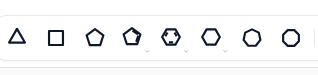
I think it would be great to combine the different circular forms into one symbol. For educational mode I'd make that a default setting. For scientific mode I'd make that an optional setting.
What is meant by circular forms here ?
That part of the tool bar:
Good morning! Some suggestions for improving drawing in Lewis structures: - 3D Model adds implicit H-atoms when drawing in Lewis structure. If possible the 3D Moddell should only draw the atoms which are drawn in the Lewis structure. - Bug: Lone pairs get pushed away when a atom is to close. Probably not something that will happen a lot. See picture.
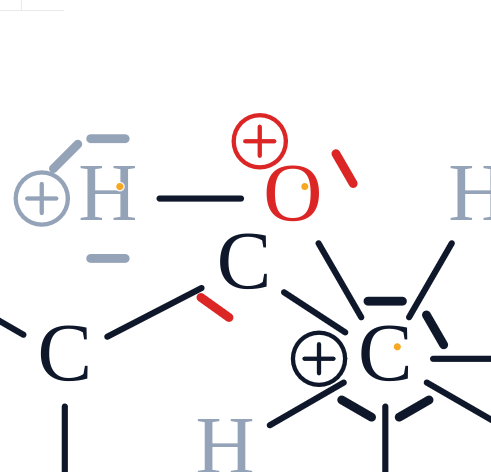
Thanks for reporting this. Fixed now: with explicit H labels on, a single carbon shows as C with its four H bonds instead of CH4 drawn over them. Please refresh and let us know if you still see it.
- 3D Modell does not draw H-atoms anymore when "no automatic hydrogens" is activated, but adding H-atoms will not draw them in 3D either. (See picture) - Both bugs seem to be fixed.
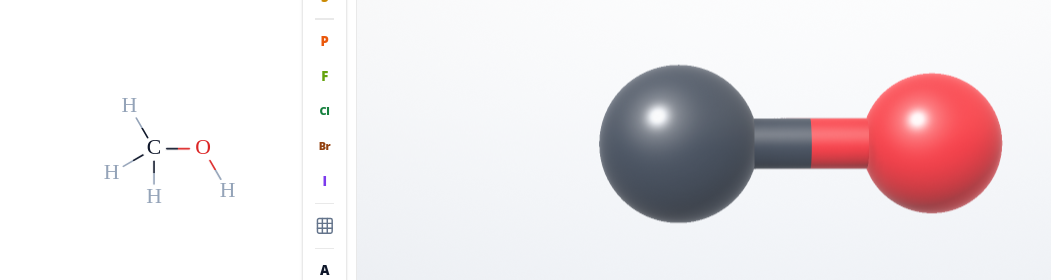
fixed. With "no automatic hydrogens" on, the 3D model now shows exactly the H atoms you draw, no more and no less.
Add square brackets [ ] which can be used around resonance structures. Thanks for your efforts and great service.
Found it. I did not notice that the square brackets without the n subscript had been added.
Thank you for reporting this Saeed 3D export: GLB and OBJ files now contain a real 3D model with colours, so they open in PowerPoint, Affinity, Blender and other 3D apps. For OBJ you get two files (.obj and .mtl). Keep them in the same folder so the colours load. Test and let me know.. Colour legend: in the 3D window, click the tag button (Labels and legend) and turn on Element colour legend. It shows which colour is which atom. You can also turn on atom labels there. The legend and labels are included when you export the 3D view as PNG or JPG.
Thanks for your effort. The 3D files do not appear as they do in ModDraw; the atoms, shapes, and colors have changed. For comparison, please look at the attached screenshot.
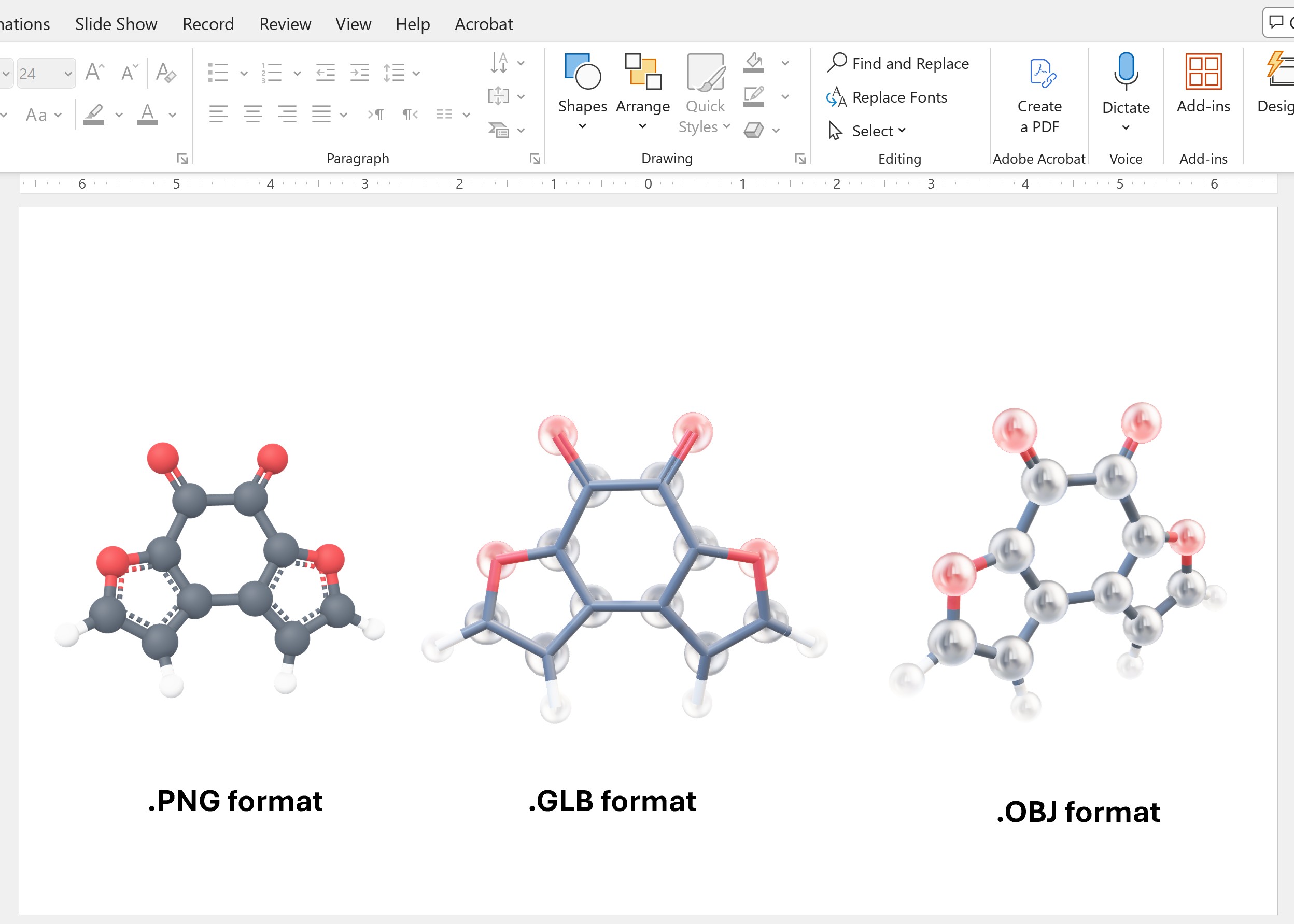
The downloaded 3D model of the molecules (GLB, OBJ) cannot be opened in MS PowerPoint. I also tested and imported a 3D molecule example in GLB format into Affinity software, and it only shows a white frame. Kindly fix this issue.
Also, please add a legend to the 3D model structure window indicating which color represents each atom, which can be exported with the 3D structure. Many thanks.
Adding a C-atom adds another C-atom when it is the first atom of the molecules. Please change it so that only one C-atom gets added as it is for all the other atoms.
Could you make it the default option? As of now I have to switch to another atom and back to C. Otherwise it will add two C atoms.
Thanks Ramon, good point. Implemented. At the start, C no longer looks already picked in the atom palette. Before, it looked picked even though the bond tool was active, which is why you had to switch to another atom and back. Now one click on C is enough, and every click on the empty canvas adds a single C atom. If you want this as your default, open the graduation cap (Teaching) menu in the top bar and turn on 'Click places one atom'. Then a click on an empty spot always adds one atom, even with the bond tool. Dragging still draws a bond. Please test it and check.
Perfect! I changed to the new setting "Click places one atom" (And will never go back) reloaded with ctrl+f5 and it just works. Thank you!
I love the new teaching settings! Some suggestions: - Possibility to switch to teaching mode without going into settings. - A button outside of settings to enable/disable "show errors" faster. Could also be a dropdown menu together with the other teaching features. - Possibility to copy and send a link for MolDraw with the chosen settings. This would allow for fast sharing of settings. Maybe even with the already drawn molecules.
Hi Ramon, 1 and 2 are implemented. Click the graduation cap button in the top bar. It opens a menu where you can switch the layout and turn Show errors, the Lewis view, Free sketch and the atom preview on or off, without going into Settings. 3 is a good idea. Sharing a link with your settings and drawing is on our list. We will discuss the possibilities within team.
Both implemented. The error tooltip now also shows for charges and lone pairs. Just hover over the red mark. In teaching mode you can add more lone pairs to an atom than before.
- Interaction between charge or bond errors works as intended. - Interaction between charge or lone pair errors works as intended. - Lone pair errors will not be displayed if there is a bond error. - Adding lone pairs works as intended.
MolDraw makes a suggestion when trying to add an atom (i.e. H) to an existing one (i.e. C). I think it's irritating when drawing, as it seems to me, that I can click the atom and it will add the H. But thats not the case. If I click the C it will exchange it for a H. I'd get rid of the hashed line and greyed out atom entirely and only have it for adding additional atoms of the same type. In education mode this has be off by default.
I love it! All features work as intended. Would it be possible to have the show errors and the switch between Lewis structure and skeletal formula as a button somewhere in the toolbar when educational mode is on? For students these will be often used buttons in my opinion.
Thanks Ramon, great to hear everything works! Both are already one click away. Click the graduation cap (Teaching) in the top bar: Show errors and Lewis structure are right there as switches, so you don’t need to open Settings. We will keep your idea of separate toolbar buttons for students in mind for a later update.
Yeah, I saw that in the drop down menu already. A separate tool bar for students would probably be best.Thanks for keeping my suggestion in mind. Also I saw that you added even more options to that menu. Great thinking!
Every MolDraw update in one feed, newest first.
Fryad Saeed
Thanks. The exported 3D file is match the look of the structure pane. Also, the mirror image 3D file does not export the mirror image, only export the one molecule.
Rafeeque
fixed, should export the mirrored structure also now in 3d. check?
Fryad Saeed
It was fixed. Now it shows both molecules, but the mirror is missing. Thanks again.