Inductive effectDone
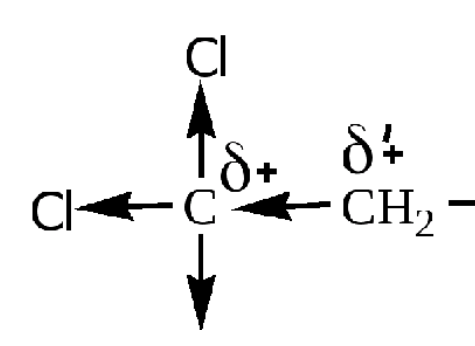
Add the ability to display electron displacement along the sigma bond. Inductive effect. Thank you for your work!
Request a feature here so the community can vote and track progress. Sign in to submit.
Add the ability to display electron displacement along the sigma bond. Inductive effect. Thank you for your work!
It would be great to be able to switch between skeletal formula and Lewis formula by pressing one or two buttons. Atm I can can add explicit H-Atoms and reveal C-Atoms to get to the Lewis formula. To get back to the skeletal formula I can hide the C-Atom but I cannot make the H-atoms implicit if I made them explicit before.
Hi, for now you can select and delete the explicit hydrogens. but we will make it easier. working on it
convert written names to structure
Hi This is possible. right click on text > convert to structure
ACS style
Hi ACS style is already there. Check settings
Hi there, The implementation of Molecular Electrostatic Potential (MEP) or Molecular Electric Field (MEF) for the 3D models would be great.
Hi @ramon A basic verison of MEP visualisation is already available.
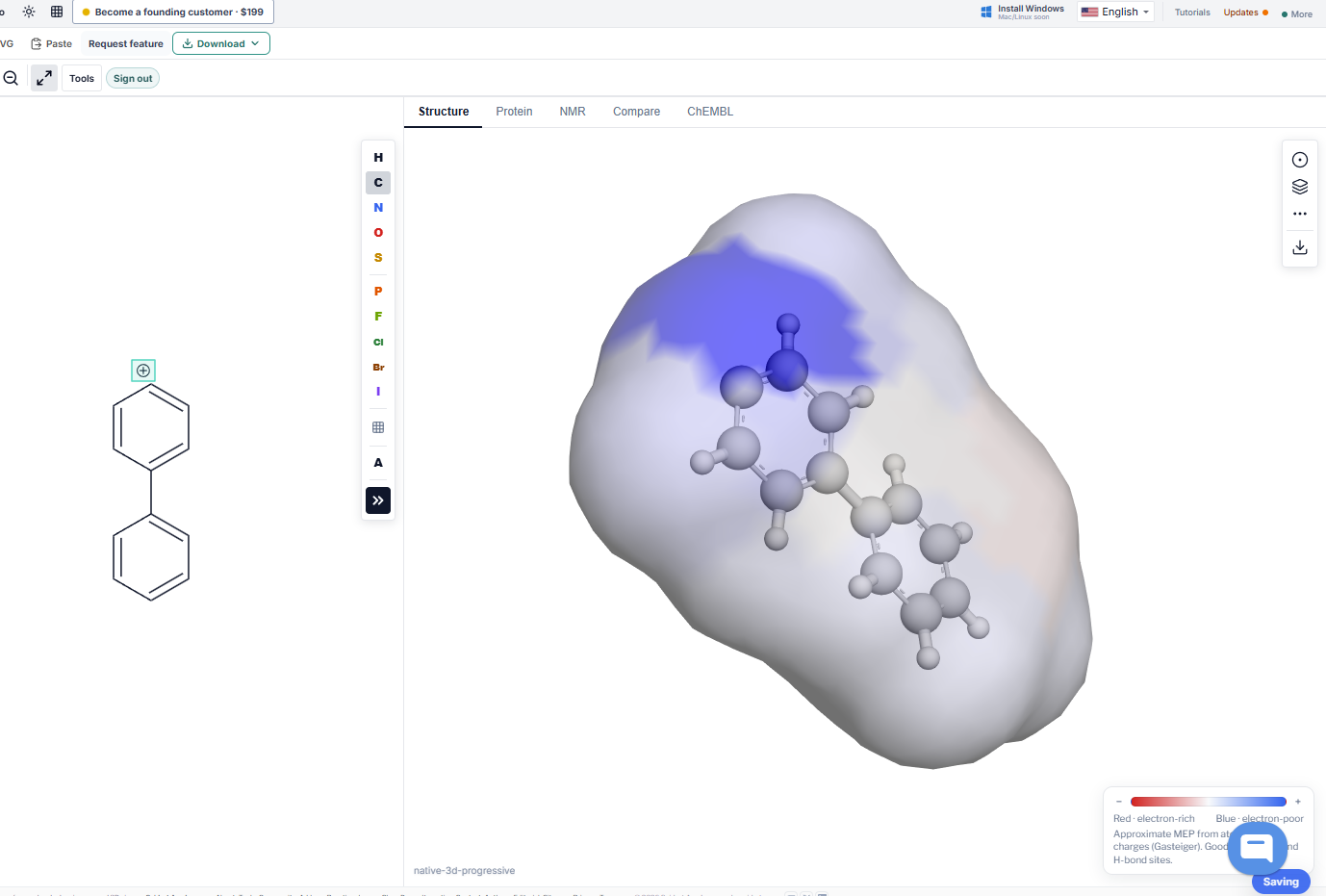
I see. I didn't check the plugins. It's a bit rougher than what I used before, but it will do. Thanks.
MolDraw is really nice, but I miss the option to draw lone pairs as a line. Also I wasn't able to place the lone pairs in a different location like it is possible with charges. Maybe its possible to have them treated like bonds so that they take up an optimal position when using clean up and still be able to change the position to our liking. (Submitted by email after in-app feature request failed due to RLS.)
Hey Rafeeque, Great work! Checked with caffeine again. - Positions look very good. - Positions for some are locked during rotation, which is very good. I'd like it locked for all lone pairs during rotation, if possible. - Clean up will fix any bad placed lone pairs. (i.e. After rotation it is possible that a lonepair overlaps with the ring symbole of an aromat.) - On a side note: Dearomatizing caffeine doesn't work. See attached image.
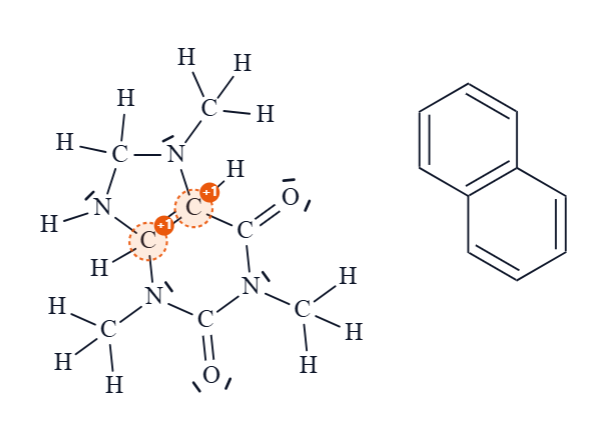
Hi Ramon, All three points are fixed and live now: 1) Lone pairs now stay fixed to their atom when you rotate. The only exception is a pair that would sit right on an OH or NH hydrogen label; it moves just off the H. 2) Clean up now moves any badly placed lone pair into the most open space, away from bonds, H labels and aromatic ring circles. 3) Dearomatize now works on caffeine and similar ring systems like purines and indole. 4) The problem in your picture came from adding explicit H while the rings were aromatic, which gave extra H atoms. That is fixed too, and Dearomatize also cleans up those extra H atoms. Please refresh the page (Ctrl+F5) and give it another try. Let me know if anything still looks off.
1. Works as intended and it totally makes sense to shift them for OH and NH Labels. 2. Works as intended. 3. Works as intended. 4. Works as intended. Is there a way to get rid of all lonepairs?
Style Structure does not affect it
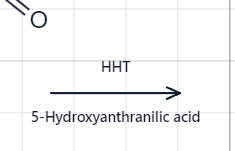
Hi Vanessa, This is fixed. Now you can adjust the font size of the text in arrows in the left settings panel whichappear when select the arrow. Also theefault font size is also increased. @vanessah
It should be able to search the structure on pubchem. Do you think it's possible?
Hi, You can find a search option at the top left. It is PubChem search. Is there anything else you would like to have in the pubchem search?
For example, for a ferrocene molecule I'd like to be able to show the dottted coordination bond lines between the iron atom and the cyclopentadienyl rings.
Please revert back to the old format, maybe make it so that you can add lone pairs, but this new model is awful. I can't use it at all.
Reading my post back it was dramatic but I wanted to say today's update is so much better. The adding text feature is very bugged, it add colors if the color feature is on, can't use the space bar and if the text box overflows the text wraps on itself

Thanks for the follow-up , glad today's update feels better. On the text tool: text no longer picks up the molecule Color. Space works while you type, and overflow wraps or grows the box instead of stacking on itself. Text styling is in the left panel now, the Style button opens the Text dock, and superscript/subscript apply only to the selected text. Please check and let me know ioaf nay hages are needed
Hi, Try this. Use Select tool, click an atom or bond to select it, then drag to move or press Delete — no need to switch to Erase each time. That solves the issue?
Every MolDraw update in one feed, newest first.
Rafeeque
Thank you for the idea, We implemented it. How to use it: 1) Open the bond menu and pick the Inductive tool. 2) Click or drag to draw a bond. An arrow appears on the bond and points to the atom that pulls the electrons, like Cl, O or N. 3) Click the bond again to reverse the arrow. 4) For partial charges, pick the δ+ tool and click an atom. Click once for δ+, twice for δδ+, three times for δδδ+. The δ− tool works the same way. You can draw the same example as in your picture: CCl3 with arrows to each Cl, δ+ on the carbon and δδ+ on the CH2. Please test it and check