MolDraw Community

M
Luca Folegnani 60 karma
Student ·

A few bugs I’ve noticed, plus a suggestion for square brackets

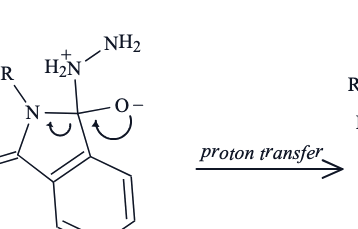
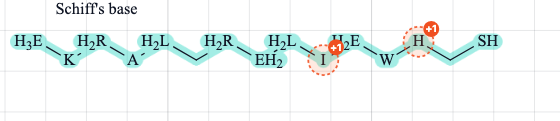
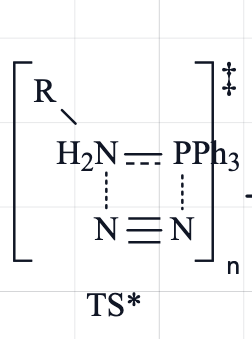
Hi again! Sorry for being a bit of a nuisance with all these reports. I’ve been using MolDraw a lot and have come across a few more things I wanted to flag: 1) Community replies disappearing I’ve tried accessing the community from several devices, and sometimes replies under threads appear briefly after refreshing the page, then disappear about two seconds later. 2) Copy and paste adding unexpected elements Sometimes pasting adds a molecule that has nothing to do with what I’m drawing, as shown in the first screenshot. I’ve also had unwanted elements appear instead of the content I intended to copy. It happens intermittently, so I haven’t found a consistent way to reproduce it yet. 3) Eraser removing nearby elements Sometimes a direct click with the eraser removes nearby elements that I wasn’t trying to erase (clicking and dragging seems to work as expected), I’ve only noticed this problem with individual clicks. 4) Square brackets In the second screenshot, some parts of the molecule extend outside the brackets. Plus, would it be possible to add freely adjustable square brackets without the polymer “n” subscript? They would be useful for drawing transition states and enclosing intermediates. Sorry again for the flood of messages! I’m really enjoying the web app! It looks great, and I appreciate all the work you’re putting into it. Thanks for taking the time to look into these!
Community attachmentCommunity attachment
▲

Rafeeque

Rafeeque Admin 364 karma

HI @lucafolegnani Keep reporting all the issues. We are thankful for that. Thanks for taking the time. 1) Community replies: That's fixed, so all replies now stay. 2) Copy and paste: These are messages on valency corrections. We have made it simpler looki gso that it doesnt feel like the part of the drawing. 3) Eraser: fixed. Labels like PPh3 had a large click area that took over clicks on nearby bonds. A single click now removes only the closest atom, bond, arrow or text. Click and drag works as before. check now? 4) Square brackets: brackets now fit around labels like H2N and PPh3, including subscripts and charges. There's also a new Square brackets option in the bracket menu with no n, for transition states and intermediates. You can resize it from the corners or edges and add ‡ or a charge by right-clicking it. let me know if anything need fix

Luca Folegnani 60 karma
Student ·

Idea: Aligning reaction arrows horizontallyDone

Hi, I’m really enjoying MolDraw! Is there a way to align multiple reaction arrows so they’re all at the same height? If this is already possible, could you explain how to do it? Otherwise, it would be a useful feature for keeping reaction schemes tidy. Thanks for all your work on the site!

▲

Luca Folegnani

Luca Folegnani 60 karma

Also, sometimes when I select a single fragment or molecule and try to apply an action only to that selection, such as cleanup or export, it affects the entire drawing instead.

Luca Folegnani

Luca Folegnani 60 karma

It works! Thanks!

View more comments
Luca Folegnani 60 karma
Student ·

Bug: some elements after exporting in svg are not aligned

Hi, I’ve noticed that some letters in text labels and the hydrogen labels in amine groups shift slightly upwards when I export the drawing. Thanks for your help!

Community attachment
▲

Luca Folegnani

Luca Folegnani 60 karma

Yes! Now they are aligned!

Luca Folegnani 60 karma
Student ·

Bug: “Filled” arrowheads are drawn as “Open”Done

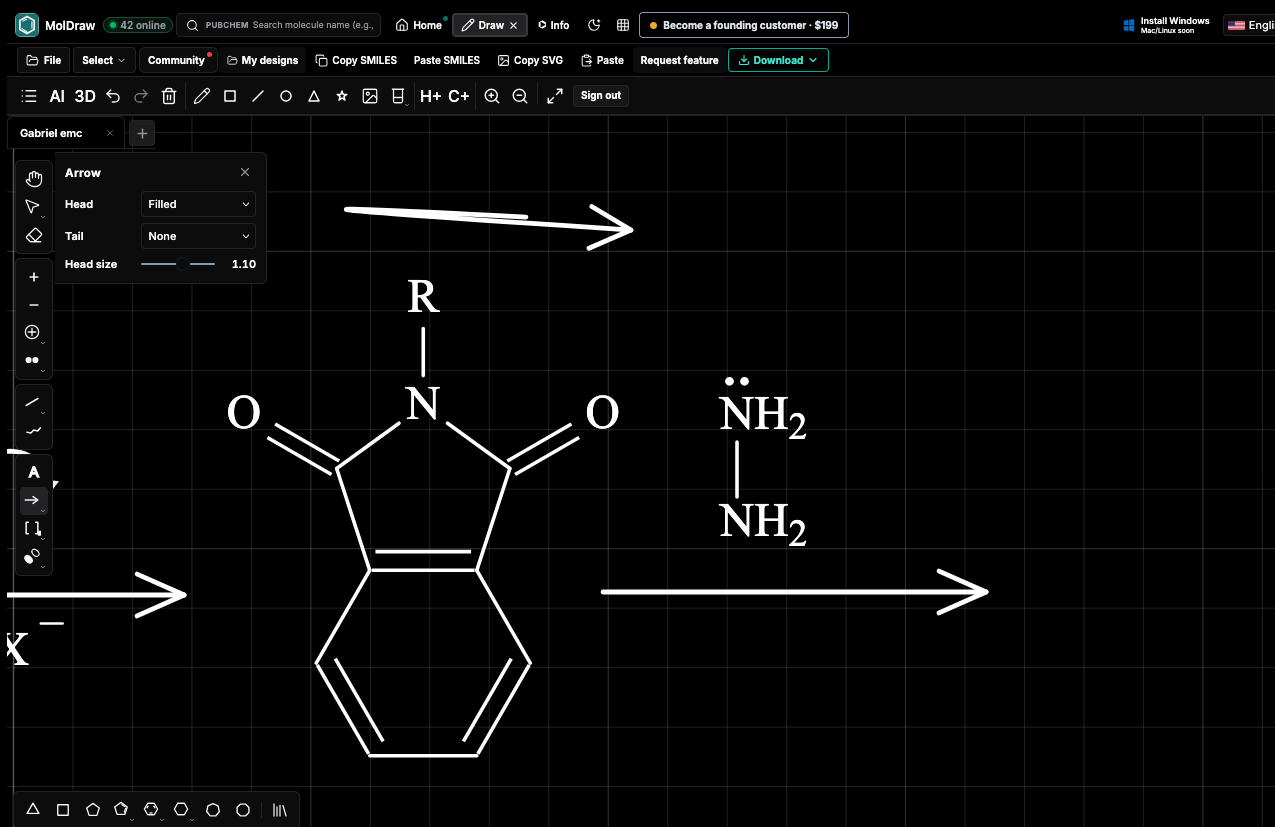
Hi, I’m having an issue with arrowhead styles. The arrowhead remains open, even though the panel shows “Filled”, when I reopen the Arrow tool, the setting also returns to “Open”. This happens repeatedly with newly drawn arrows, the attached screenshot shows “Filled” selected alongside arrows with open heads. Could you check whether this is a bug or whether there’s another setting I need to change? Thanks!

Community attachment
▲

Rafeeque

Rafeeque Admin 364 karma

Thanks for reporting this, Luca! This is fixed. Filled (and your Tail and Head size choices) now apply to every new arrow, and MolDraw remembers them when you switch tools or reload the page. If you have an arrow selected, changing the panel updates it too.

mika griese 10 karma
Student ·

How do I put an Ion on an Arrow?Done

I've tried to Put a charge on it. Doesn't work. I've tried to type it as an exponent. Doesn't work. What am I missing?

▲

Rafeeque

Rafeeque Admin 364 karma

Hi, Yes, now you can! Right-click the arrow and choose Add text above arrow or Add text below arrow, or select the arrow and tap the small + above or below it. Type Cl- (or Cl^-) and it shows as Cl⁻, Fe3+ shows as Fe³⁺, and H2O shows as H₂O. The text stays attached to the arrow when you move it, and double-click edits it.

vanderson 24 karma
Researcher ·

Explicit H's

When the "H+" button is used, it adds explicit hydrogens, BUT there is no way to remove them afterwards (like an "H-" option). In the options menu (gear icon), I try using the "Show explicit H labels" option to remove the explicit hydrogens, but they do not disappear.

Community attachment
▲
vanderson 24 karma
Researcher ·

Protonation statesDone

Hello, Would it be possible to add a function similar to the pKa tool in MarvinSketch to determine protonation states and microspecies percentages at a specific pH? It is possible to do this with Dimorphite_DL, but it does not list the percentage of microspecies at the desired pH.

▲

vanderson

vanderson 24 karma
Researcher ·

Cool!!! I'll give it a try. Great job.

Rafeeque

Rafeeque Admin 364 karma

@vanderson this is still an experimental feature. We are doing further tests. So take the values as estimated values with possible margin for errors. Let me know if you find anything to be corrected.

Rafeeque

Rafeeque Admin 364 karma

Here is how you use it @vanderson : 1) Click the small + next to the Structure tab and choose Install on pKa & Microspecies. 2) Draw your molecule, or search for one. Open the pKa tab. Each acidic or basic group now shows its estimated pKa. 3) Move the pH slider, which starts at 7.4. The table shows each form and its percentage at that pH. 4) Look at the chart to see how the forms change from pH 0 to 14. 5) If you know a real pKa, type it into the Sites tab and everything updates. 6) Click Insert to add the main form to your drawing, or Replace to swap it in. To remove the plugin, close its tab and confirm Uninstall.

Researcher ·

Question: drawing question

When editing a 2D drawing is it possible to rotate a bond so that residues on one side change from cis to trans?

▲
Rafeeque Admin 364 karma
Other ·

Predict NMR Spectra (1H and 13C)

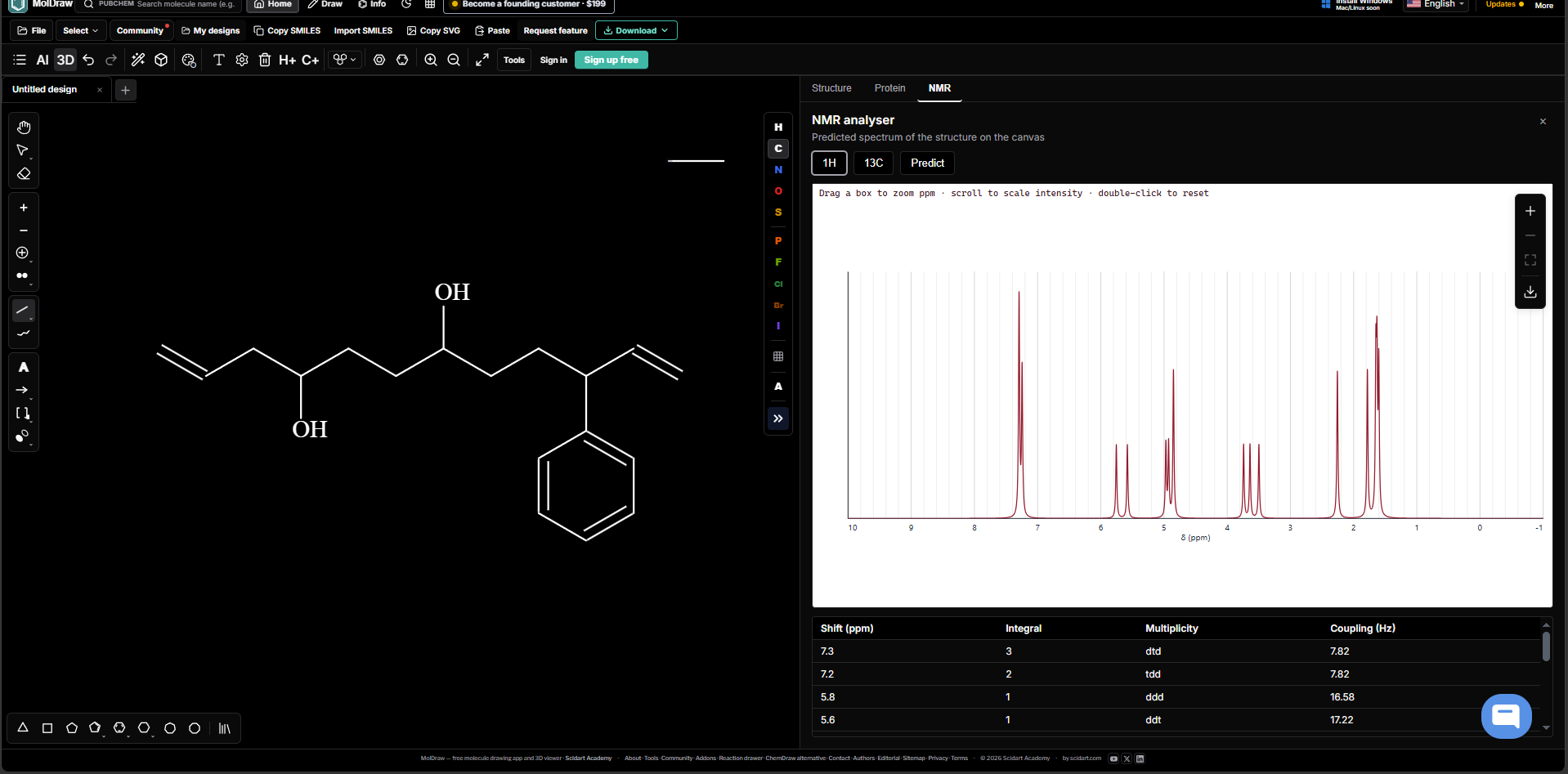
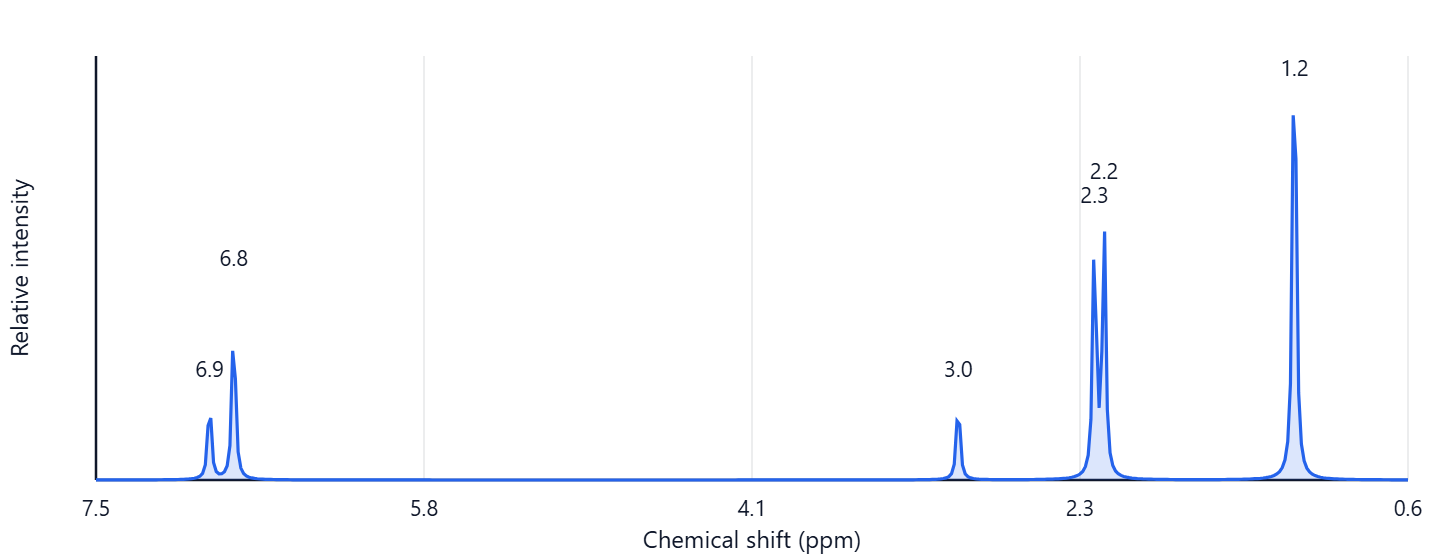
Now you can predict NMR spectra of molecules It is an experimental feature. https://www.moldraw.com/tools/free-chem-tools/structure-to-nmr.html

▲