Select Highlight thicknessDone
Right now there is only one setting for the highlight format and it is too big. I would like to select different highlight thickness.
Request a feature here so the community can vote and track progress. Sign in to submit.
Right now there is only one setting for the highlight format and it is too big. I would like to select different highlight thickness.
I was trying to make the cation H3(+) (trihydrogen) bonding with the anion CH3(-) (methonium) but the hydrogens of the H3(+) didn't show up
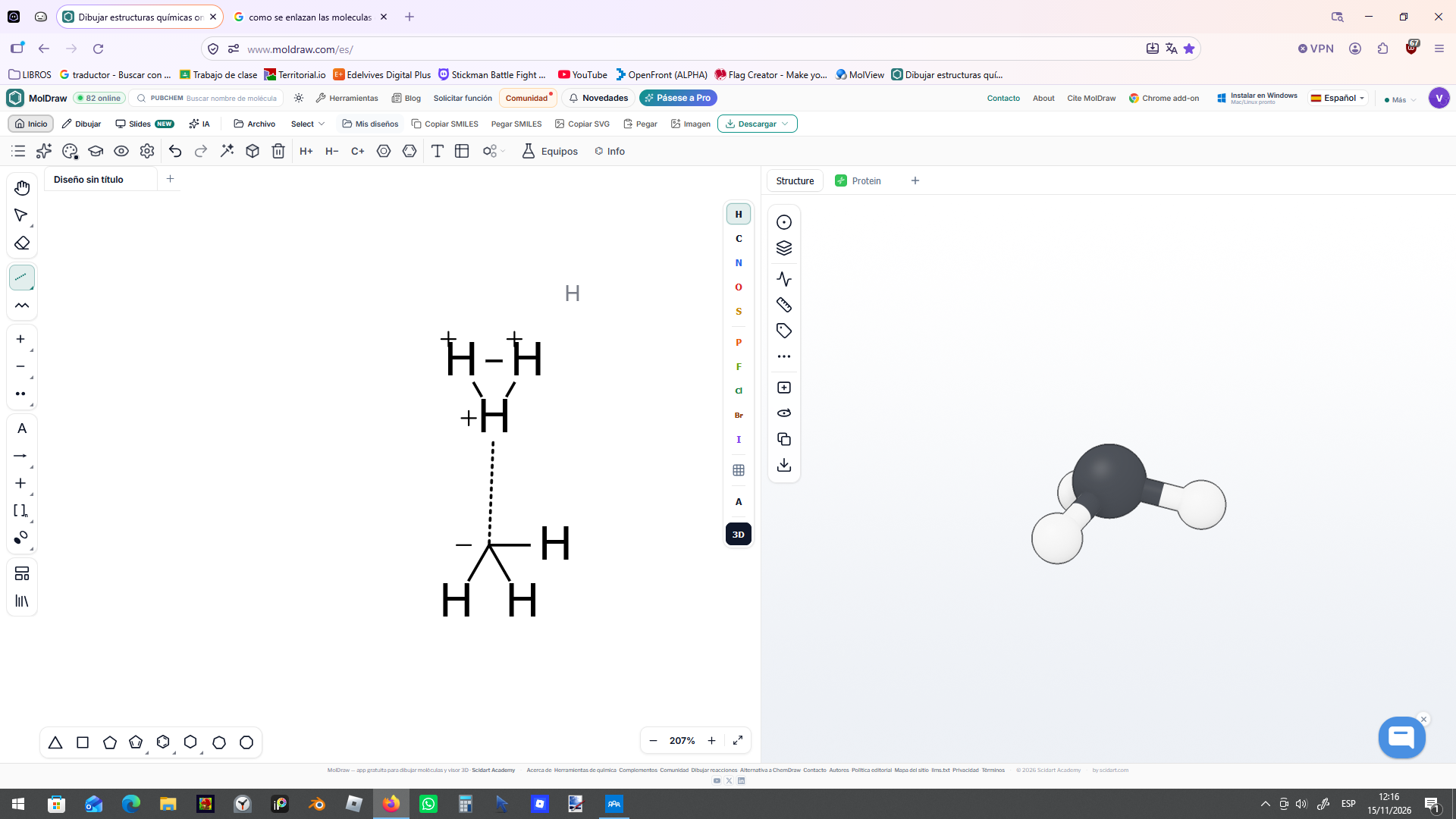
rotation of water molecule (at present you can't even rotate it e.g. 45 or 90 degrees)
E.g. the cation H₃⁺ is impossible because the system doesn't let you to put positive charges on hydrogen, meanwhile others like MolView do. It is frustrating because MolDraw has a greater capacity to model big and complex molecules and I don't want to be changing between one modeller and another
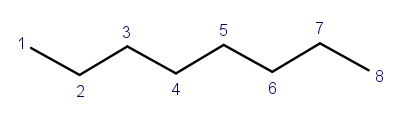
Hi there, I'd like to be able to label Atoms automatically by selecting them and then clicking a button or right click to label them with numbers like this:
I tried to draw the haworthprojection of fructose, but the auto snapping came in the way of it. Everytime I tried to bring a OH group near one of the bonds or another atom it snapped to it and disappeared. I tried to disable as many snapping option as I could but it did not work. In Lewisformula it is better but still noticeable.
Hi there, When I try to add alpha-D-Glucose as haworth projection from the library it will insert mills projection. If I press ctrl-Z it will change to haworth projection.
the 3d structure window is broken on my machine it stuck at priveiw and isent rendering anything
generate smiles
Sometimes a topic will not show all replies or display the wrong amount of replies or will not show the "view more comments". It might be easier to follow discussions and feature requests if only the first post is displayed and to show the replies the discussion has to be opened. Or maybe even only the title of the discussion or request. i.e. tool bar improvement doesnt show the "view more comments" although there is another one to show.
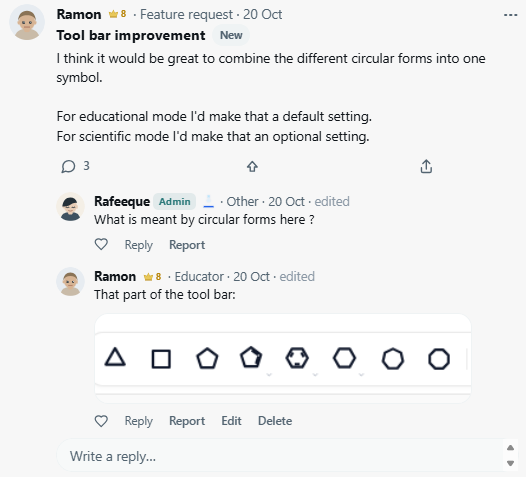
Hi there, In my opinion the upper toolbars needs sorting. I made an image of my suggestions. My ideas behind the new order: - The first row is for stuff the opens new windows or links. It is usually not used heavily for drawing. (i.e. AI and Slides open a new window, Blog, tools and other will open a link) - The second row contains "Home, Draw, Slides AI" which add a new window or change the drawing setup. Also everything that is associated with files, uploads and downloads. - The third row has the settings part split into Section 1: Color settings, display settings, CH, teaching settings and all settings Drawing options in Section 2: Back Repeat, clean, Discard, Zoom, Fullscreen. Inserts in Section 3: Insert Text, Insert table, Insert apparatus, aligning options and info - The 3D button exists twice and I would delete it. - The H+ H- C+ Aromatize Dearomatize should be together in one symbol, as it uses a lot of space.

Every MolDraw update in one feed, newest first.
Right now there is only one setting for the highlight format and it is too big. I would like to select different highlight thickness.
Thanks Marc, all three are live now. Refresh MolDraw to get them. With bonds selected, Thick in Color & style → Bonds sets only their thickness. "Document" resets them. The custom color swatch now shows the color you picked. To recolor a structure, select it first (Ctrl+A for all), then pick the color. There's a zoom readout next to the zoom buttons. It shows the current zoom (100% = actual size), and clicking it lets you pick a zoom or fit to scree
There is still a bug when I try to make some bonds thicker, the double bond becomes farter
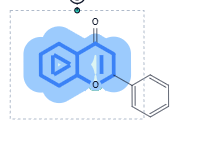
Also, I think I don't see the highlight thickness option. By this, I meant that here, it is too large. I would like a less large highlight
And when I changed the bond length, it applied to all my canvas instead of only my selection.