Rms margin adjustmentDone
Hi i would love to have the ability to change the Rms margin of the uff tool. This is both in terms of higher margins and lower margins. Kind regards Luna Hoffmann
Request a feature here so the community can vote and track progress. Sign in to submit.
Hi i would love to have the ability to change the Rms margin of the uff tool. This is both in terms of higher margins and lower margins. Kind regards Luna Hoffmann
Call Center resmi Permata Bank dapat diakses melalui saluran Permata Tel 1500-111. WhatsApp 0852-1521-3911. Kirim pesan ke email care@permatabank.co.id.layanan 24 jam.

I’d like to draw sugars as clean Haworth projections with the thicker front lines (Wikipedia example attached). However if I draw the closer end with thick lines or wedge and thick lines the edges of the lines do not join. Screenshots attached. Thanks, Joseph
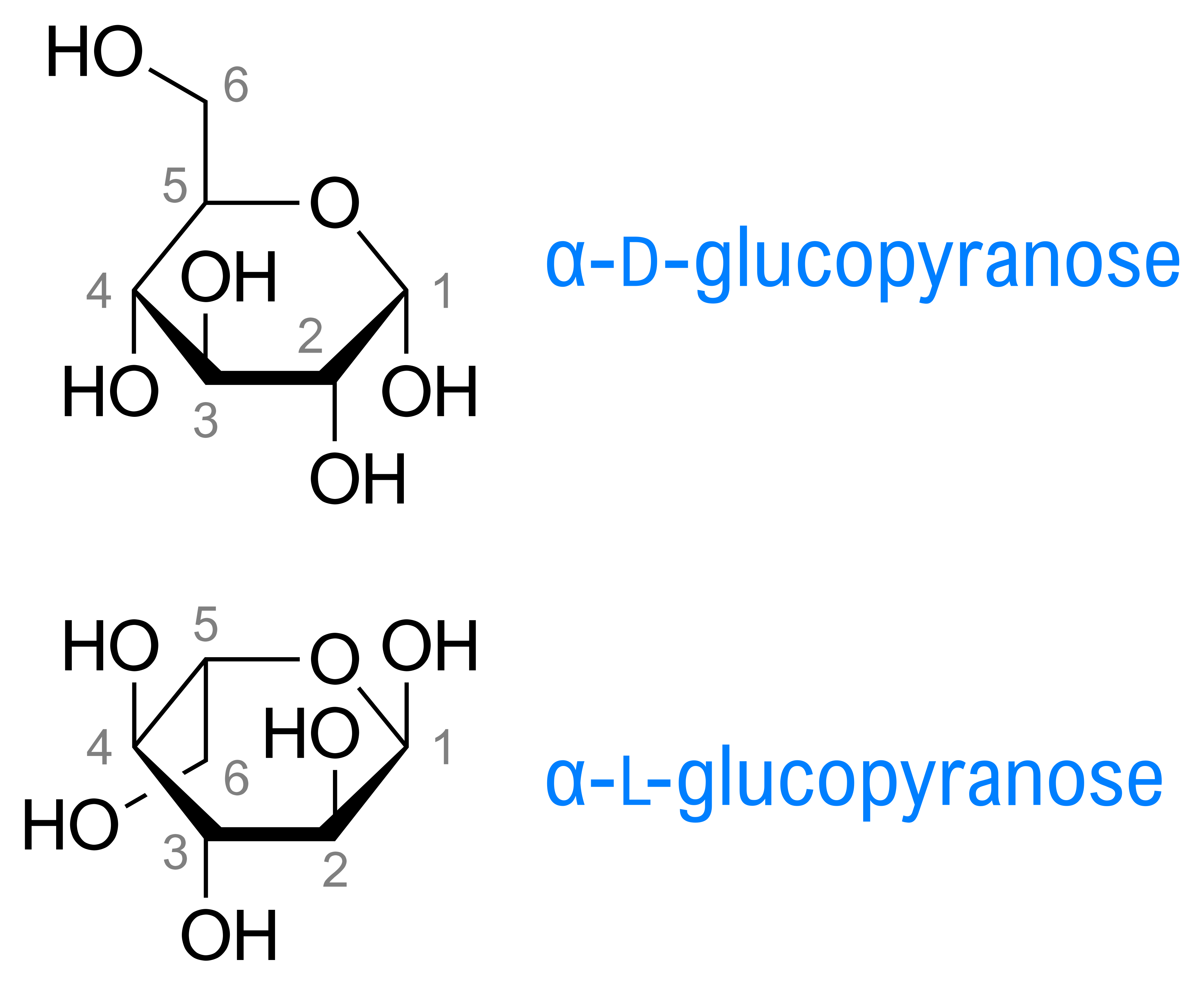
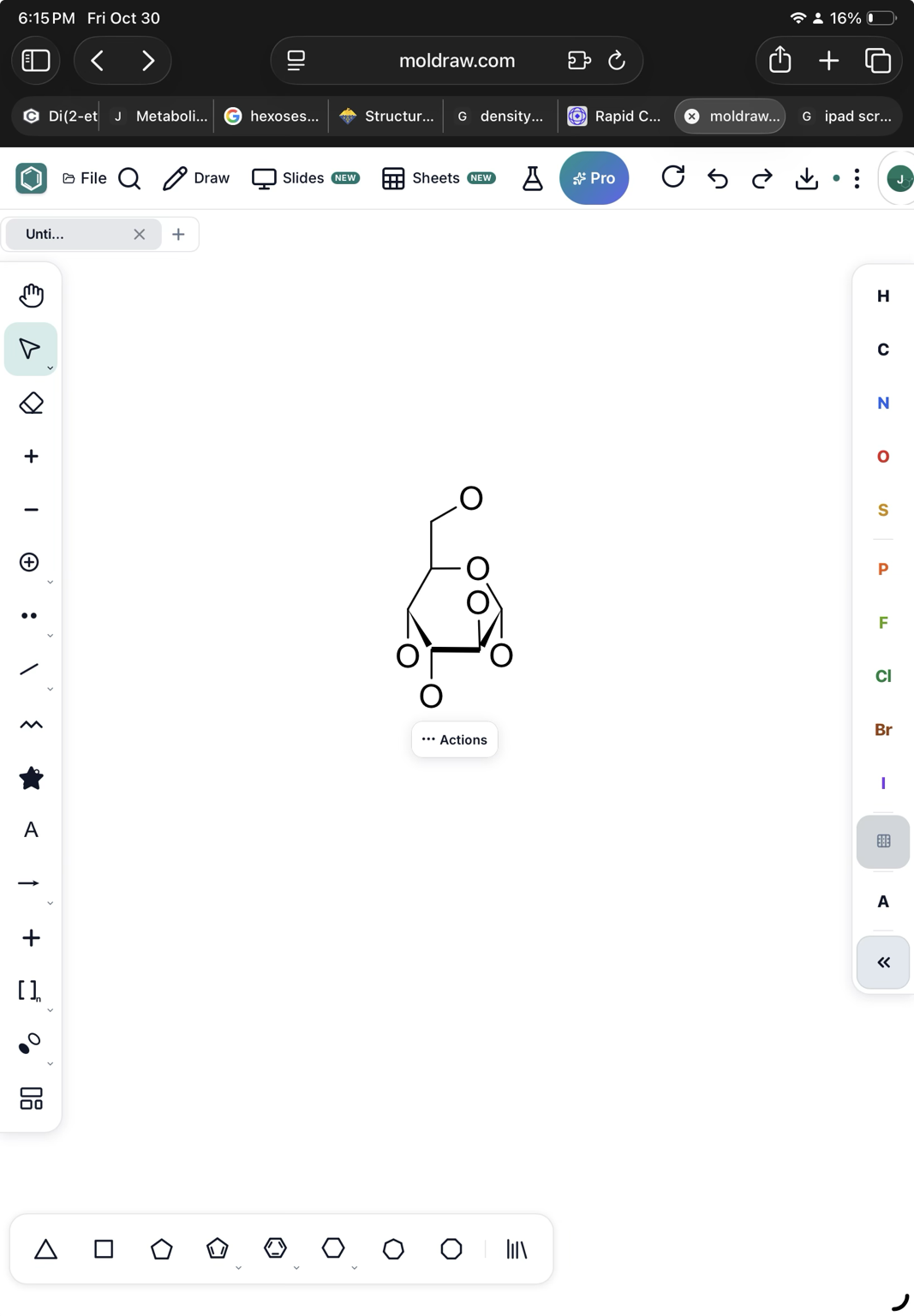
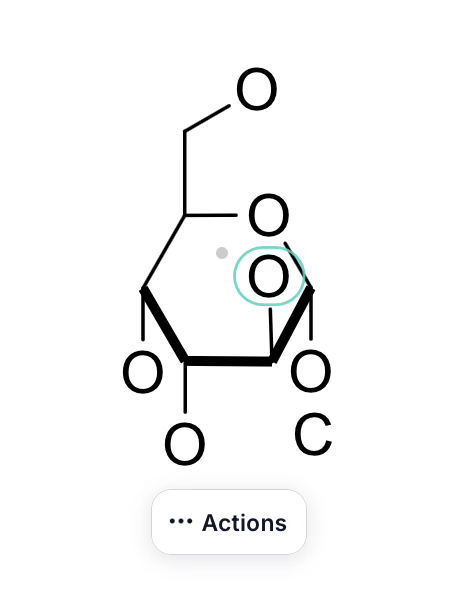
change background colour in text boxes (e.g. white/black etc)
The current view of the NMR predict, with the molecule, would be copied to clipboard so it can be pasted in the 2D layout or in a presentation directly.
The current view in the 3D panel would be copied to the clipboard. In this way, it can be pasted on the 2D layout easily.
An icon to copy all the data in the INFO tool at once, or export to a table. It would be useful if it could be copy/pasted on the 2D layout in an easy once step way.
Can you place all the coloring and highlight of bonds and lone pair in one place. Now, if I want to color any bond, I have to do it in Color and Style button in the top toolbar and the highlighting of bond is on the right-click menu, and highlighting and coloring lone pairs only on the right-click menu Also, can you add a feature to color/highlight a sigma bond or two sigma bonds of double and triple bonds.
Scrolling in My designs window is missing to view all the designs.
I think it would be helpful to add a reaction-plus button to the left-hand toolbar, making it quicker and easier to insert a “+” when drawing chemical reactions.
Every MolDraw update in one feed, newest first.
Hi i would love to have the ability to change the Rms margin of the uff tool. This is both in terms of higher margins and lower margins. Kind regards Luna Hoffmann
Hi Luna, thanks for the suggestion! It’s live now. In the 3D viewer, open Auto-optimise (the pulse icon, or Alt+Shift+O). Under Stop at RMS gradient you can choose: Loose (0.5), for a quick rough shape Default (0.08) Tight (0.01) Very tight (0.001), closest to the true minimum but slowest You can also type any value from 0.0001 to 5 kcal/mol/Å in the box. The change applies straight away: if you tighten it after the structure has settled, it keeps relaxing to the new margin. Your browser remembers the setting. Refresh MolDraw to get it. Let us know how it works for you!