MolDraw vs Ketcher: Which Free Molecule Editor Fits You
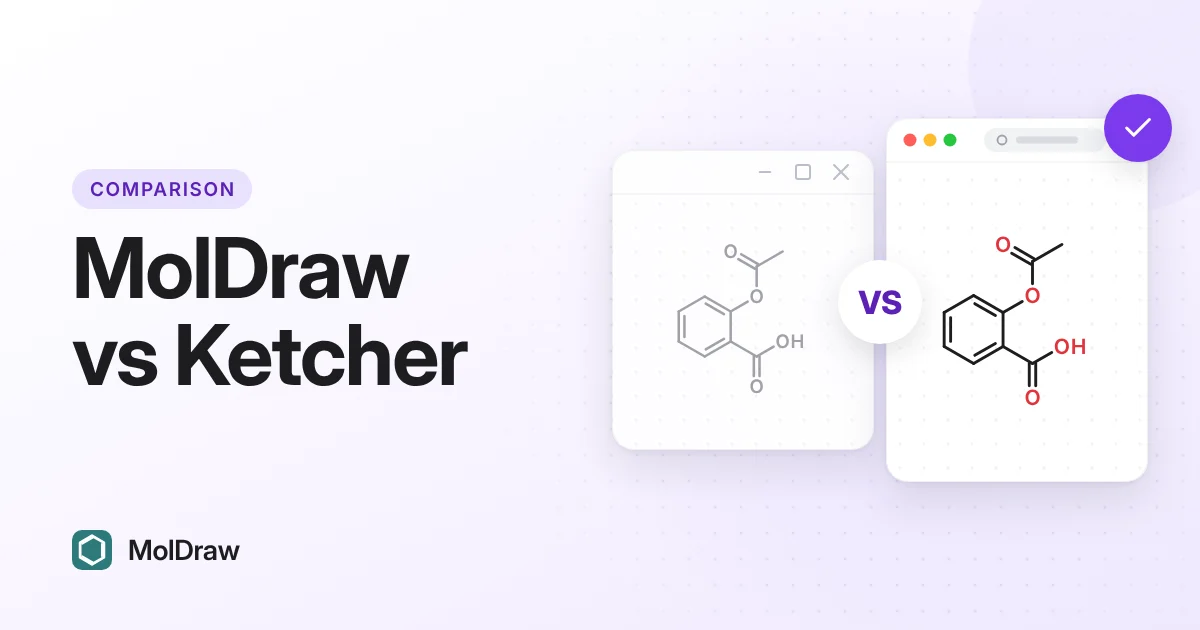
Ketcher and MolDraw both run in a web browser and both are free. They solve different problems. Ketcher is an open-source editor that developers put inside other software. MolDraw is a complete app for people who want to draw and learn chemistry.
Other comparisons: MolDraw vs ChemSketch · MolDraw vs MarvinSketch · Best free ChemDraw alternatives (2026) · ChemDraw vs MolDraw.
MolDraw vs Ketcher at a glance
| Feature | MolDraw | Ketcher |
|---|---|---|
| Made by | Scidart Academy | EPAM Systems |
| Price | Free. Optional Pro plan | Free, open source |
| Licence | Free to use (see Terms) | Apache 2.0 |
| What it is | A ready-to-use chemistry app | An editor component you host or embed |
| Runs on | Any modern browser. Windows desktop app | Any modern browser, once hosted |
| 2D structures and reactions | Yes | Yes |
| Peptides, DNA and RNA | Sequence to structure tool | Yes, macromolecules mode (HELM, FASTA) |
| Curly arrow mechanisms | Yes, with fishhooks | Not a focus |
| MOL, SDF, SMILES, InChI | Yes | Yes |
| CDXML | Opens and exports CDX and CDXML | Yes |
| Name search | Yes, via PubChem (online) | Not in the standard editor |
| 3D view | Yes, built in | Not a focus |
| NMR prediction and spectrum viewers | Yes | No |
| Teaching tools | Teaching menu, Lewis view, lessons | No |
| Change the source code | No | Yes |
Ketcher details are from EPAM's GitHub repository and project page, checked in October 2026. Ketcher 3.18.0 was the latest release we found (September 2026).
Price and licence
Ketcher is free and open source under the Apache 2.0 licence. You can read the code, change it and ship it inside your own product. EPAM also offers it on a commercial basis with support. It uses EPAM's Indigo toolkit, which is also Apache 2.0.
MolDraw: Free in the browser. No account needed to draw. MolDraw Pro ($12 a month or $99 a year; ₹299 or ₹2,999 in India) adds the AI assistant, structure scanning, cloud save, and export of drawings that contain templates or lab apparatus. MolDraw is not open source. You use the hosted app, the Windows app, or embed the editor with an iframe.
Platforms and setup
Ketcher runs in the browser, but it is mainly a building block. A developer adds it to a website, a lab notebook or a database search page. It can run in standalone mode, with Indigo built in, or in remote mode with an Indigo server for heavier tasks. Many students meet Ketcher inside another app rather than on its own page.
MolDraw is a finished app at moldraw.com. Open it and draw. A free Windows app adds offline use.
Drawing features
Ketcher is a clean, precise 2D editor. It handles atoms, bonds, rings, stereo, R-groups, S-groups and reactions. Recent releases focus on macromolecules: peptides, nucleic acids and HELM notation.
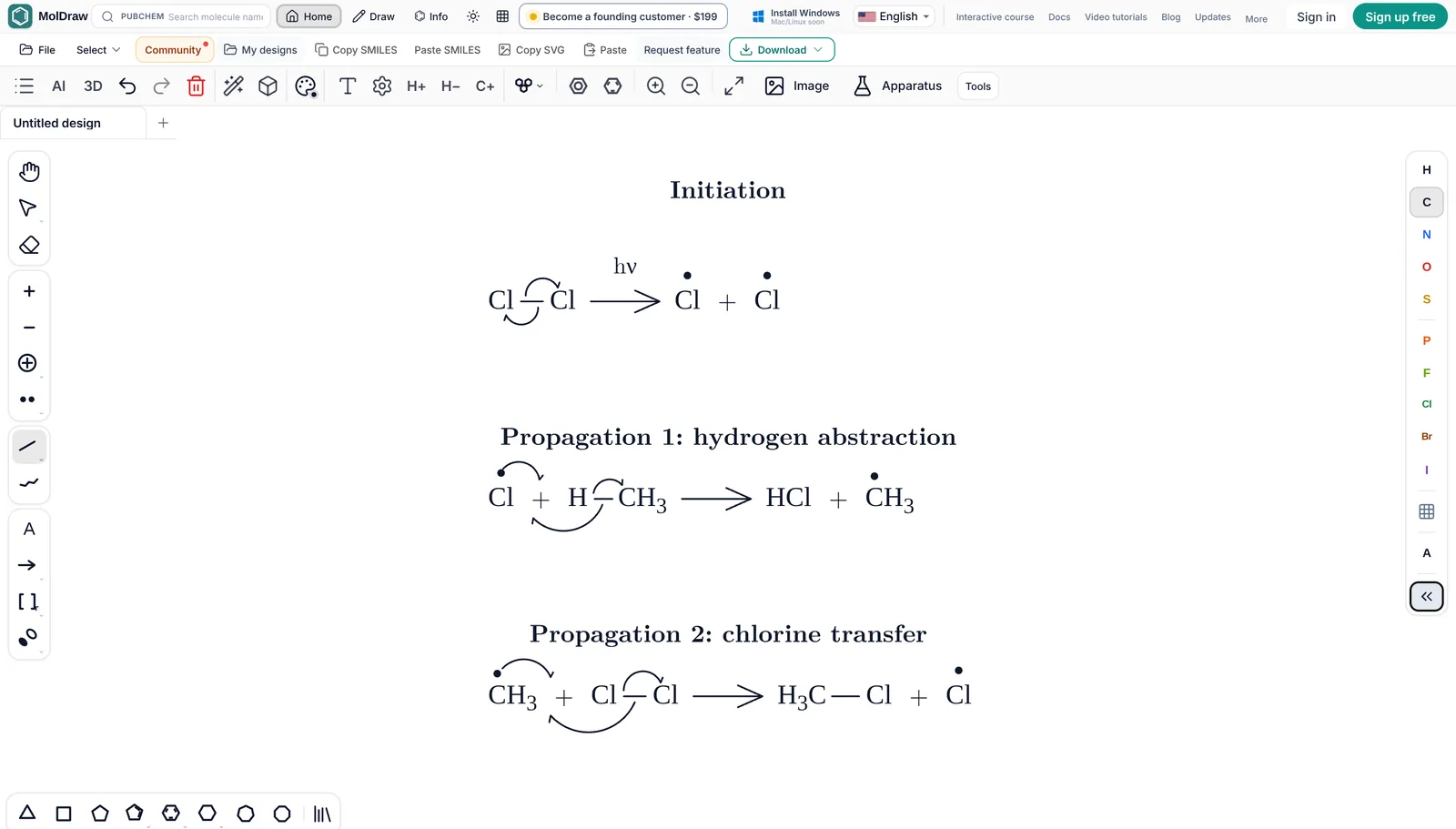
MolDraw focuses on the person drawing. It adds curly arrow mechanisms, lone pairs, journal style presets, lab glassware, chemfig for LaTeX and a command palette. It also builds peptides and DNA from a sequence in the free sequence to structure tool.
File formats: MOL, SDF, CDXML, SMILES and InChI
MolDraw opens MOL, SDF, RXN, SMILES, CML, XYZ and ChemDraw CDX and CDXML files. ChemDraw files keep their reaction arrows, captions and brackets as drawn. Downloads include PNG, JPEG, SVG, PDF, SMILES, MOL, SDF, CDXML, CDX, RXN, InChI, SMARTS, CML, XYZ and chemfig for LaTeX, plus GLB, OBJ and X3D from the 3D panel. See download and file formats.
Ketcher supports Molfile, SDF, RDF, SMILES, SMARTS, InChI and CDXML, plus FASTA and HELM for biomolecules. Both tools share MOL, SDF and SMILES, so moving a structure between them is easy.
Name to structure and structure to name
In MolDraw, type a name or CAS number in the search box and the structure comes from PubChem. For the other direction, select a molecule and click Info to see its IUPAC name, formula, weight, SMILES and InChI. The name is looked up in PubChem, so it needs an internet connection and works best for known compounds. The free name to structure and SMILES to IUPAC name tools do the same without opening the editor.
Ketcher's standard editor does not search names in PubChem. A developer can add that, and some apps that embed Ketcher do.
3D viewing
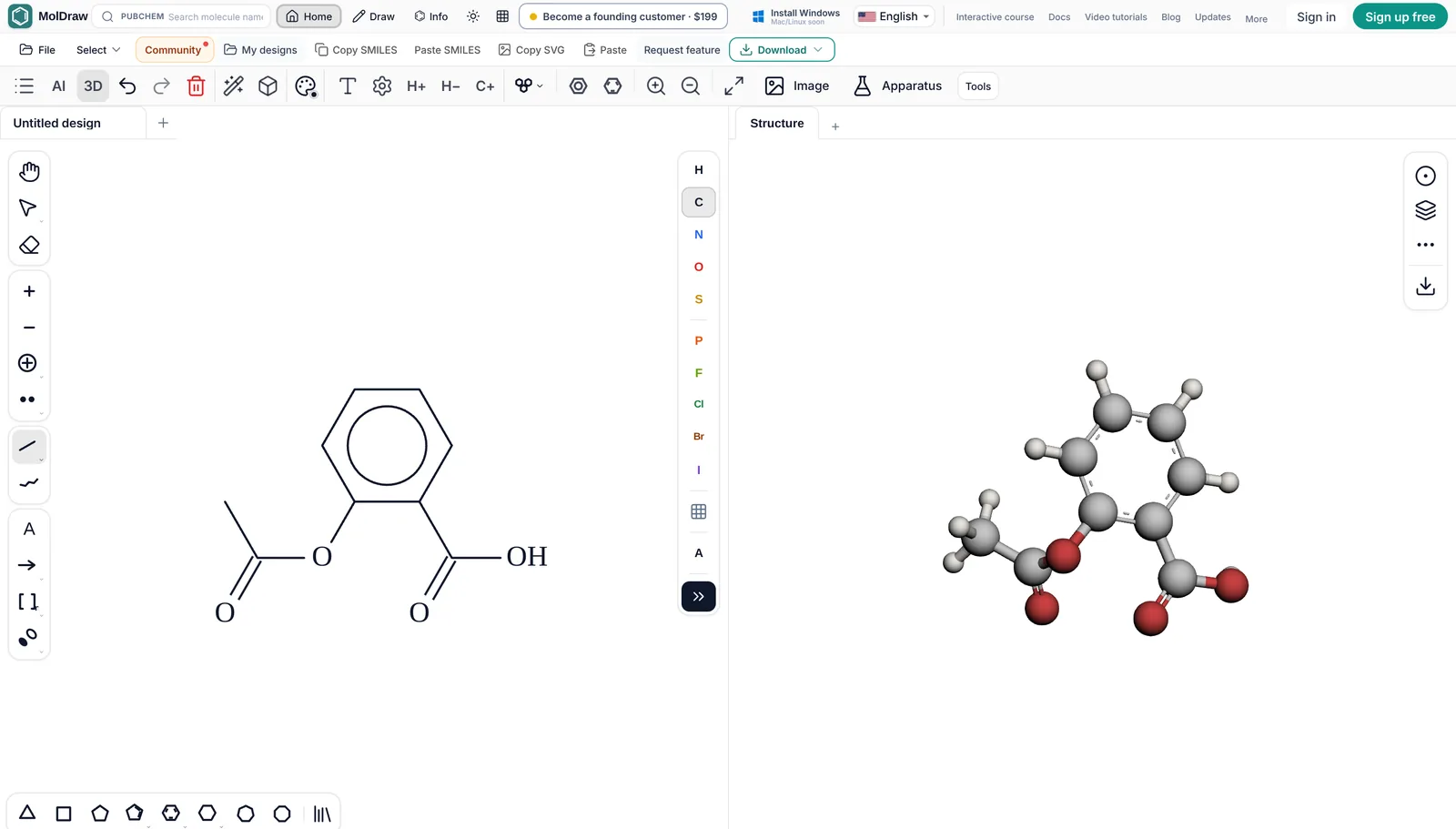
MolDraw has a 3D viewer beside the canvas. The model follows your 2D drawing. You can switch styles, show molecular surfaces, measure bond lengths and angles, and export GLB or OBJ models. The Protein Viewer plugin loads PDB structures by ID.
Ketcher is a 2D editor first. If you need 3D next to the drawing, MolDraw gives you that in the same tab.
Spectra and NMR prediction
The NMR Analyser plugin predicts 1H and 13C spectra, plus COSY, HSQC and HMBC plots, with a free account. These are model predictions, not measured spectra. MolDraw also has free viewers for your own data files: NMR, IR, mass spectra, UV-Vis, Raman and more. The files are read in your browser and are not uploaded. AI prediction of mass and UV-Vis spectra through the chat is part of MolDraw Pro.
Ketcher does not predict or view spectra. It is an editor, not a lab workspace.
Reactions and mechanisms
MolDraw draws reaction schemes with reagents and conditions, and curly arrow mechanisms with two-electron arrows and fishhooks. It also has a stoichiometry table, automatic atom mapping and ready-made mechanism templates. You can use templates and lab apparatus on the canvas for free. Exporting a drawing that contains them is part of Pro.
Ketcher draws reaction schemes and can map atoms. It is not built for teaching-style curly arrow mechanisms.
Teaching use
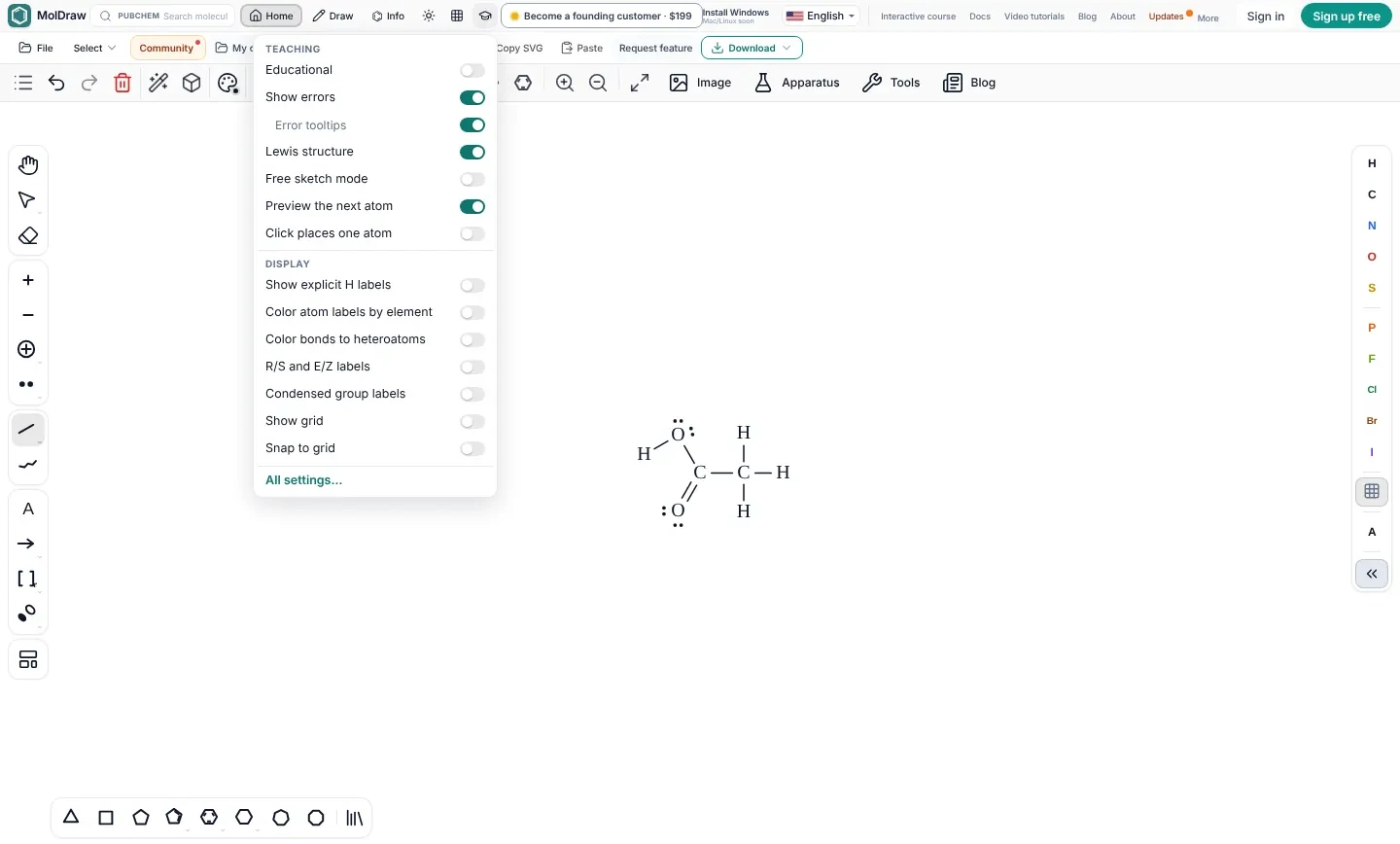
For teaching, MolDraw has a Teaching menu with an Educational layout, a Lewis view that shows every lone pair, error marks with tooltips and a free sketch mode. The Learn MolDraw course has short lessons that run in the real editor and check the student's drawing. The interface is available in 18 languages.
Ketcher has no teaching features of its own. A school could build them around it, but that takes developer time.
Offline use
The web editor needs a connection to load. The free Windows app (Windows 10 or later) works offline for drawing, cleanup, export and 3D. PubChem search, sign in and AI chat need the internet. Mac and Linux builds are not out yet, so on those systems you use the browser version.
Ketcher in standalone mode can run without a server once it is hosted on your own machine or network. That suits labs that self-host.
Privacy
Drawing, cleanup, analysis and export run in your browser. A structure leaves your device only when you use PubChem lookup, the IUPAC name lookup, AI chat or a plugin that fetches online data. Designs are saved in browser storage on your device. See privacy and storage. For unpublished work, draw by hand and skip the online lookups.
With Ketcher you control the hosting. If you run it on your own server, structures stay inside your network. For strict data rules, that is a strong reason to pick Ketcher.
When to choose Ketcher
Ketcher is the right tool when:
- You are building a chemistry website, notebook or database and need an editor inside it.
- You need an open-source licence that lets you change and ship the code.
- You work a lot with peptides, oligonucleotides or HELM.
- You must self-host so that structures never leave your network.
If you want a finished free app for drawing, names, 3D, spectra and teaching, use MolDraw.
FAQ
Is Ketcher free?
Yes. Ketcher is free and open source under the Apache 2.0 licence, made by EPAM Systems. EPAM also offers it on a commercial basis with support.
Who makes Ketcher?
EPAM Systems. The code is on GitHub at github.com/epam/ketcher. It uses EPAM's Indigo cheminformatics toolkit.
Is MolDraw open source like Ketcher?
No. MolDraw is free to use but it is not open source. You can embed the MolDraw editor on your own site with an iframe.
Can I use Ketcher online without installing anything?
Ketcher runs in the browser, but someone has to host it. You often meet it inside another website, notebook or database. MolDraw is hosted for you at moldraw.com.
Which is better for students, Ketcher or MolDraw?
MolDraw, for most students. It adds curly arrow mechanisms, name search, 3D, NMR prediction and teaching tools. Ketcher is better for developers who need an editor inside their own software.
Can Ketcher and MolDraw open the same files?
Yes. Both read and write MOL, SDF and SMILES, and both handle CDXML. Save from one and open in the other.
Sources
Competitor facts were checked against these pages in October 2026. Products, prices and licences change, so check the maker's site before you decide.
- EPAM Ketcher on GitHub (Apache 2.0)
- Ketcher releases on GitHub
- EPAM Life Sciences: Ketcher project page
- EPAM Indigo toolkit on GitHub
MolDraw facts come from the MolDraw docs, the pricing page and the about page. ChemDraw, ChemSketch, Marvin, MarvinSketch, Marvin JS, Ketcher and other names are trademarks of their owners. MolDraw is not affiliated with them.