MolDraw vs MarvinSketch: A 2026 Comparison
MarvinSketch was a favourite free editor for many academics. In 2026 Chemaxon ended free individual academic licences and moved to Marvin Cloud. This page compares MolDraw and Marvin on price, features and everyday use.
Other comparisons: MolDraw vs ChemSketch · MolDraw vs Ketcher · Best free ChemDraw alternatives (2026) · ChemDraw vs MolDraw.
MolDraw vs MarvinSketch at a glance
| Feature | MolDraw | Marvin (MarvinSketch, Marvin Cloud, Marvin JS) |
|---|---|---|
| Made by | Scidart Academy | Chemaxon, part of Certara |
| Price for a student | Free. Optional Pro plan | Paid. Free individual academic licences ended in 2026 |
| Free trial | Not needed | 14 days for Marvin Cloud |
| Runs on | Any modern browser. Windows desktop app | Browser (Marvin Cloud) and desktop (MarvinSketch) |
| Install needed | No | Not for Marvin Cloud. Yes for MarvinSketch |
| 2D structures and reactions | Yes | Yes |
| Curly arrow mechanisms | Yes, with fishhooks | Yes |
| MOL, SDF, SMILES, InChI | Yes | Yes |
| Opens ChemDraw CDX and CDXML | Yes | Check the current docs |
| Name to structure | Yes, via PubChem (online) | Depends on licence |
| Structure to name | Yes, via PubChem (online) | Depends on licence |
| 3D view | Yes, built in | Yes |
| NMR, pKa and other predictions | NMR and pKa plugins (free account) | Chemaxon calculators, depends on licence |
| Embedding in your own web app | iframe embed | Marvin JS, end of life on 31 Dec 2027 |
Marvin details are from Certara and Chemaxon announcements, checked in October 2026. "Depends on licence" means Chemaxon sells these as part of specific packages.
Price and licence
MolDraw: Free in the browser. No account needed to draw. MolDraw Pro ($12 a month or $99 a year; ₹299 or ₹2,999 in India) adds the AI assistant, structure scanning, cloud save, and export of drawings that contain templates or lab apparatus.
Marvin: For years, students and academics could get a free individual Marvin licence. That ended in 2026. Chemaxon announced on 21 May 2026 that free individual academic licences are discontinued, and existing ones stopped on 31 July 2026. The same notice says Chemicalize will retire on 30 June 2027.
The replacement is Marvin Cloud, a paid browser subscription that launched worldwide on 29 September 2026. New accounts get a 14-day free trial. Universities can still ask about the Chemaxon academic discount for site-wide use.
Marvin JS, the embeddable web editor, reaches end of life on 31 December 2027. The last day to buy new Marvin JS licences is 31 December 2026.
Platforms
Marvin now comes in two main forms. Marvin Cloud runs in the browser. MarvinSketch is part of the Marvin desktop suite and runs on your computer. Chemaxon has long offered desktop builds for Windows, macOS and Linux.
MolDraw runs in any modern browser, on Windows, macOS, Linux, ChromeOS and tablets, and has a free Windows app. You do not need an account to start drawing.
Drawing features
MarvinSketch is a mature, chemically aware editor. It handles stereochemistry, R-groups, query features, abbreviations and large structures well. It is popular in pharma and in cheminformatics teams that already use Chemaxon tools.
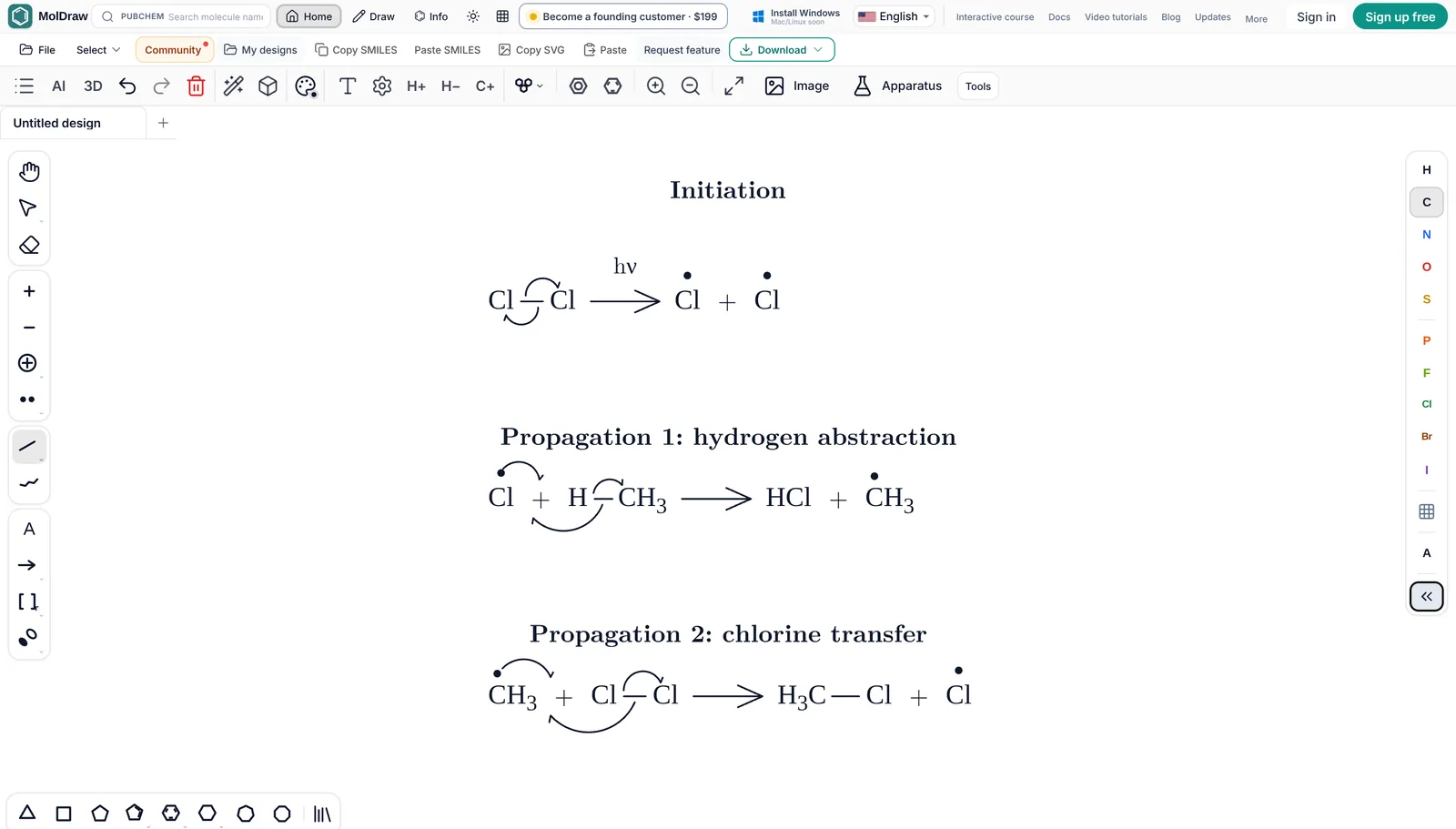
MolDraw covers everyday drawing: rings, wedge and hash bonds, R/S labels, charges, lone pairs, radicals, atom labels, polymer brackets and a valence checker. It also has journal style presets for figures, a lab apparatus library and LaTeX chemfig import and export.
File formats: MOL, SDF, CDXML, SMILES and InChI
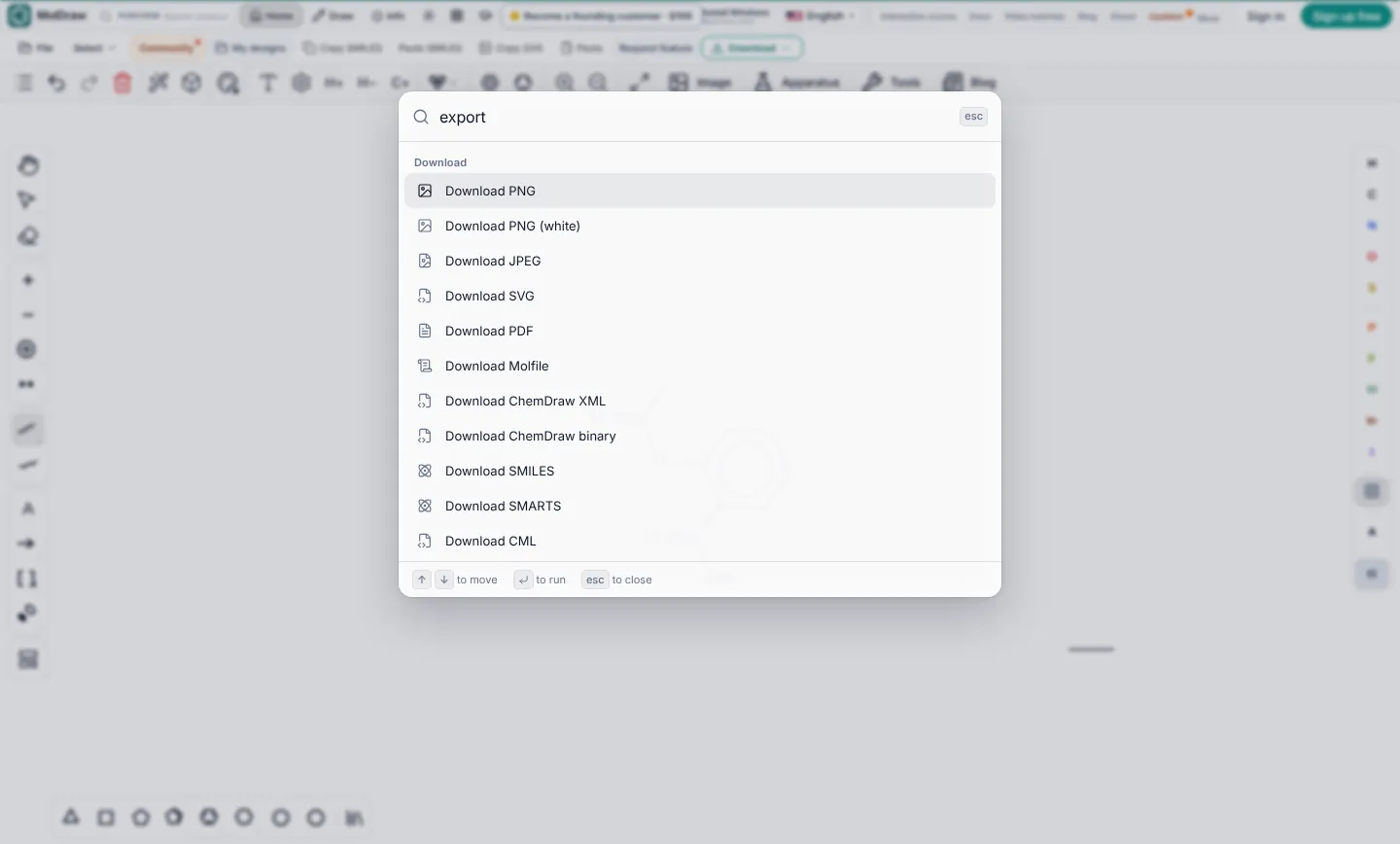
MolDraw opens MOL, SDF, RXN, SMILES, CML, XYZ and ChemDraw CDX and CDXML files. ChemDraw files keep their reaction arrows, captions and brackets as drawn. Downloads include PNG, JPEG, SVG, PDF, SMILES, MOL, SDF, CDXML, CDX, RXN, InChI, SMARTS, CML, XYZ and chemfig for LaTeX, plus GLB, OBJ and X3D from the 3D panel. See download and file formats.
Marvin reads and writes many formats, including MOL, SDF, SMILES, InChI and its own MRV format. If you need to move files between the two, MOL, SDF and SMILES are the safest choices.
Name to structure and structure to name
In MolDraw, type a name or CAS number in the search box and the structure comes from PubChem. For the other direction, select a molecule and click Info to see its IUPAC name, formula, weight, SMILES and InChI. The name is looked up in PubChem, so it needs an internet connection and works best for known compounds. The free name to structure and SMILES to IUPAC name tools do the same without opening the editor.
Chemaxon has its own naming tools that work offline and handle many structures not in PubChem. Whether you get them depends on your licence. For a novel compound in a research project, that can matter.
3D viewing
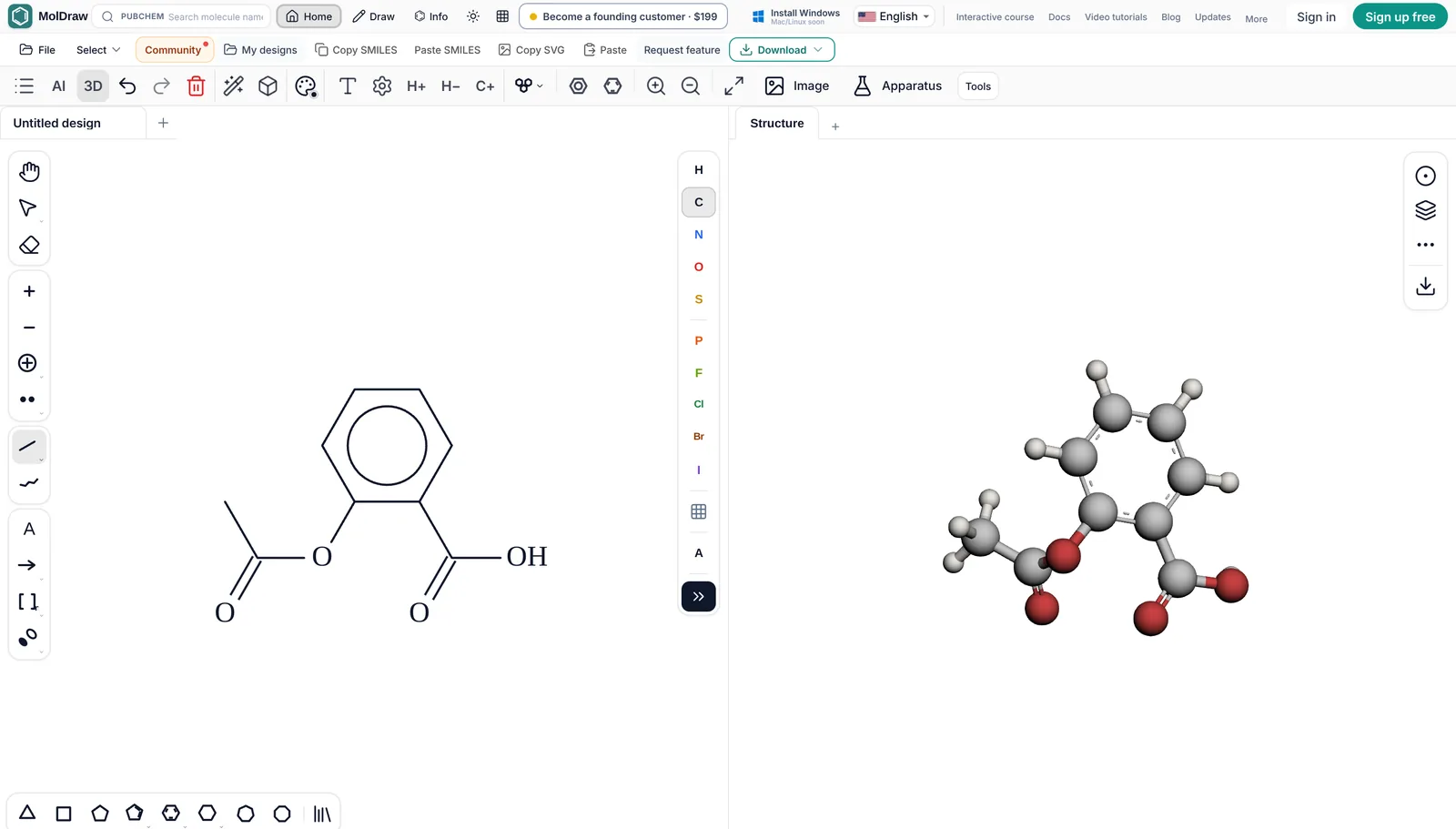
MolDraw has a 3D viewer beside the canvas. The model follows your 2D drawing. You can switch styles, show molecular surfaces, measure bond lengths and angles, and export GLB or OBJ models. The Protein Viewer plugin loads PDB structures by ID.
Marvin also shows structures in 3D and can generate conformers with the right Chemaxon tools.
Spectra and NMR prediction
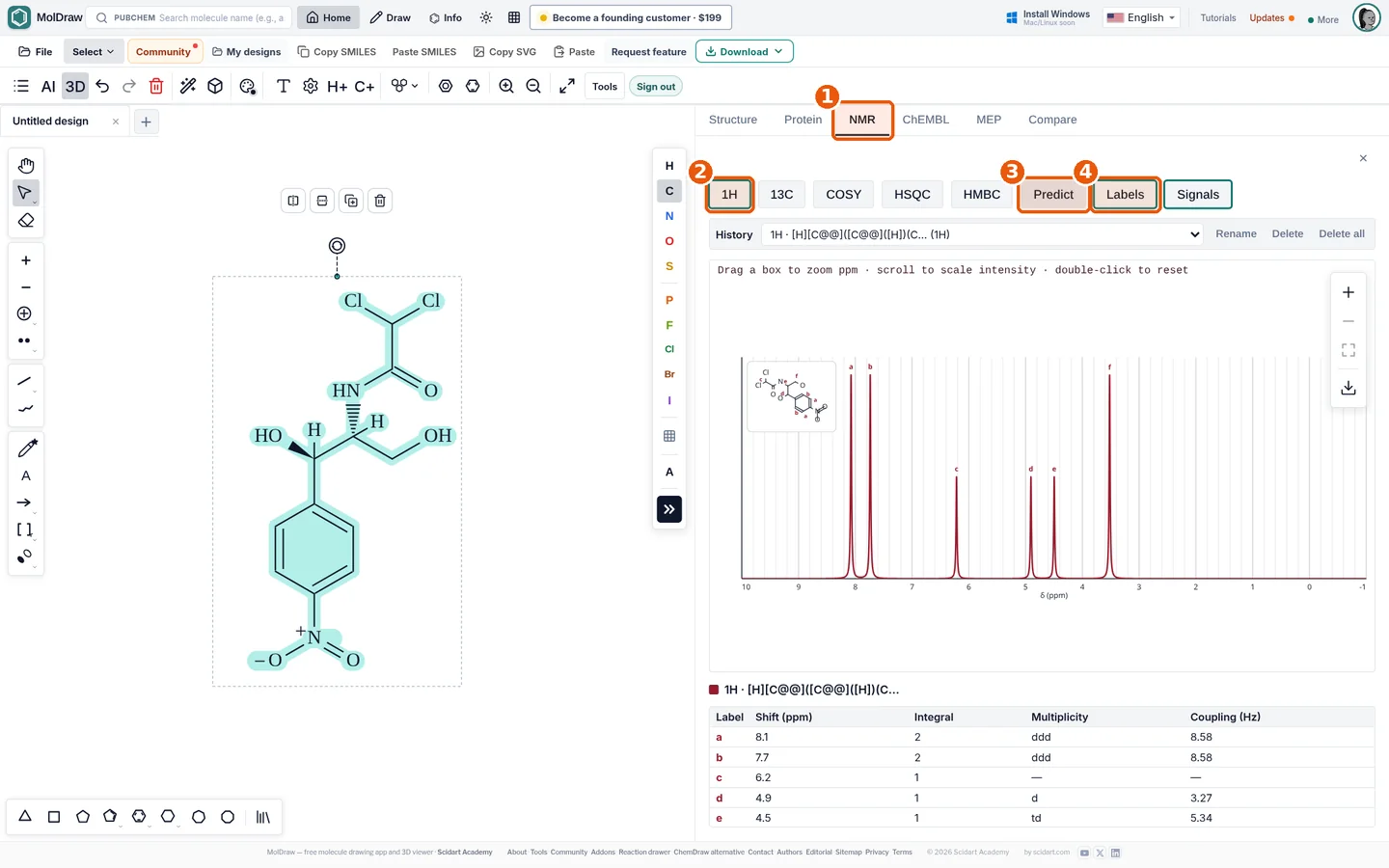
The NMR Analyser plugin predicts 1H and 13C spectra, plus COSY, HSQC and HMBC plots, with a free account. These are model predictions, not measured spectra. MolDraw also has free viewers for your own data files: NMR, IR, mass spectra, UV-Vis, Raman and more. The files are read in your browser and are not uploaded. AI prediction of mass and UV-Vis spectra through the chat is part of MolDraw Pro.
Chemaxon offers calculators for NMR, pKa, logP and more. They are well known in industry. Access depends on your licence.
Reactions and mechanisms
MolDraw draws reaction schemes with reagents and conditions, and curly arrow mechanisms with two-electron arrows and fishhooks. It also has a stoichiometry table, automatic atom mapping and ready-made mechanism templates. You can use templates and lab apparatus on the canvas for free. Exporting a drawing that contains them is part of Pro.
Marvin also draws reactions and electron flow arrows, and keeps reaction data structured for cheminformatics use.
Teaching use
For teaching, MolDraw has a Teaching menu with an Educational layout, a Lewis view that shows every lone pair, error marks with tooltips and a free sketch mode. The Learn MolDraw course has short lessons that run in the real editor and check the student's drawing. The interface is available in 18 languages.
With free academic licences gone, a Marvin course now needs paid seats or an institutional deal. A teacher can send students a single MolDraw link instead, with no sign-up needed to draw.
Offline use
The web editor needs a connection to load. The free Windows app (Windows 10 or later) works offline for drawing, cleanup, export and 3D. PubChem search, sign in and AI chat need the internet. Mac and Linux builds are not out yet, so on those systems you use the browser version.
MarvinSketch on the desktop works offline. Marvin Cloud needs an internet connection.
Privacy
Drawing, cleanup, analysis and export run in your browser. A structure leaves your device only when you use PubChem lookup, the IUPAC name lookup, AI chat or a plugin that fetches online data. Designs are saved in browser storage on your device. See privacy and storage. For unpublished work, draw by hand and skip the online lookups.
Marvin Cloud is a hosted service, so read its terms if you work with confidential structures. MarvinSketch on the desktop keeps files on your computer.
When to choose Marvin
Marvin is the better pick when:
- Your company or university already pays for Chemaxon tools.
- You need Chemaxon calculators, naming or JChem databases in the same workflow.
- You build software on Marvin, or your electronic lab notebook uses it.
- You want Chemaxon support and a vendor contract.
If you are a student or teacher who just needs to draw, name and export structures for free, MolDraw is the simpler choice in 2026.
FAQ
Is MarvinSketch free for students?
Not any more for individuals. Chemaxon discontinued free individual academic licences in May 2026, and existing ones ended on 31 July 2026. Your university may still have a paid site licence, so ask your department. MolDraw is free to use in the browser.
What is Marvin Cloud?
Marvin Cloud is Chemaxon's browser-based chemical drawing service, sold as a subscription. It launched worldwide on 29 September 2026 and new accounts start with a 14-day free trial.
Is Marvin JS being discontinued?
Yes. Marvin JS reaches end of life on 31 December 2027. New licences can be bought until 31 December 2026. Chemaxon points users to its newer Marvin products.
Is MolDraw a good free alternative to MarvinSketch?
For drawing structures and reactions, getting names, viewing 3D and exporting MOL, SDF, CDXML or SVG, yes. If you need Chemaxon calculators or JChem integrations, Marvin is still the better fit.
Can I open Marvin files in MolDraw?
Export from Marvin as MOL, SDF or SMILES, then open or paste it into MolDraw. MolDraw does not read Marvin's MRV format.
Does MolDraw predict NMR like Marvin?
Yes. The NMR Analyser plugin predicts 1H and 13C spectra plus 2D plots with a free account. The values are predictions, so check them against measured data.
Sources
Competitor facts were checked against these pages in October 2026. Products, prices and licences change, so check the maker's site before you decide.
- Certara: modernizing the academic program and retiring Chemicalize (May 2026)
- Certara: Marvin Cloud launches worldwide (September 2026)
- Certara: Marvin JS end-of-life and transition notice
- Certara: Chemaxon Marvin product page
- Certara: Chemaxon academic discount
MolDraw facts come from the MolDraw docs, the pricing page and the about page. ChemDraw, ChemSketch, Marvin, MarvinSketch, Marvin JS, Ketcher and other names are trademarks of their owners. MolDraw is not affiliated with them.