Best Free ChemDraw Alternatives in 2026
ChemDraw is the standard chemistry drawing program, but it is paid. In 2026 two well-known free options also changed: ChemSketch closed to new users and Marvin ended free academic licences. Here is what is still free, and what each tool is good at.
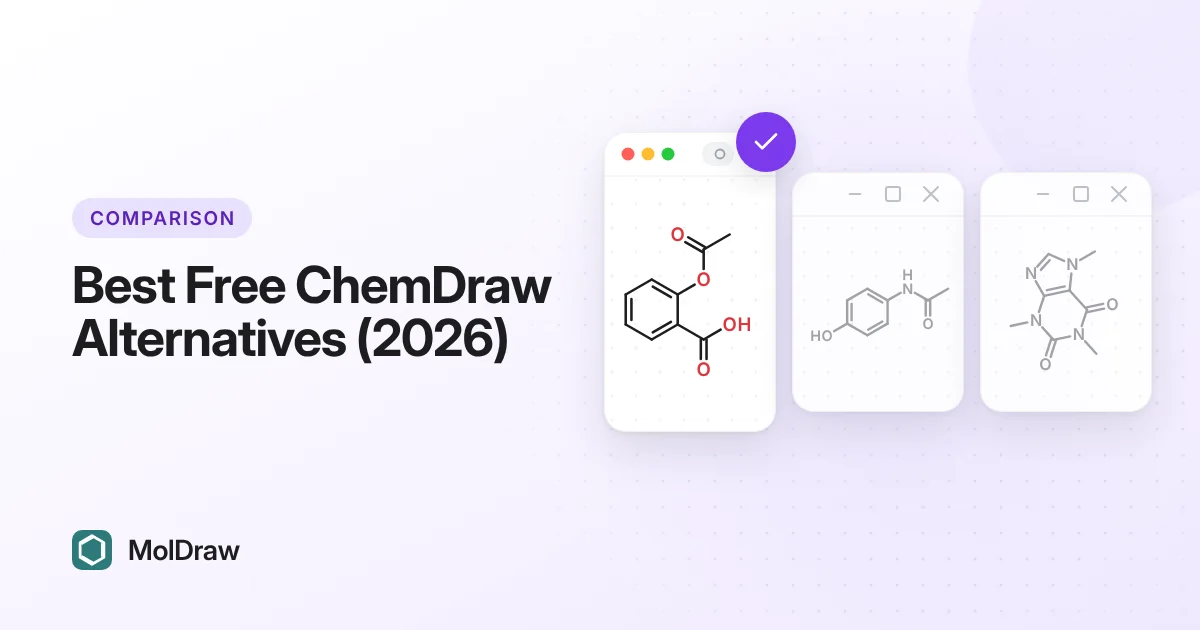
Other comparisons: MolDraw vs ChemSketch · MolDraw vs MarvinSketch · MolDraw vs Ketcher · ChemDraw vs MolDraw.
Free ChemDraw alternatives compared
| Tool | Free in 2026 | Runs on | Best for | ChemDraw files |
|---|---|---|---|---|
| MolDraw | Yes. Optional Pro plan | Browser, Windows app | Students, teaching, figures, 3D, spectra | Opens and saves CDX and CDXML |
| Ketcher | Yes, open source | Browser (self-hosted or embedded) | Developers, embedding, macromolecules | CDXML |
| PubChem Sketcher | Yes | Browser | Searching PubChem by structure | No |
| JChemPaint | Yes, open source | Java desktop | Simple offline 2D drawing | No |
| Avogadro | Yes, open source | Windows, macOS, Linux | 3D building and computational chemistry | No |
| ChemSketch Freeware | No for new users | Windows | Existing installs only | Check your version |
| Marvin | No. 14-day trial | Browser, desktop | Chemaxon users | Check the current docs |
| ChemDoodle | No. Paid | Windows, macOS, Linux | Low-cost paid option | Check the current docs |
Status checked in October 2026 against each maker's pages listed under Sources. Free status and prices change, so check before you rely on a tool for a course.
First, is ChemDraw itself free
No. ChemDraw is sold by Revvity Signals as a paid licence for Windows and macOS. ChemDraw Professional adds name-to-structure, structure-to-name and NMR prediction. Prices are not listed publicly and are often set per institution.
Many universities buy a site licence, so students can get ChemDraw at no cost through their school. Some campus stores sell discounted student licences, for example this University of Illinois listing. Licensing also changed in 2026; for example, Heidelberg University asked users to re-register on the ChemDraw portal. Check with your IT or chemistry department first.
If you cannot get ChemDraw, the tools below are the realistic free options.
The tools, one by one
1. MolDraw
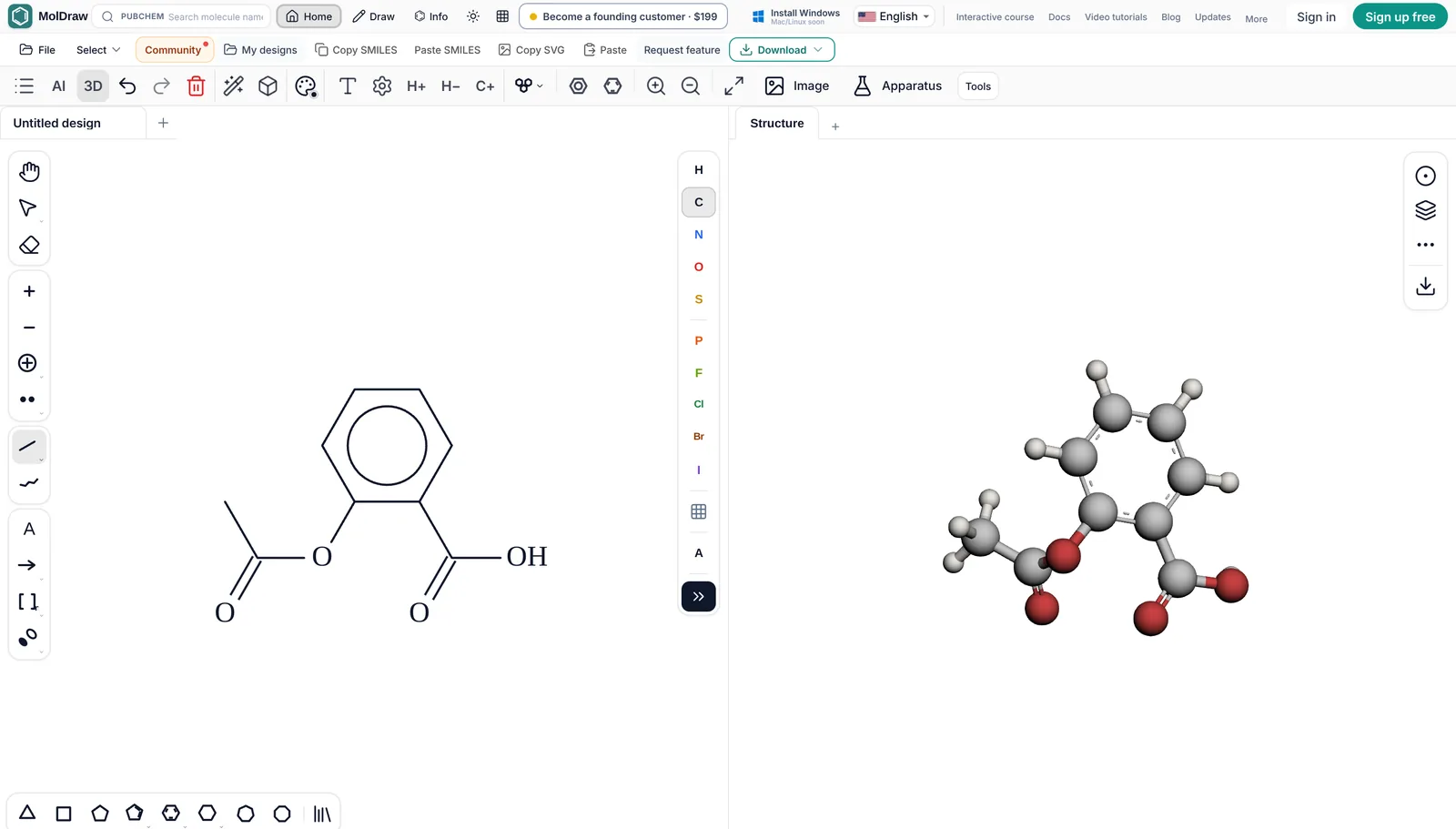
A free chemical structure editor in the browser from Scidart Academy, with a free Windows app. It draws structures, reactions and curly arrow mechanisms, shows 3D, searches PubChem by name and exports for papers.
Status in October 2026: Free. Pro is optional.
- Nothing to install and no account to draw
- Opens ChemDraw CDX and CDXML and saves CDXML
- Exports MOL, SDF, SMILES, InChI, SVG, PNG and PDF
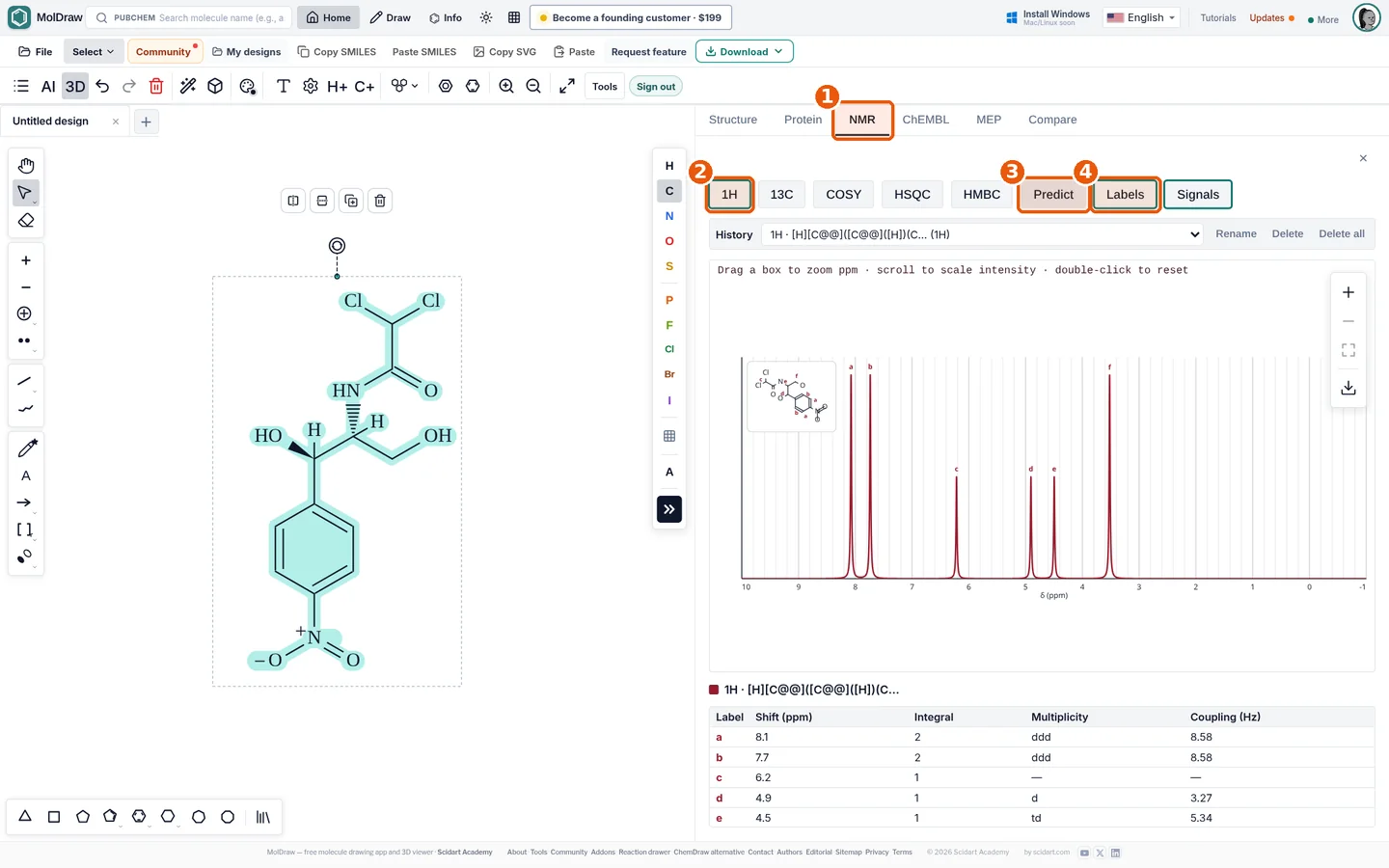
- 3D viewer, NMR prediction plugin and free spectrum viewers
- Teaching menu, Lewis view and short lessons
- Name lookup needs the internet (PubChem)
- Desktop app is Windows only for now
- AI chat, cloud save and some exports (templates, apparatus) are in the paid Pro plan
- Not open source
2. Ketcher
An open-source web editor from EPAM, licensed under Apache 2.0. It is built to be embedded in other software, and it powers the drawing box on many chemistry sites.
Status in October 2026: Free, Apache 2.0. Release 3.18.0 in September 2026.
- Free and open source
- Strong file support, including CDXML, HELM and FASTA
- Good for peptides and nucleic acids
- Can be self-hosted
- Needs hosting, or an app that embeds it
- No 3D, spectra or teaching tools of its own
- No PubChem name search in the standard editor
3. PubChem Sketcher
A free web drawing tool from the US National Library of Medicine. Its main job is to draw a structure and search PubChem with it.
Status in October 2026: Free, run by NCBI.
- Free, no account
- Accepts SMILES, InChI, InChIKey, CID and formulas
- Goes straight to PubChem records
- Basic drawing only
- Not made for figures, reactions or mechanisms
- Few export options
4. JChemPaint
An open-source 2D editor written in Java, part of the Chemistry Development Kit (CDK). It has been around since 2000.
Status in October 2026: Free, LGPL. Updates are slow.
- Free and open source (LGPL)
- Works offline on Windows, macOS and Linux with Java
- Saves MOL and CML, exports PNG and SVG
- Old interface
- Last stable release was in 2012, with a beta in 2025
- Needs Java installed
5. Avogadro (for 3D)
A free, open-source 3D molecular editor. It is not a ChemDraw replacement for 2D figures, but it is the usual free choice for building and optimising 3D models.
Status in October 2026: Free, BSD 3-clause.
- Free and open source (BSD)
- Windows, macOS and Linux
- Builds input files for computational chemistry programs
- Not for 2D publication figures
- Takes time to learn
6. ACD/ChemSketch Freeware
For years this was the standard free ChemDraw alternative on Windows. ACD/Labs was acquired by Revvity Signals in January 2026.
Status in October 2026: Not available to new users.
- Full desktop editor with many templates
- Works offline
- Existing users may keep using their installed copy
- No longer available to new customers
- Freeware page says it is discontinued
- Windows only
7. Marvin (MarvinSketch and Marvin Cloud)
Chemaxon's editor, now part of Certara. MarvinSketch was free for many academics until 2026.
Status in October 2026: Paid. Trial only.
- Mature, chemically aware editor
- Browser and desktop versions
- Chemaxon calculators with the right licence
- Free individual academic licences ended in July 2026
- Marvin Cloud is a paid subscription with a 14-day trial
- Marvin JS ends on 31 December 2027
Also worth knowing: ChemDoodle
ChemDoodle from iChemLabs is a paid desktop editor. It is not free, but it costs much less than ChemDraw for many people.
Status in October 2026: Paid.
- Full 2D and 3D desktop editor
- Windows, macOS and Linux
- Monthly, yearly and lifetime licences
- Not free
- Check the store for current prices
File formats: MOL, SDF, CDXML, SMILES and InChI
If you share files with ChemDraw users, CDXML matters most. MolDraw opens and saves CDX and CDXML. Ketcher handles CDXML. The others are better with MOL, SDF or SMILES.
MolDraw opens MOL, SDF, RXN, SMILES, CML, XYZ and ChemDraw CDX and CDXML files. ChemDraw files keep their reaction arrows, captions and brackets as drawn. Downloads include PNG, JPEG, SVG, PDF, SMILES, MOL, SDF, CDXML, CDX, RXN, InChI, SMARTS, CML, XYZ and chemfig for LaTeX, plus GLB, OBJ and X3D from the 3D panel. See download and file formats.
Names, 3D, spectra and mechanisms
Name to structure and back: MolDraw and PubChem Sketcher both use PubChem. ChemDraw Professional and some Marvin licences name structures offline.
3D: MolDraw shows a live 3D model next to the drawing. Avogadro is the free choice for serious 3D model building.
Spectra: MolDraw predicts NMR with a free plugin and opens NMR, IR and mass spectrum files in the browser. The other free tools here do not predict spectra.
Mechanisms: MolDraw draws curly arrows and fishhooks for teaching. Ketcher, JChemPaint and PubChem Sketcher are not built for that.
Teaching, offline use and privacy
For teaching, MolDraw has a Teaching menu with an Educational layout, a Lewis view that shows every lone pair, error marks with tooltips and a free sketch mode. The Learn MolDraw course has short lessons that run in the real editor and check the student's drawing. The interface is available in 18 languages.
The web editor needs a connection to load. The free Windows app (Windows 10 or later) works offline for drawing, cleanup, export and 3D. PubChem search, sign in and AI chat need the internet. Mac and Linux builds are not out yet, so on those systems you use the browser version.
Drawing, cleanup, analysis and export run in your browser. A structure leaves your device only when you use PubChem lookup, the IUPAC name lookup, AI chat or a plugin that fetches online data. Designs are saved in browser storage on your device. See privacy and storage. For unpublished work, draw by hand and skip the online lookups.
JChemPaint and Avogadro are fully offline desktop programs. A self-hosted Ketcher keeps structures inside your network.
Which one should you pick
- Student or teacher who needs to draw today: MolDraw.
- Developer adding an editor to a site or notebook: Ketcher.
- Searching PubChem by structure: PubChem Sketcher.
- Offline 2D on an old Linux or Java setup: JChemPaint.
- 3D models and computational input files: Avogadro.
- Your university gives you ChemDraw for free: use ChemDraw. That is the easiest way to match what your lab already uses.
FAQ
Is there a free version of ChemDraw?
ChemDraw is a paid product from Revvity Signals. Many universities have a site licence, so ask your department before you look elsewhere. If you cannot get it, MolDraw is a free browser alternative that opens and saves ChemDraw CDXML files.
What is the best free alternative to ChemDraw?
For most students and teachers, MolDraw: it is free, runs in any browser and handles CDXML, MOL, SDF and SMILES. Ketcher is the best open-source choice for developers, and Avogadro is best for 3D models.
Is ChemSketch still free?
Not for new users. As of October 2026, ACD/Labs says ChemSketch is no longer available to new customers and its freeware page says the free edition is discontinued.
Is MarvinSketch free for students?
Not any more for individuals. Chemaxon ended free individual academic licences in 2026. Marvin Cloud is a paid subscription with a 14-day trial.
What is a free ChemDraw alternative for Mac?
MolDraw runs in Safari or Chrome on a Mac with no install. Avogadro and JChemPaint also run on macOS. ChemSketch does not run on a Mac.
Can I open ChemDraw files without ChemDraw?
Yes. MolDraw opens CDX and CDXML files in the browser and keeps arrows, captions and brackets as drawn. You can also save back to CDXML.
Is there a free ChemDraw alternative for Chromebook or Linux?
Yes. MolDraw runs in Chrome on a Chromebook and in any modern browser on Linux. On Linux, Avogadro and JChemPaint are free desktop options.
Sources
Competitor facts were checked against these pages in October 2026. Products, prices and licences change, so check the maker's site before you decide.
- Revvity Signals support: ChemDraw Professional structure-to-name and NMR
- ChemDraw on Wikipedia (platforms and history)
- University of Illinois webstore: ChemDraw student licence
- Heidelberg University: ChemDraw portal re-registration in 2026
- ACD/Labs: ChemSketch is no longer available to new customers
- ACD/Labs: ChemSketch Freeware page
- Certara: end of free individual Marvin academic licences
- Certara: Marvin Cloud launches worldwide
- Certara: Marvin JS end-of-life notice
- EPAM Ketcher on GitHub (Apache 2.0)
- PubChem Sketcher
- NLM tutorial: searching PubChem with structures
- JChemPaint on Wikipedia
- Avogadro 2 on Flathub (BSD licence)
- iChemLabs ChemDoodle store
MolDraw facts come from the MolDraw docs, the pricing page and the about page. ChemDraw, ChemSketch, Marvin, MarvinSketch, Marvin JS, Ketcher and other names are trademarks of their owners. MolDraw is not affiliated with them.