Revert back to old modelDone
Please revert back to the old format, maybe make it so that you can add lone pairs, but this new model is awful. I can't use it at all.
Request a feature here so the community can vote and track progress. Sign in to submit.
Please revert back to the old format, maybe make it so that you can add lone pairs, but this new model is awful. I can't use it at all.
Call Center resmi Permata Bank dapat diakses melalui saluran Permata Tel 1500-111. WhatsApp 0852-1521-3911. Kirim pesan ke email care@permatabank.co.id.layanan 24 jam.

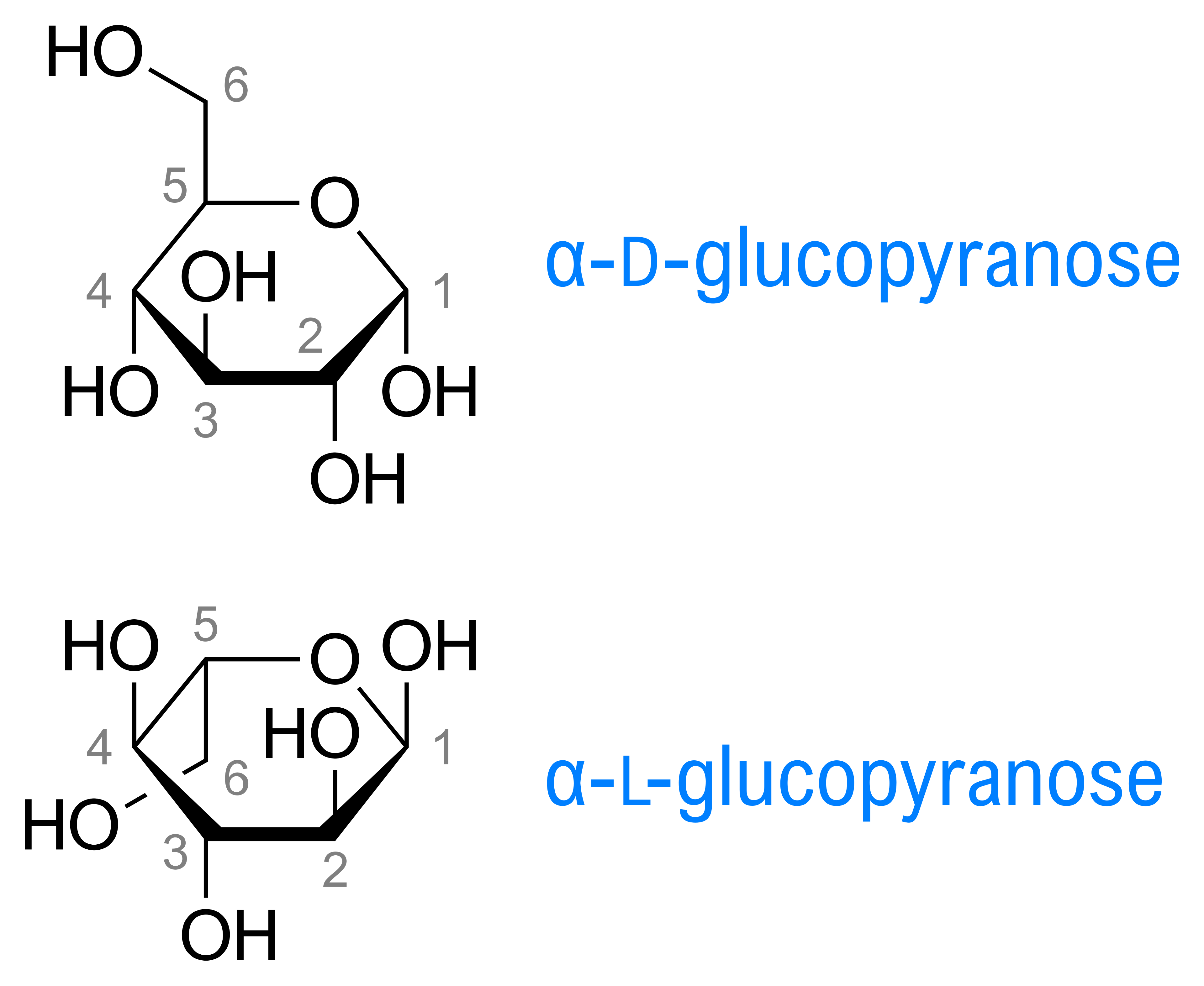
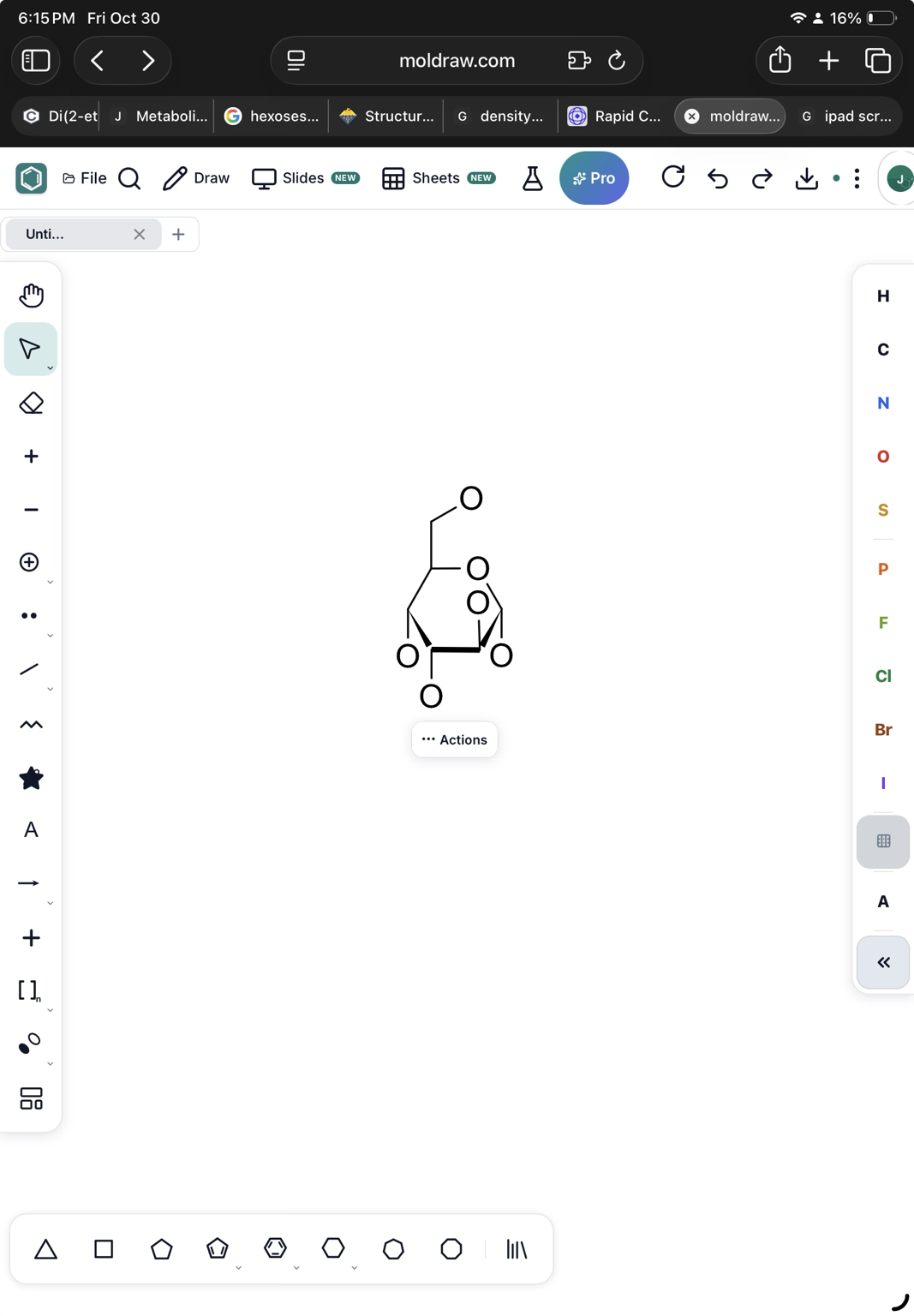
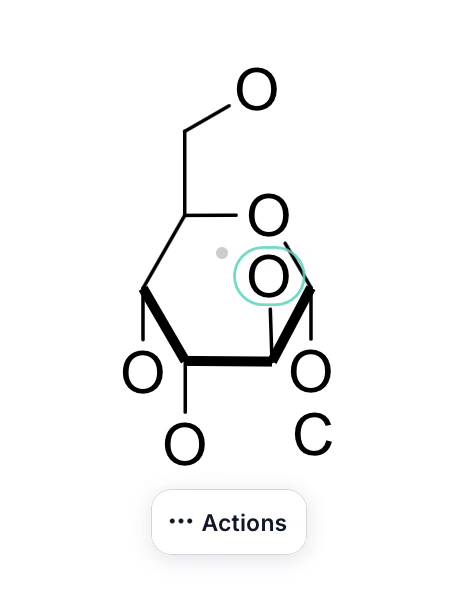
I’d like to draw sugars as clean Haworth projections with the thicker front lines (Wikipedia example attached). However if I draw the closer end with thick lines or wedge and thick lines the edges of the lines do not join. Screenshots attached. Thanks, Joseph
change background colour in text boxes (e.g. white/black etc)
The current view of the NMR predict, with the molecule, would be copied to clipboard so it can be pasted in the 2D layout or in a presentation directly.
The current view in the 3D panel would be copied to the clipboard. In this way, it can be pasted on the 2D layout easily.
An icon to copy all the data in the INFO tool at once, or export to a table. It would be useful if it could be copy/pasted on the 2D layout in an easy once step way.
Can you place all the coloring and highlight of bonds and lone pair in one place. Now, if I want to color any bond, I have to do it in Color and Style button in the top toolbar and the highlighting of bond is on the right-click menu, and highlighting and coloring lone pairs only on the right-click menu Also, can you add a feature to color/highlight a sigma bond or two sigma bonds of double and triple bonds.
Scrolling in My designs window is missing to view all the designs.
I think it would be helpful to add a reaction-plus button to the left-hand toolbar, making it quicker and easier to insert a “+” when drawing chemical reactions.
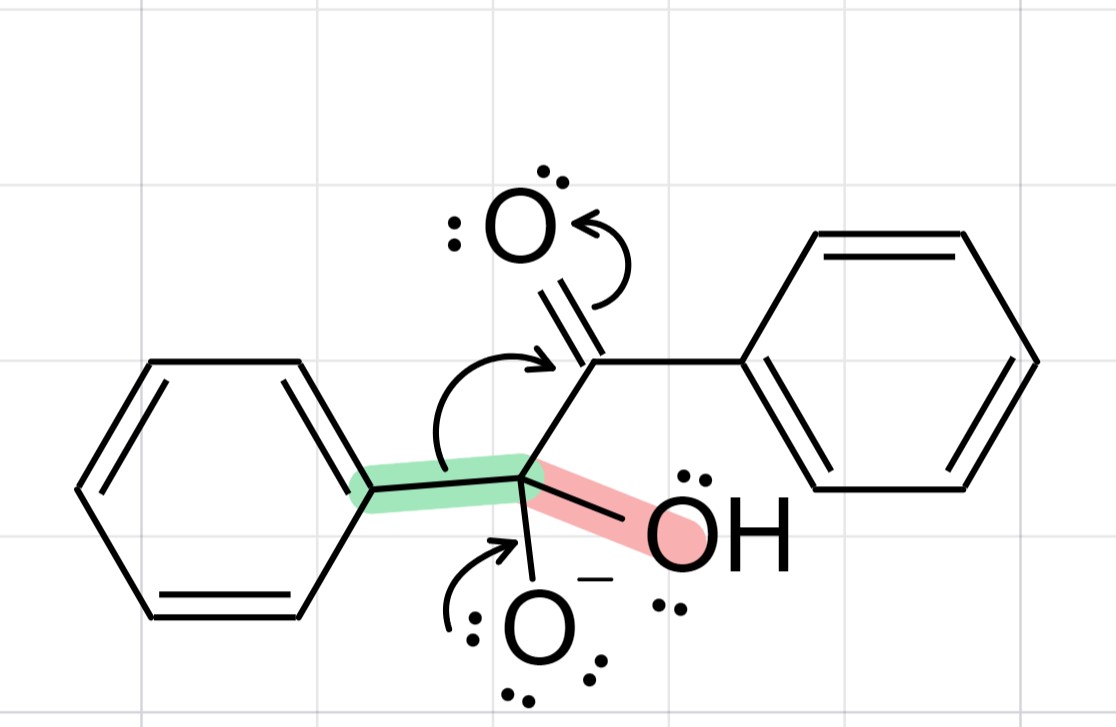
Add a feature that let the user to both highlight and color the lone pairs. Also, the current highlight action on the bond between explicit atoms highlights the explicit atom as well (see the screenshot; C-OH bond in orange).
Every MolDraw update in one feed, newest first.
Please revert back to the old format, maybe make it so that you can add lone pairs, but this new model is awful. I can't use it at all.
Hi Webberliam, Lone pair tool is available now in the left toolbar. What are you finding it difficult? I will fix it asap.
It's really such a down grade UX wise. It's stops me from doing things and it's taken 4 times longer to find simple features like anions. I have to click + twice!? I mean making a reaction arrow with h2so4 over top should not take 20 minutes I want to show the anglation of water, nope fight it it's now H-OH I love moldraw but this is not it
Hi @topherkirkpr , Thanks for your feedback. Main issues are now fixed. Kindly check. Charge + and − are one click on the left toolbar now. For H2SO4 on an arrow, add the arrow, then click + on the shaft and type. Also, Isolated water keeps the bent H–O–H instead of turning into H–OH. Sorry you found the upgrade feels confusing. I am committed to fixing the issues same day, let me know. If anything still feels slow, tell us and we’ll fix it.
Reading my post back it was dramatic but I wanted to say today's update is so much better. The adding text feature is very bugged, it add colors if the color feature is on, can't use the space bar and if the text box overflows the text wraps on itself

Thanks for the follow-up , glad today's update feels better. On the text tool: text no longer picks up the molecule Color. Space works while you type, and overflow wraps or grows the box instead of stacking on itself. Text styling is in the left panel now, the Style button opens the Text dock, and superscript/subscript apply only to the selected text. Please check and let me know ioaf nay hages are needed
It's also difficult to delete individual atoms as I have to switch the the erase tool every time, furthermore I also can't select entire atoms anymore to delete or move them.
Hi, Try this. Use Select tool, click an atom or bond to select it, then drag to move or press Delete — no need to switch to Erase each time. That solves the issue?