Labeling Atoms automaticallyNew
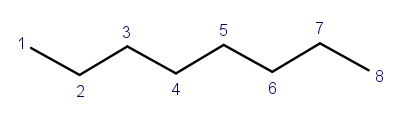
Hi there, I'd like to be able to label Atoms automatically by selecting them and then clicking a button or right click to label them with numbers like this:
Request a feature here so the community can vote and track progress. Sign in to submit.
Hi there, I'd like to be able to label Atoms automatically by selecting them and then clicking a button or right click to label them with numbers like this:
I tried to draw the haworthprojection of fructose, but the auto snapping came in the way of it. Everytime I tried to bring a OH group near one of the bonds or another atom it snapped to it and disappeared. I tried to disable as many snapping option as I could but it did not work. In Lewisformula it is better but still noticeable.
Hi there, When I try to add alpha-D-Glucose as haworth projection from the library it will insert mills projection. If I press ctrl-Z it will change to haworth projection.
the 3d structure window is broken on my machine it stuck at priveiw and isent rendering anything
generate smiles
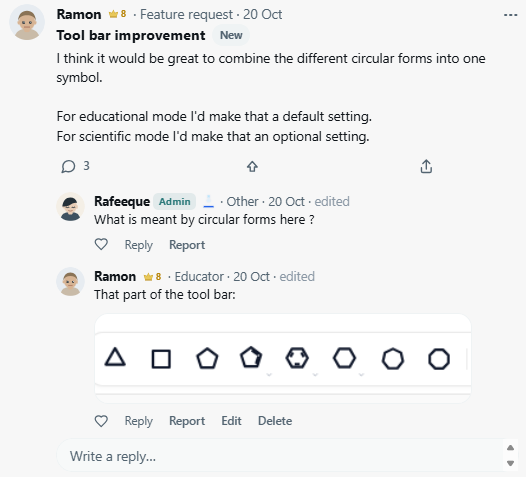
Sometimes a topic will not show all replies or display the wrong amount of replies or will not show the "view more comments". It might be easier to follow discussions and feature requests if only the first post is displayed and to show the replies the discussion has to be opened. Or maybe even only the title of the discussion or request. i.e. tool bar improvement doesnt show the "view more comments" although there is another one to show.
Hi there, In my opinion the upper toolbars needs sorting. I made an image of my suggestions. My ideas behind the new order: - The first row is for stuff the opens new windows or links. It is usually not used heavily for drawing. (i.e. AI and Slides open a new window, Blog, tools and other will open a link) - The second row contains "Home, Draw, Slides AI" which add a new window or change the drawing setup. Also everything that is associated with files, uploads and downloads. - The third row has the settings part split into Section 1: Color settings, display settings, CH, teaching settings and all settings Drawing options in Section 2: Back Repeat, clean, Discard, Zoom, Fullscreen. Inserts in Section 3: Insert Text, Insert table, Insert apparatus, aligning options and info - The 3D button exists twice and I would delete it. - The H+ H- C+ Aromatize Dearomatize should be together in one symbol, as it uses a lot of space.

Because of the f blocks and the 7th row of the periodic table
The lone pair submenu has 7 items which all have the same symbol. For better clarity I'd suggest: - A line for "Line (bar)" - Double dot with a small 1 on top for "Add one lone pair to all" - Double dot with ∀ or ∞ on top for "Add all lone pairs" - For remove lone pairs empty double dots ⚬⚬. Maybe it is possible to change some of the behaviour to get rid of one symbol: ●● Lone pair (Dots): adds lone pairs as dots and changes lone pairs to dots when atoms or molcules ar selected and then pressed again. ━ Lone pair (Line): adds lone pairs as line and changes lone pairs to dots when atoms or molcules ar selected and then pressed again. This would bring the function of "Lone pair" "Dots" and "Line" together in to buttons.
I loved the addition of the teaching symbol. Still do. It makes it really easy to switch some of the most important settings while preparing material or teaching students, but I think the addition of Toolbar settings and display settings to the same symbol is counterintuitive. I think it is also nice to have these options under a symbol like the teaching options, but it should be a different symbol. Also I think they would be better placed next to the settings symbol.
Every MolDraw update in one feed, newest first.
Hi there, I'd like to be able to label Atoms automatically by selecting them and then clicking a button or right click to label them with numbers like this: