Make Clear Ball-and-Stick Figures for Slides and Posters with the Themes Plugin
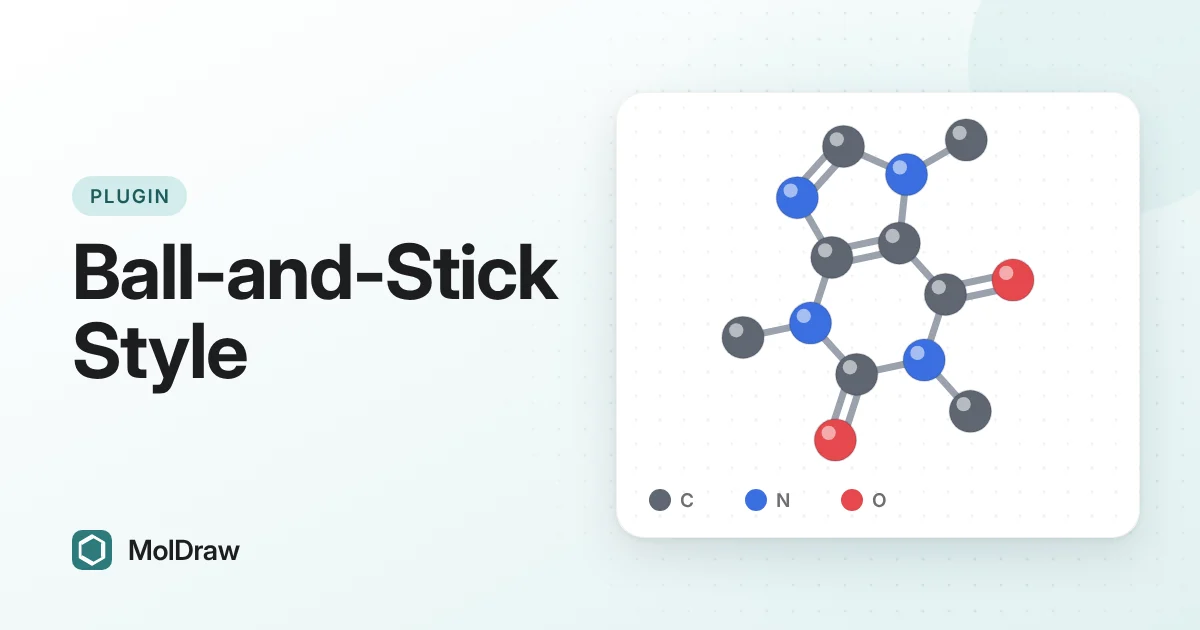
Short answer: Themes is installed by default. Draw a structure, click Color & style in the toolbar and set Look to Ball and stick. Every atom becomes a coloured sphere and every bond a stick. Export it with Download as PNG or SVG. Set Look back to Default for a normal skeletal structure.
Why use a ball-and-stick style in 2D?
Skeletal formulas are the standard language of organic chemistry. They are compact and precise, but they assume the reader knows the rules: carbons sit at the corners and most hydrogens are not drawn. Beginners often miss atoms that are only implied.
A ball-and-stick picture shows each drawn atom as a sphere. Colour tells you the element at a glance, so oxygen, nitrogen and halogen atoms stand out. Double and triple bonds appear as two or three parallel sticks. This style matches the colour code that many model kits and 3D viewers use, so students can link the page to the model in their hands.
It works best where people look from a distance or need to spot heteroatoms quickly: lecture slides, posters, worksheets and introductory handouts. For journal figures and exam answers, skeletal structures are still the right choice.
What the plugin changes
| Atoms | Shaded spheres in CPK colours. Sphere size follows the element's covalent radius, so chlorine looks larger than oxygen. |
|---|---|
| Bonds | Sticks: one for a single bond, two for a double or aromatic bond, three for a triple bond. |
| Scope | This design only, or every open design with Apply to all. |
| Export | PNG and SVG downloads keep the look. |
How to install the Themes plugin
You do not need to. Themes is on by default and works without an account. If you removed it, open Settings (the gear), then Plugins, and add Themes back from the list.
How to make a ball-and-stick figure
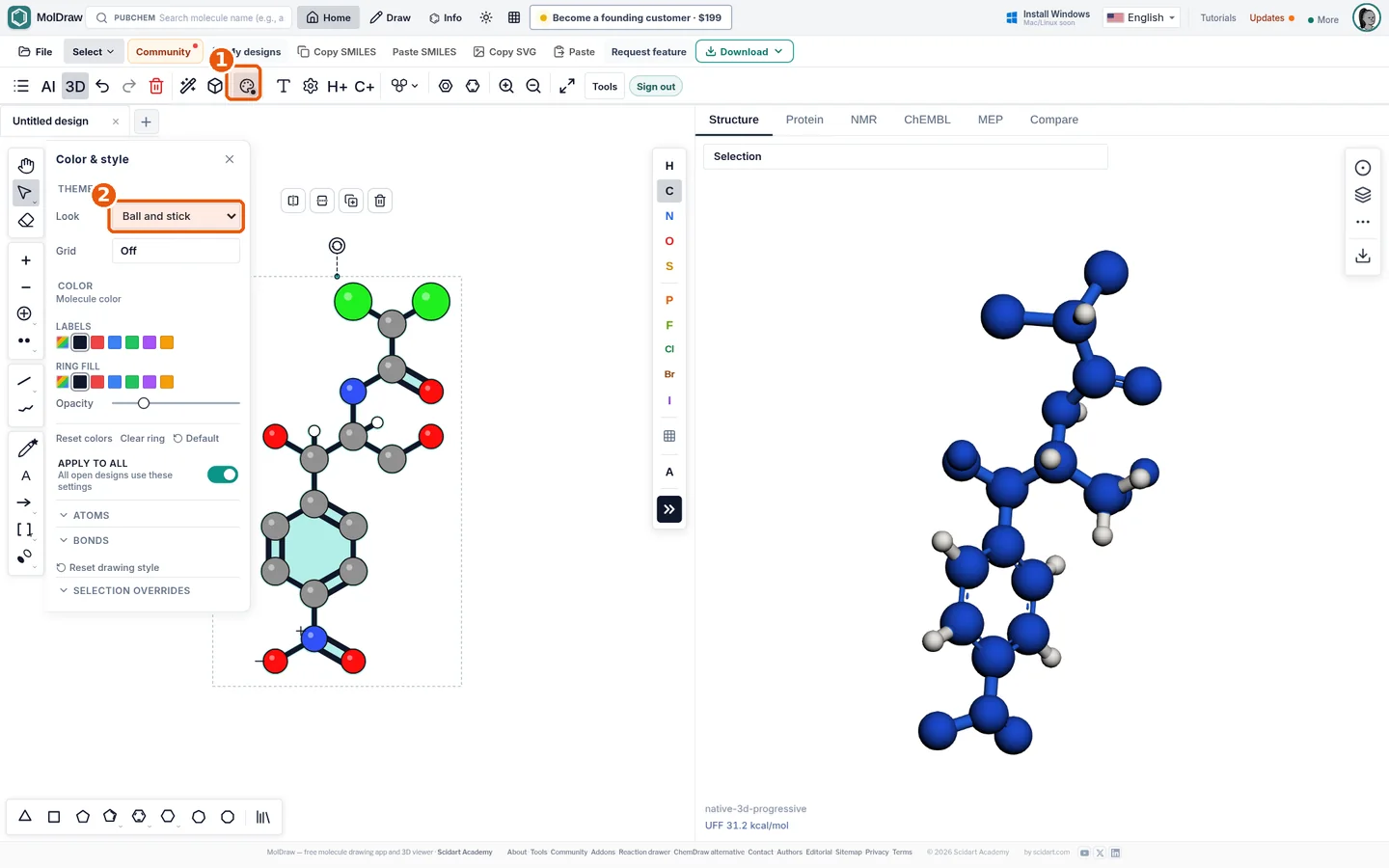
- Draw or load a structure. You can paste a SMILES or search a molecule by name.
- Click Color & style in the toolbar.
- Under Theme, set Look to Ball and stick.
- Turn on Apply to all if every open design should use the same look. Turn it off to style only this design.
- Adjust colours if you like. Ring fill, opacity and colour overrides in the same panel still work.
- Click Download and choose PNG or SVG.
Ways to use it in class and beyond
- Lecture slides: coloured spheres stay readable from the back of a room, where thin skeletal lines can fade.
- Introducing skeletal formulas: show the same molecule in both looks side by side. Ask students to find each carbon in the skeletal version.
- Posters and handouts: export an SVG so the figure stays sharp at any print size.
- Spotting functional groups: red oxygen and blue nitrogen spheres make alcohols, carbonyls and amines easy to point out.
Tips and limits
- Only atoms you draw become spheres. To show hydrogens as white balls, draw them as explicit H atoms.
- The look leaves out atom labels, lone pairs, implicit hydrogens and R/S labels. Formal charges still show.
- Wedge and hash bonds are drawn as plain sticks. If stereochemistry matters, use the Default look.
- The picture is flat and keeps your 2D layout and angles. For a rotatable model, open the 3D molecular model viewer.
- Switch back to Default for journal-style skeletal structures.
Need ready-made molecules to style? Browse the molecule library, or read our guide on turning on the grid to line up your figures.
Questions and answers
Is the ball-and-stick theme a 3D model?
No. It is a 2D drawing style with shaded spheres, laid out exactly like your drawing. Use the 3D viewer when you need a model you can rotate.
Do I need an account to use the Themes plugin?
No. Themes is installed by default and works without an account.
Which colours does it use?
Standard CPK colours: carbon grey, hydrogen white, oxygen red, nitrogen blue, sulfur yellow, chlorine green and bromine dark red.
Does the style change my structure or its SMILES?
No. A theme changes only how the structure is drawn. The atoms, bonds and chemistry stay the same, and you can switch back to Default at any time.