Find a Molecule's Point Group and Watch Its Symmetry Operations in 3D
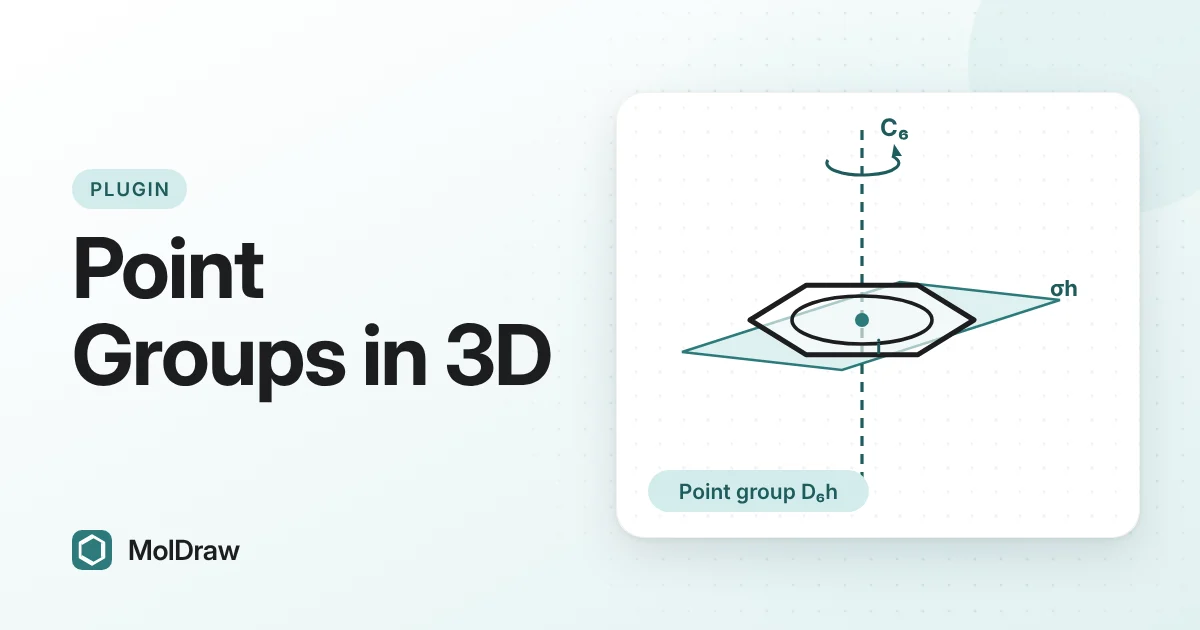
Short answer: Install Symmetry and point groups from Settings › Plugins, draw a molecule and open the Symmetry tab. Press Analyse selection or pick one of the examples. The plugin builds a 3D shape, names the point group, draws every axis and mirror plane, plays each operation and shows the character table.
Why symmetry matters in chemistry
Symmetry is hard to see on paper. A flat drawing hides the axes and planes that make two atoms equivalent. Yet symmetry decides a lot: whether a molecule can have a dipole moment, whether it can be chiral, which vibrations show up in IR or Raman spectra, and how orbitals are labelled.
A few terms help:
- A symmetry operation moves the molecule so that it looks exactly the same afterwards.
- A symmetry element is the axis, plane or point about which the operation happens.
- The main elements are the identity E, rotation axes Cn (turn by 360°/n), mirror planes σ, the centre of inversion i, and improper axes Sn (turn by 360°/n, then reflect through a plane at right angles to the axis).
- A point group is the full set of operations of a molecule. The number of operations is the group order.
Some familiar examples: water is C2v, with one C2 axis and two mirror planes (order 4). Ammonia is C3v, with a C3 axis and three vertical mirror planes (order 6). Benzene is D6h (order 24), methane is Td and carbon dioxide is D∞h.
Two quick rules show why this is useful. A molecule with any improper axis, including a mirror plane (S1) or a centre of inversion (S2), cannot be chiral. A molecule with a centre of inversion has no permanent dipole moment.
What the plugin shows
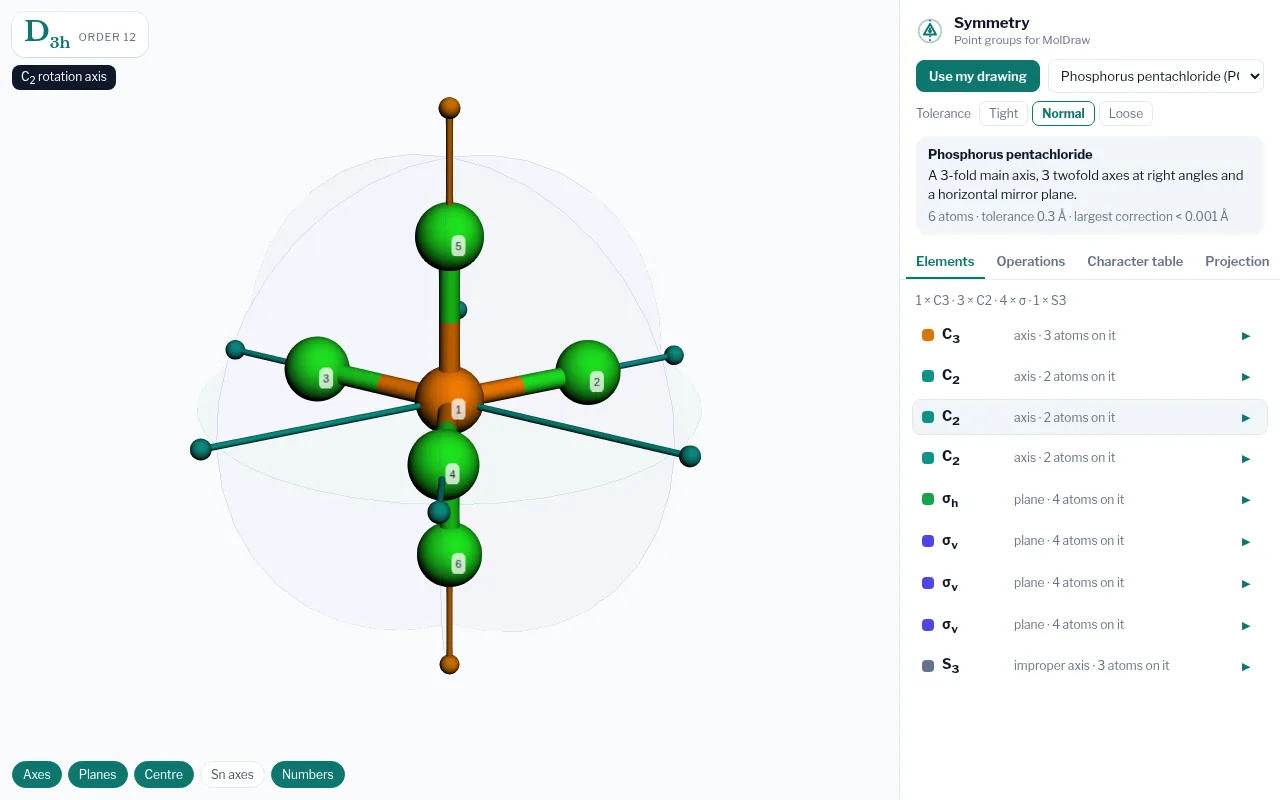
| Badge | The point group (Schoenflies symbol) and its order. A summary line beside it describes the group in words. |
|---|---|
| Elements | Every axis, plane, centre and improper axis. Hover to highlight it in 3D; click to play it. |
| Operations | All operations grouped into classes. Click one to watch the atoms move onto equivalent atoms. |
| Character table | Irreducible representations with linear, rotational and quadratic functions, following Cotton and Harris and Bertolucci. |
| Projection | A view down the z axis that shows where the axes and planes lie. |
How to install the Symmetry plugin
- Open the MolDraw editor and sign in. A free account is enough.
- Click Settings (the gear), then Plugins.
- Click Install next to Symmetry and point groups.
How to find a point group
- Draw one molecule. If the canvas holds several, select the one you want.
- Open the Symmetry tab. You can also use the Chemistry menu (Symmetry and point groups › Open Symmetry) or right-click the canvas and choose Find symmetry (point group).
- Press Analyse selection. MolDraw adds hydrogens, tries several conformers and minimises the 3D shape with MMFF94. Keep Live on to re-analyse when you edit the drawing.
- Read the point group in the badge.
- Open Elements and hover each entry to see it in 3D. Click it to play the operation.
- Open Character table to link the group to spectroscopy and bonding.
No drawing at hand? The Examples list holds ready-made molecules sorted by point group, from bromochlorofluoromethane (C1) to buckminsterfullerene (Ih).
Ways to use it in class and in the lab
- Teaching the flowchart: load water, ammonia and benzene in turn. Ask students to predict the group, then check the badge and the element list.
- Showing operations live: turn on Numbers and play a C3 rotation or an S4 operation. After each move the plugin says which atom landed where.
- Spectroscopy courses: use the character table to discuss which vibrations can be IR or Raman active. Then check a real sample: open its Raman spectrum in the free Raman viewer and compare the strong bands with its IR spectrum.
- Checking a structure: confirm whether a ligand or product is chiral or has a centre of inversion before you discuss its properties.
Tips and limits
- Use Tight tolerance for accurate structures and Loose for rough drawings. Normal sits in between.
- The 3D shape comes from a force-field conformer, not from your 2D layout. Flexible molecules may come out less symmetric than their textbook form. Compare with the matching example, such as staggered (D3d) and eclipsed (D3h) ethane.
- Use the layer chips (Axes, Planes, Centre, Sn axes, Numbers) to keep busy groups readable.
- For C2v molecules, the B1 and B2 labels depend on which plane is called xz. The plugin puts a planar molecule in the yz plane and says so.
Want to see the shape before the symmetry? The VSEPR geometry calculator predicts molecular shapes, and the 3D molecular model viewer lets you rotate them.
Questions and answers
What is a point group?
A point group is the complete set of symmetry operations of a molecule. Every operation leaves at least one point fixed. Chemists name point groups with Schoenflies symbols such as C2v, D3h or Td.
Is the Symmetry plugin free?
Yes. You need a free MolDraw account to install and use it.
Why does my molecule get a lower point group than the textbook?
MolDraw builds a 3D shape from your 2D drawing, and a flexible molecule may land in a less symmetric conformation. Try Loose tolerance, or compare with the matching built-in example.
Does it show character tables?
Yes, for the common point groups. The table lists the irreducible representations with their linear, rotational and quadratic functions. If a group has no stored table, the elements and operations are still shown.