Compare Analogues Side by Side with Tanimoto Similarity in MolDraw
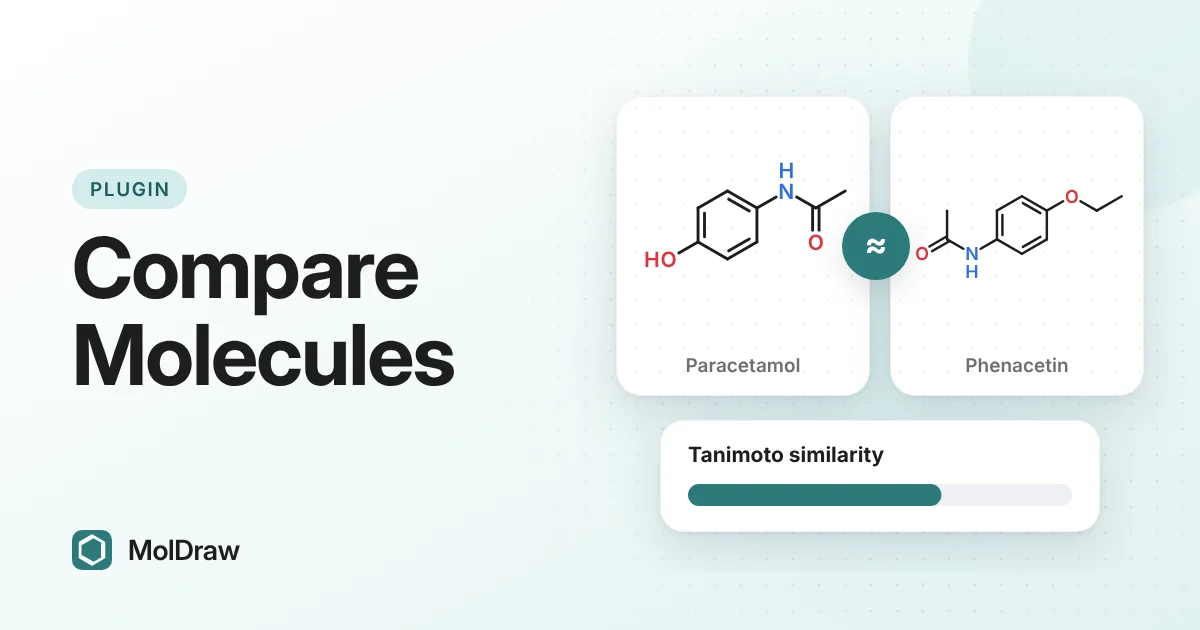
Short answer: Install Compare molecules from Settings › Plugins, draw your reference molecule, open the Compare tab and press Add canvas. Paste other structures as SMILES, one per line, and press Add SMILES. Each row shows a structure similarity (Tanimoto) score, a functional similarity score and a short list of changes. Press CSV to export the table.
Why put a number on "similar"?
Chemists say two molecules are "similar" all the time. Ask three people how similar paracetamol and aspirin are, and you get three answers. A similarity score gives everyone the same yardstick.
That matters when you work through an analogue series, pick compounds to test, or teach structure–activity relationships. A score lets you rank a list instead of eyeballing it. A list of changes tells you what actually differs from the reference.
What Tanimoto similarity means
Software first turns each molecule into a fingerprint: a long row of on/off bits. Each bit records whether a structural feature, such as a ring or a small fragment, is present.
The Tanimoto coefficient compares two fingerprints. Count the bits set in both molecules and divide by the bits set in either one. If molecule A has a bits on, B has b bits on and they share c, then T = c / (a + b − c). A score of 1 (100%) means the fingerprints are identical. A score of 0 means they share no features.
Keep three points in mind:
- The score depends on the fingerprint. The same pair can score differently in different programs, so compare numbers only within one tool.
- Fingerprints like this ignore stereochemistry. Two enantiomers get the same fingerprint.
- Similar structures often, but not always, have similar activity. A small change can switch activity off.
What the plugin shows
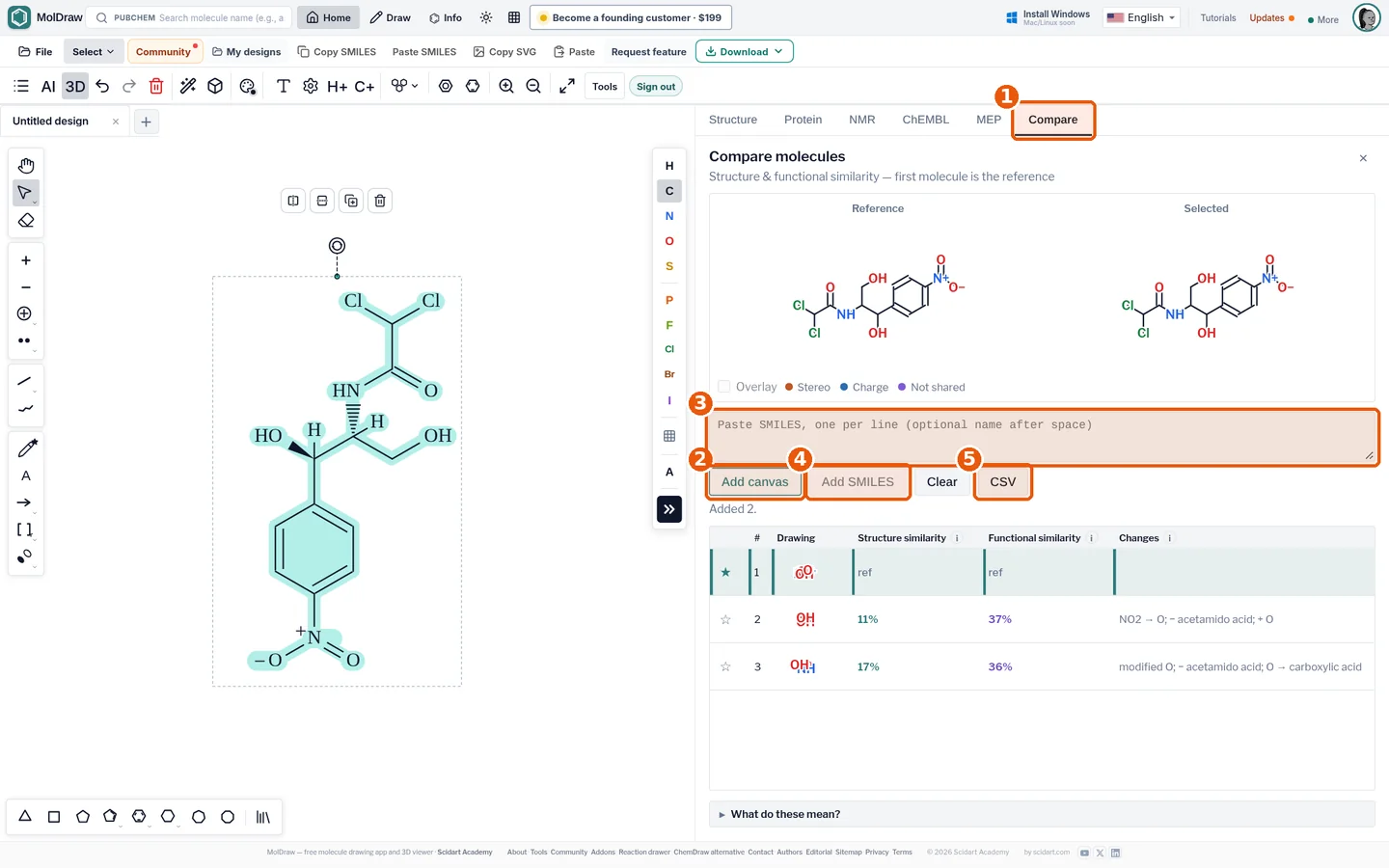
| Structure similarity | Tanimoto score on a structural fingerprint (same atoms and bonds). |
|---|---|
| Functional similarity | Similarity of pharmacophore features: H-bond donors and acceptors, aromatic rings, charges, halogens and hydrophobic groups. |
| Changes | Plain-language differences from the reference, such as Cl → H, plus notes such as a stereocentre or protonation difference. |
| 2D, 3D, Properties | Side-by-side drawings with differences coloured, a 3D superposition with RMSD, and a physicochemical and drug-likeness table. |
| CSV | Exports the comparison table with scores, changes and property values. |
How to install Compare molecules
- Open the MolDraw editor and sign in. A free account is enough.
- Click Settings (the gear), then Plugins.
- Click Install next to Compare Molecules. A Compare tab appears in the analysis panel.
How to compare a series step by step
- Draw the reference molecule on the canvas.
- Open the Compare tab and press Add canvas. The first molecule in the list is the reference. If the canvas holds several molecules, each one is added.
- Paste more structures in the SMILES box, one per line. You can add a name after a space, for example
CC(=O)Nc1ccc(O)cc1 paracetamol. - Press Add SMILES. Every row now shows its scores against the reference.
- Click a row to see Reference and Selected side by side. Coloured atoms mark Stereo, Charge and Not shared differences. When the two share a core, tick Overlay to draw one on top of the other.
- Switch to 3D and press Run 3D comparison to superimpose conformers, or to Properties for a side-by-side property table.
- Click the star on any row to make it the new reference. Press CSV to save the table, or Clear to start again.
Ways to use it in class and in the lab
- Teaching stereoisomers: compare a molecule with its enantiomer. The Tanimoto score is 100%, yet the note says the structures differ at a stereocentre. This shows students why a fingerprint is not the whole story.
- Acids and their salts: compare a carboxylic acid with its carboxylate. The plugin reports that the skeleton is the same and the charge or protonation differs.
- Analogue series: paste a list of analogues and read the changes column. You see at a glance which ring position or substituent each one changes.
- Scaffold hops: a low structure score with a higher functional score can hint that a new scaffold keeps similar features, such as donors, acceptors and aromatic rings.
- Database hits: in the ChEMBL plugin, use Send to Compare to add a compound straight to the table.
Tips and honest limitations
- Read the notes column, not only the score. A 100% Tanimoto score can still hide stereo or charge differences.
- Draw wedges where stereochemistry matters, so the plugin compares the configurations you intend.
- Similarity scores do not predict activity. Use them to organise a series, then check the data.
- Property values in the Properties tab are estimates. Rows marked with an asterisk use a stand-in descriptor.
- Need SMILES from names? Use the name to SMILES converter, then paste the results.
Screening a series for drug-likeness? Pair the table with the Lipinski rule of five calculator.
Questions and answers
What does a Tanimoto score of 100% mean?
The two fingerprints are identical. That does not always mean the molecules are identical, because the fingerprint ignores stereochemistry. The plugin reports stereocentre and charge differences separately in the notes.
What is the difference between structure and functional similarity?
Structure similarity is a Tanimoto score on a structural fingerprint, so it rewards the same atoms and bonds. Functional similarity compares pharmacophore features: H-bond donors and acceptors, aromatic rings, charges, halogens and hydrophobic groups.
Can I change the reference molecule?
Yes. The first molecule you add is the reference. Click the star on any row to make that molecule the reference, and the scores are recalculated against it.
Is the Compare molecules plugin free?
Yes. You install it with a free MolDraw account. The comparison is calculated in your browser with OpenChemLib.