Turn Hand-Drawn Sketches into Chemical Structures with Smart Draw
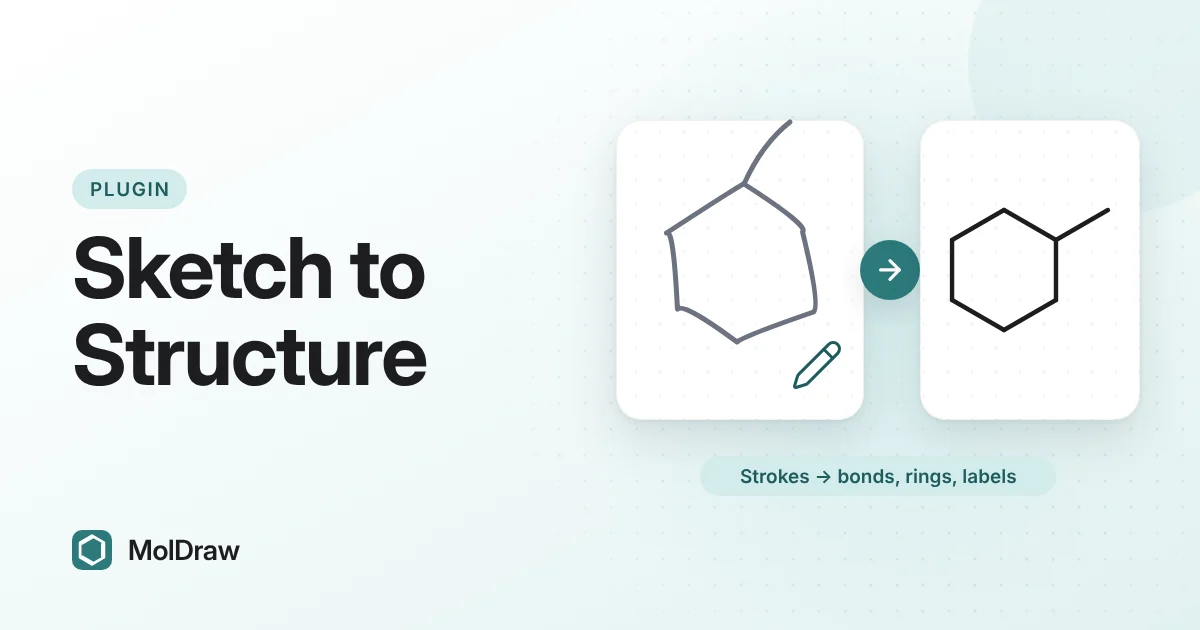
Short answer: Install Smart Draw from Settings › Plugins and pick the Smart Draw tool in the left toolbar. Sketch bonds, rings and letters with a stylus, finger or mouse, then press Convert or Enter. MolDraw turns the strokes into a clean structure that you can edit and export like any other drawing. Recognition runs in your browser.
Why sketch instead of click?
Chemists learn to draw structures by hand. A skeletal formula is quick on paper: every corner and line end is a carbon, hydrogens on carbon are implied, and only heteroatoms get a letter. Most structure editors make you translate that habit into tool choices and clicks.
On a tablet or an interactive whiteboard, that translation is slow. You switch between the bond tool, the ring tool and the atom menu many times for one molecule. Smart Draw lets you draw the way you would on paper. It reads each stroke as a bond, a ring or a letter and builds the structure for you.
The result is not a picture of your handwriting. It is a normal MolDraw molecule with atoms and bonds, so you can clean it up, name it, copy its SMILES or analyse it with other plugins.
What Smart Draw recognises
| Straight stroke | A single bond. |
|---|---|
| Zigzag line | A chain, with one bond between each pair of corners. |
| Two parallel strokes | A double bond. |
| Closed shape | A ring with the same number of sides, from 3 to 8. |
| Circle inside a ring | Marks a five- or six-membered ring as aromatic. |
| Letters | Atom labels such as N, O, S or Cl. Letters written side by side, such as OH, are read together. |
| + or − | A positive or negative charge on the nearest atom. |
Strokes that end near an atom already on the canvas join that atom, so you can extend a structure you drew with the normal tools.
How to install Smart Draw
- Open the MolDraw editor and sign in. A free account is enough.
- Click Settings (the gear), then Plugins.
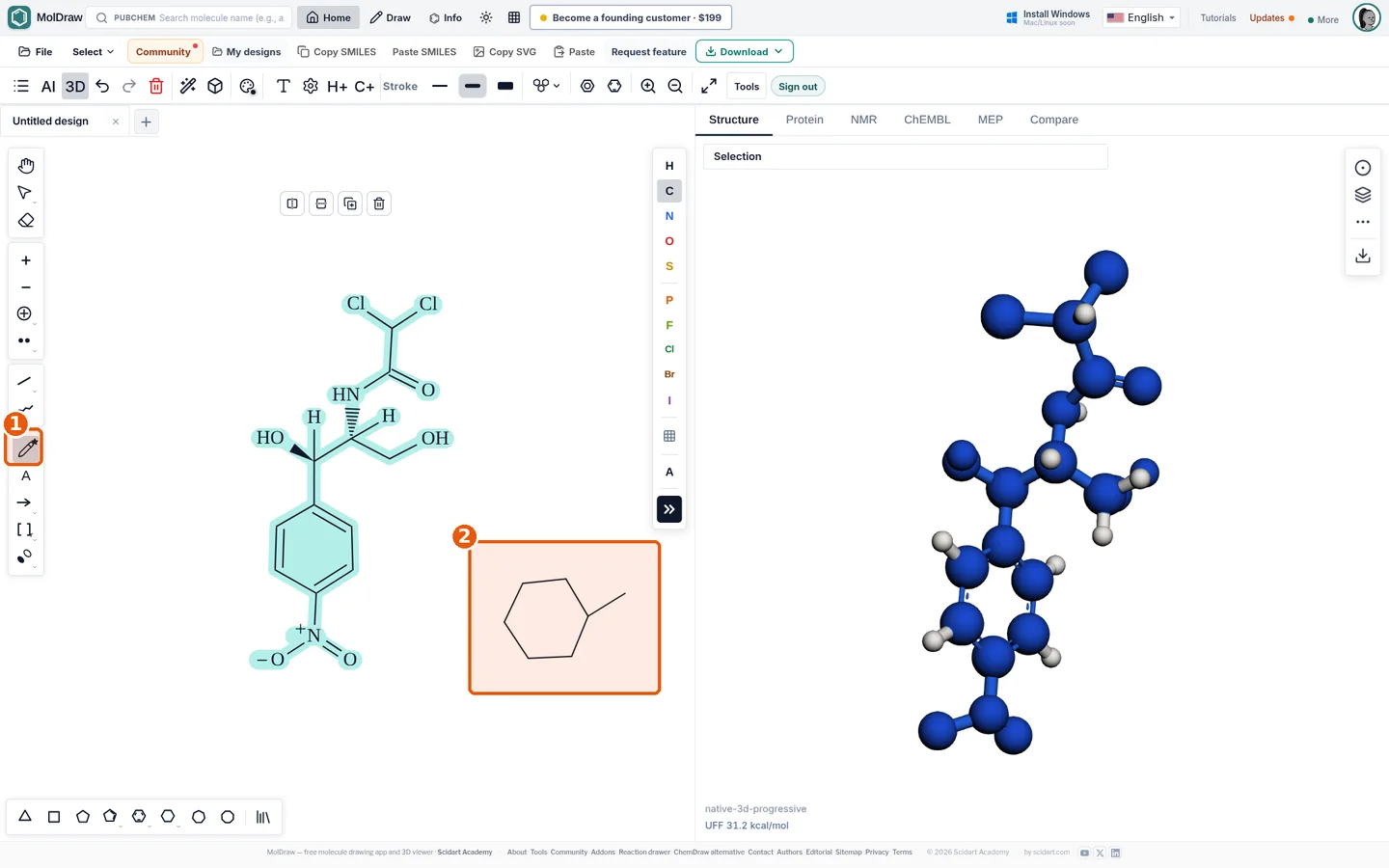
- Click Install next to Smart Draw. The Smart Draw tool appears in the left toolbar.
How to sketch a structure
- Select the Smart Draw tool in the left toolbar.
- Draw a ring in one continuous stroke, for example a hexagon for cyclohexane. For fused rings or an exact benzene, place ring templates with the ring tools instead.
- Add substituents as straight strokes from a ring corner. Draw a zigzag for a longer chain.
- For a double bond, draw a second line of similar length close and parallel to the first.
- Write a letter at the end of a bond to make it a heteroatom, for example O for an alcohol.
- Check the preview. The Smart Draw bar shows what MolDraw reads, for example “3 bonds · N”, and nothing changes until you convert, so you can pause as often as you like. Use Undo stroke (Ctrl+Z) or Clear (Esc) to fix a mistake.
- Press Convert or Enter. The strokes become a structure and MolDraw tidies the new part of the layout. If you prefer converting automatically, turn on Auto in the bar to convert after a 2.5 second pause.
- Switch to the normal tools to add wedges, change bonds or fix anything that came out wrong.
Ways to use it in class and in the lab
- Lecturing on a touch screen: sketch a molecule live while you talk, then show its clean structure and name straight away.
- Student practice: students draw from memory, as they would in an exam, and get a real structure they can check.
- Quick notes in the lab: jot down a structure on a tablet with a stylus and copy its SMILES into your notebook.
- Next steps: check the formula with the SMILES to formula tool, or learn the click-based way in how to draw benzene, cyclohexane and fused rings.
Tips and limits
- Close each ring in one stroke and make the corners clear, so the number of sides is read correctly.
- Keep bonds reasonably straight and about the same length.
- Draw an aromatic ring as a hexagon with a circle inside it.
- On an iPad, use Apple Pencil and turn on the touch-screen options in Settings › Touch screen.
Smart Draw reads shapes, not chemistry. It does not draw wedge or hash bonds, so add stereochemistry with the normal bond tools afterwards. Neat handwriting matters for letters, and complex labels may need the normal atom tool. Always look at the result before you rely on it: a ring with an extra wobble or a misread letter changes the molecule.
Smart Draw works offline because recognition runs locally. Your sketch is not sent to a server.
Questions and answers
Does Smart Draw work offline?
Yes. Stroke recognition runs in your browser, and your sketch is not sent to a server.
Can I use it on a phone or tablet?
Yes. You can draw with a finger, a stylus or a mouse. A stylus gives the cleanest strokes.
What can Smart Draw recognise?
Single bonds, zigzag chains, double bonds drawn as two parallel lines, rings with 3 to 8 members, aromatic rings marked with a circle, connections to atoms already on the canvas, simple atom labels and plus or minus charges.
What happens if a stroke is not recognised?
The stroke stays on the canvas as grey ink. If nothing in the sketch can be read, MolDraw shows a short message. Delete the ink and draw it again, or use the normal tools.