MolDraw › Templates › Pharma › Route scheme layout
PharmaFree
Route scheme layout template
Free template. Download it, or open it in MolDraw to change it first.
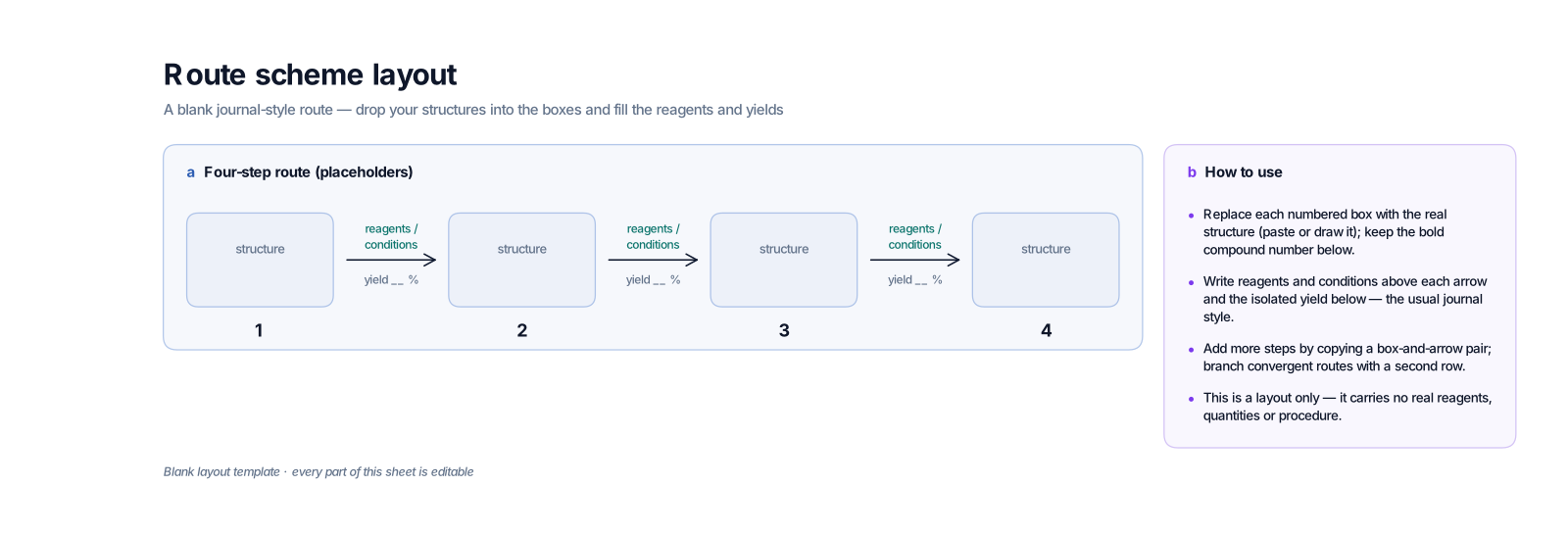
A blank, journal-style layout for a synthetic route: placeholder compounds 1 → 2 → 3 → 4 as generic boxes, with “reagents / conditions” above each arrow and a yield placeholder below. A formatting template — add your own structures and text.
What the template shows
- A blank journal-style route — drop your structures into the boxes and fill the reagents and yields
- Four-step route (placeholders)
- reagents / conditions
- How to use
- Replace each numbered box with the real structure (paste or draw it); keep the bold compound number below.
- Write reagents and conditions above each arrow and the isolated yield below — the usual journal style.
- Add more steps by copying a box-and-arrow pair; branch convergent routes with a second row.
- This is a layout only — it carries no real reagents, quantities or procedure.
- Blank layout template · every part of this sheet is editable
Drawn with 15 shapes – every one editable in MolDraw.
Sources
How to use this template
- Press Edit in MolDraw. The template opens on the canvas of the free MolDraw editor.
- Change anything: move structures, edit atoms and labels, recolour highlights or delete what you do not need.
- Add your own structures, arrows and text next to it, or combine several templates on one page.
- Export the drawing as PNG, SVG or PDF for slides, worksheets, theses and papers.
Frequently asked questions
Is the Route scheme layout template free?
Yes. The Route scheme layout template is one of the free MolDraw templates: open it in the editor or download it from this page as SVG or PNG and use it in your slides, worksheets and notes.
Can I edit the Route scheme layout template?
Yes. It opens as an ordinary MolDraw drawing, so every structure, arrow, label and colour can be changed, and you can add your own content around it.
Is the chemistry checked?
Every structure is checked with RDKit and every curly arrow passes MolDraw’s electron-flow audit. The sources used are listed on this page.
Are the IC₅₀ values in the SAR table real?
No. They are illustrative example values so the table can be filled in with your own data; the structures and R-group positions are checked with RDKit.