Arrows are improving!
You can draw nice arrows more easily now in moldraw Try and let me know what to improve.
▲
You can draw nice arrows more easily now in moldraw Try and let me know what to improve.
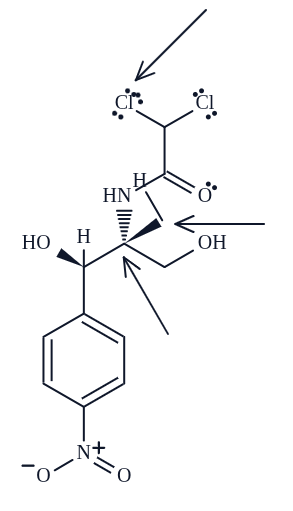
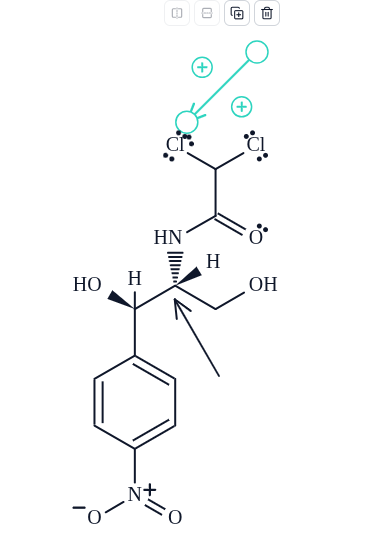
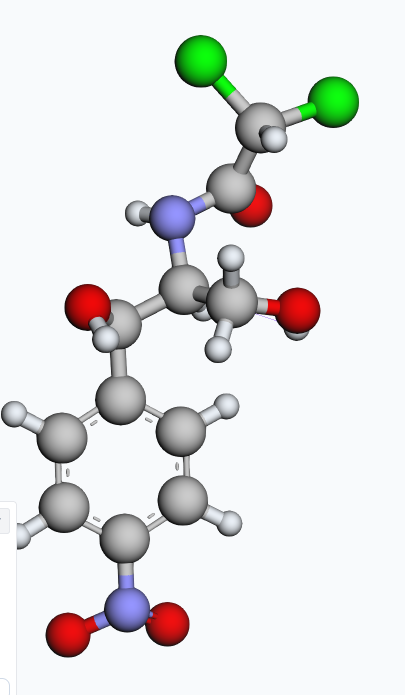
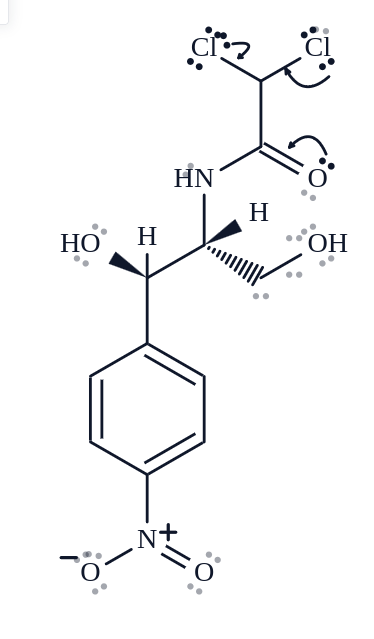
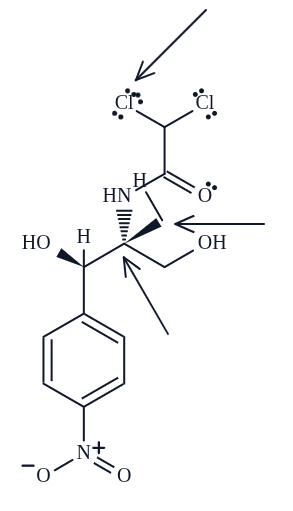
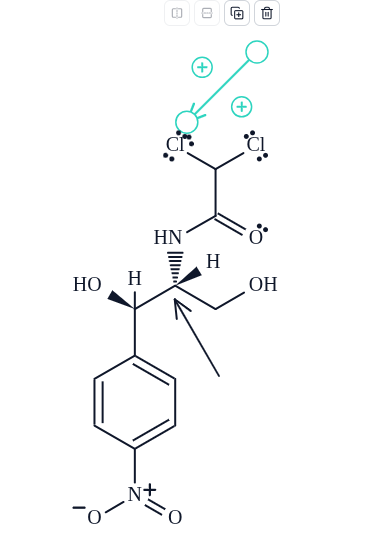
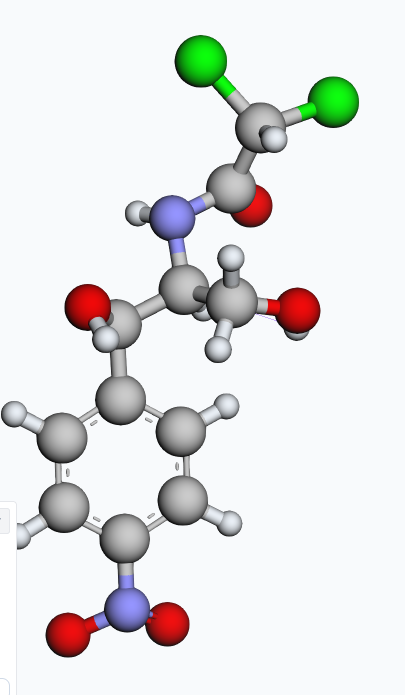
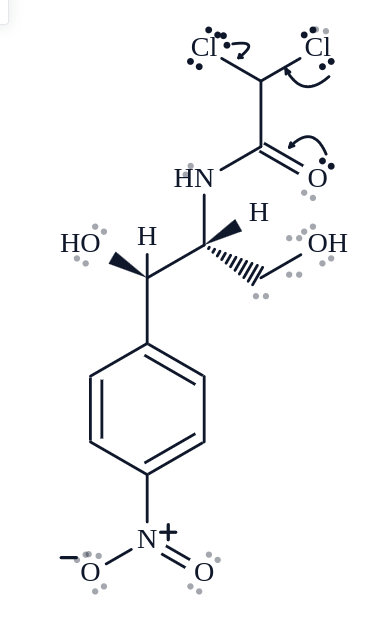
Hi, i really like your update but there is a problem with some things. First i realized now that sometimes editing/deleting posts does not work. In the pictures you can see several problems: - wrong 3d structure at the chiral center when changing the wedge direction - weird LP placement of third LPs (didnt test more than 3) - a button to add one to all of them would be nice so not each atom would have to be clicked - replacing atoms with an h fails and a methyl group is added instead - some lps are drawn wrong when choosing electron flow - in electron flow mode it is not always possible to choose the middle of a bond as endpoint - when a bond is chosen as starting point and an atom as endpoint it often points wrongly which corrects itself when some atoms are deleted (no picture, but could be done on request) Then it is also slightly annoying that enter in the forum results in the post being posted immediately as it is usually used for newlines. It would be nicer if you could only post by clicking the button or have a confirmation before hand. Thanks for your dedication and continued updates. Best Maxim
Hi,
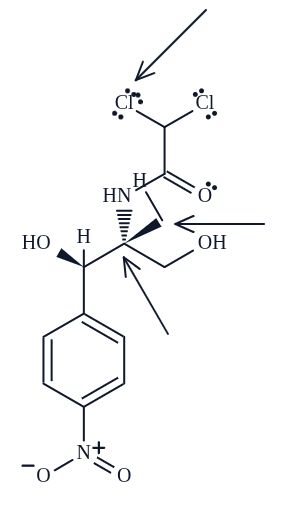
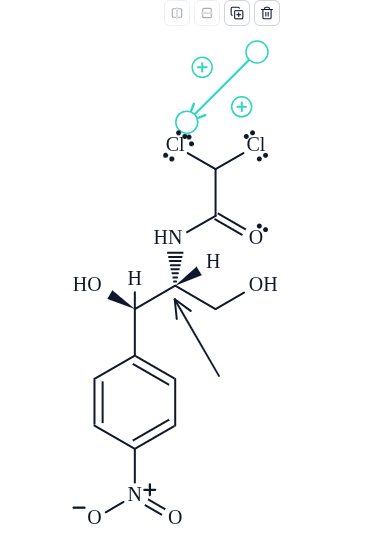
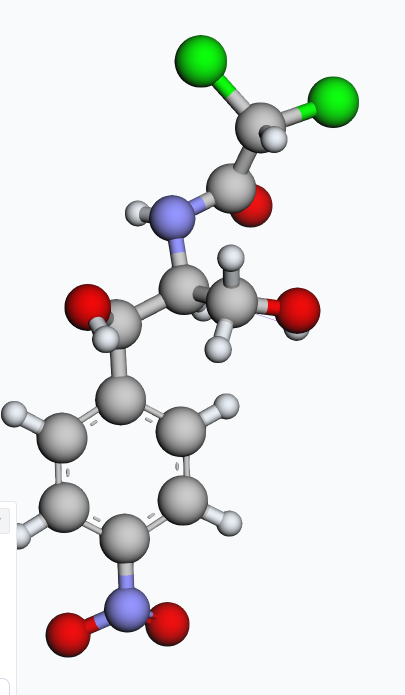
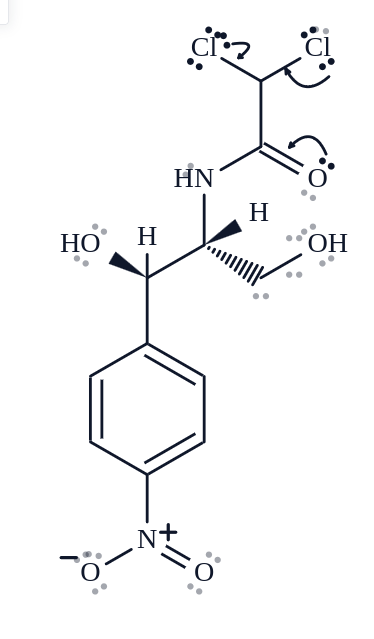
Hi, I like the new version a lot so far. I have experienced a few small issues and wanted to let you know. First in the new lone pair feature all of the lone pairs seems to be needed to be added manually by clicking on the atoms, it would be nice if they could be turned all on with one button. Then some are placed weirdly for example when there are 3 LPs the third clashes into the first. I dont know how the placement looks like with even more LPs. When drawing the new electron flow arrows i often cannot snap them to the middle of bonds, which would be nice. When drawing them from the middle of a bond to somewhere else, they are also often mangled, but his gets fixed when deleting some atoms (i didnt include a picture of that, please inform me if you need it) Finally i observed that the 3d geometry is sometimes wrong. I took the initial example that you have and made H the H at the chiral center wedge up, but it is not reflected in the 3d depiction. also i cannot replace atoms properly with H by pressing h and clicking on them, but always a methyl group is added in that case.
Looks nice but, now I can't dragging atoms or groups to attach them in to an existing structure.
Looks nice but, now I can't dragging atoms or groups to attach them in to an existing structure.
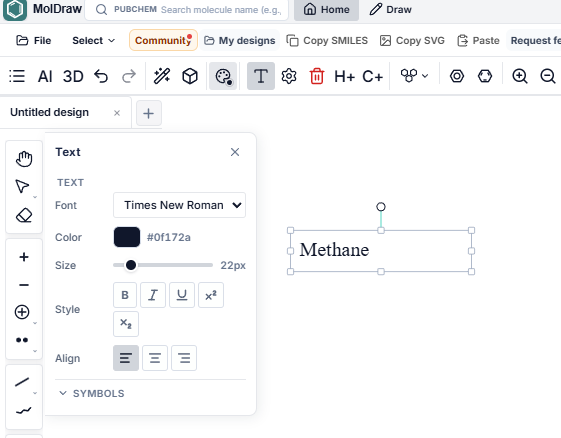
Text tool had some issues. They are fixed. Tell me if anything to be improved further. Thanks.
We’ve launched a major update with many fixes and new features. I know there may be some differences, bugs, or things that still need improvement. The previous editor had several limitations, so we had to make this change to build a much better experience going forward. If you face any issue, please let me know here or through the support chat. I’m personally here to fix things as quickly as possible. Give us a little time. Within the next month, I’m confident Moldraw will become a much better tool for drawing chemical structures. We’ll improve it together. 😊 Thank you for your patience and understanding!
Is there any feature here that automatically forms a chair conformation?
How do allign my structures? I draw my molecules and i write somtexts, but t the end, it is alle messy
Hi, i really like your update but there is a problem with some things. First i realized now that sometimes editing/deleting posts does not work. In the pictures you can see several problems: - wrong 3d structure at the chiral center when changing the wedge direction - weird LP placement of third LPs (didnt test more than 3) - a button to add one to all of them would be nice so not each atom would have to be clicked - replacing atoms with an h fails and a methyl group is added instead - some lps are drawn wrong when choosing electron flow - in electron flow mode it is not always possible to choose the middle of a bond as endpoint - when a bond is chosen as starting point and an atom as endpoint it often points wrongly which corrects itself when some atoms are deleted (no picture, but could be done on request) Then it is also slightly annoying that enter in the forum results in the post being posted immediately as it is usually used for newlines. It would be nicer if you could only post by clicking the button or have a confirmation before hand. Thanks for your dedication and continued updates. Best Maxim
@maxim1janzen Hi Maxim, Thanks for all comments. We have started working on them. Will update you soon
@maxim1janzen 1) fixed: - wrong 3d structure at the chiral center when changing the wedge direction 2) can you explain this what you meant, thanks? : - a button to add one to all of them would be nice so not each atom would have to be clicked 3) fixed: - replacing atoms with an h fails and a methyl group is added instead 4) fixed: Then it is also slightly annoying that enter in the forum results in the post being posted immediately as it is usually used for newlines. It would be nicer if you could only post by clicking the button or have a confirmation before hand. other comments are being addressed and will update you when fixed
@maxim1janzen 5) fixed: lone pair placement is mostly fixed. if anything behaves abnormal, let me know
Thanks a lot for fixing all of these issues. I think it is quite nice already. I noticed that you implemented the add all lone pairs feature as "add one lone pair to all", would it perhaps be possible to have "Add all lone pairs", which adds all of the possible ones to all respective atoms at once? I think that would reduce a great number of clicks that would need to be done. It would also be nice to have the same kind of view of possible lone pairs when drawing the electron flow arrows like in the last picture in this post, it was removed since the last update but i think it was quite nice. Then a few new thing, i saw that the copy smiles (it would be nice if it was possible to import smiles also) and copy svg buttons are not working at least on my linux machine with chrome and firefox. Also the advanced export button seems to be doing nothing. And when i try to do a MMFF94 optimization i get an error about openChemLib failing to load. I hope this feedback is useful for you. Thanks for the continued updates.
Hi Maxim, Thanks for the feedback. Very helpful. We have solved most of the things. I will update you soon when all updates are live.
Hi Maxim, @maxim1janzen Thanks for the detailed notes. These are in now. Please hard-refresh the site once so you are not on an older cached page. (ctrl + f4) 1) Add all lone pairs now adds every possible lone pair on every atom in one click. Add one lone pair to all is still there if you only want a single pair on each atom. 2) While you draw an electron-flow arrow, possible lone-pair sites show again, and they go away after the arrow is placed. 3) Copy SMILES and Copy SVG should work now can you check?. Import SMILES is next to Copy SMILES. 4) Advanced export (check now?) 5) MMFF94 loads OpenChemLib again, so that optimization should run (check now?)