How to Switch from ChemDraw to MolDraw: A Complete Migration Guide
The biggest worry when leaving ChemDraw is simple: will my old drawings still open, and will they look right? This guide answers that with real ChemDraw files, then shows how one person, a research group or a whole department can move to MolDraw step by step.
Comparing first? Read ChemDraw vs MolDraw and the best free ChemDraw alternatives. This page is the practical how-to for moving over.
What carries over from ChemDraw
ChemDraw saves drawings as CDX, a binary file, or CDXML, the XML version of the same data. MolDraw reads and writes both.
| Item in your ChemDraw file | In MolDraw |
|---|---|
| Binary .cdx files | Open with File › Open; save with Download › CDX |
| .cdxml files | Open with File › Open; save with Download › CDXML |
| Atoms, bonds, rings, charges | Editable structures, not pictures |
| Wedge, hash and wavy bonds | Kept, so stereochemistry and SMILES stay right |
| Abbreviations and labels (Me, OMe, CF3, OH) | Kept as labels |
| Reaction arrows and compound labels (I), (II) | Kept as arrows and text |
| Text boxes | Kept as text |
| Bond length and layout | Scaled to MolDraw's bond length, positions kept |
| Several structures in one file | All open together, in place |
Tested on real ChemDraw files
We opened public test files saved by ChemDraw 21.0 and ChemDraw 6.0. They come from the RDKit project, which uses them to test its own ChemDraw reader. Here is how they look in MolDraw, straight after File › Open, with no editing.
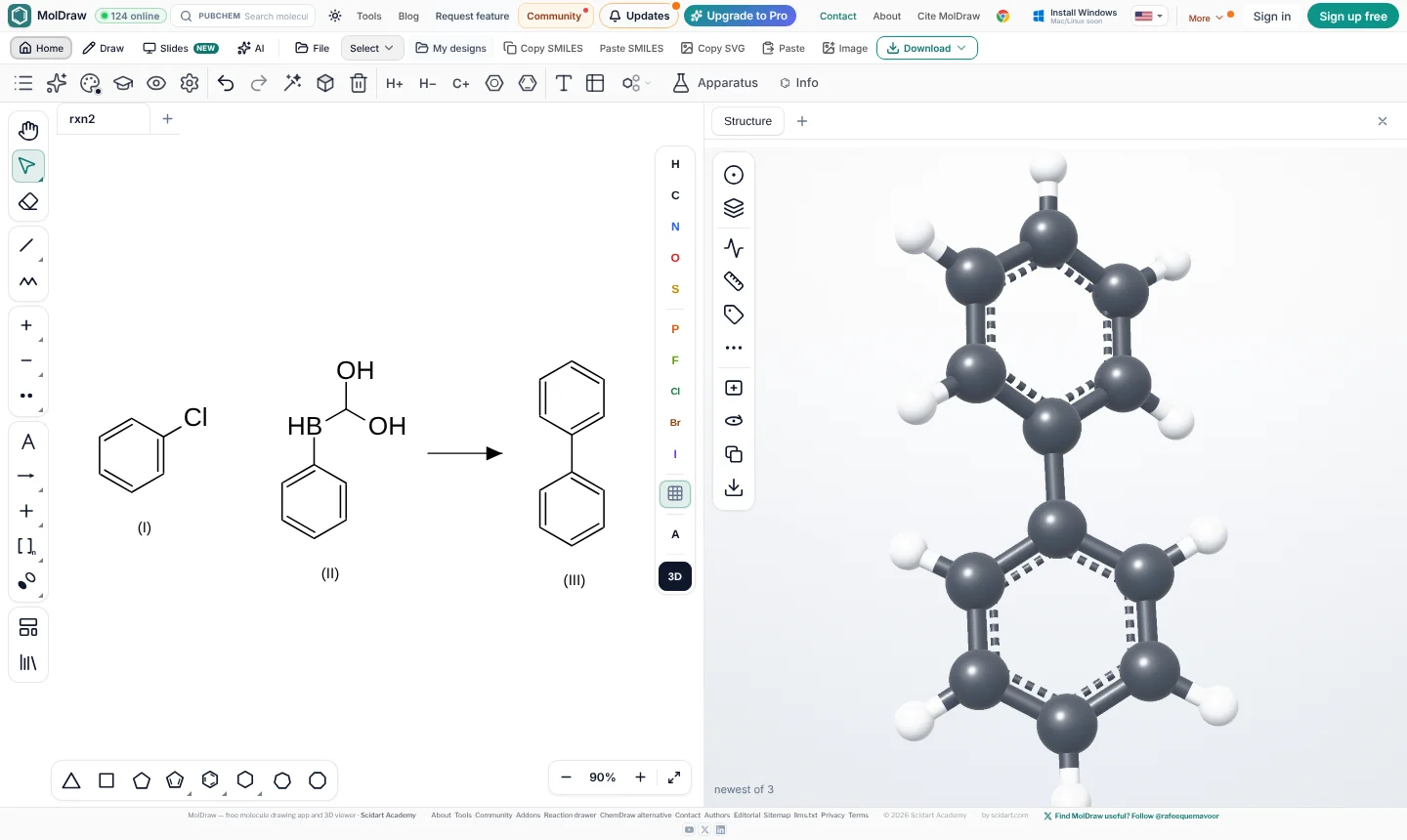
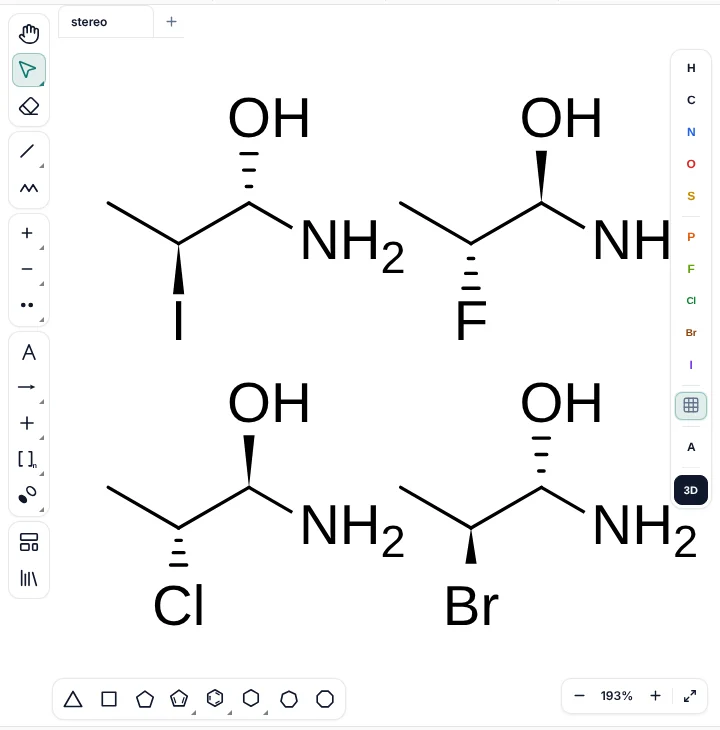
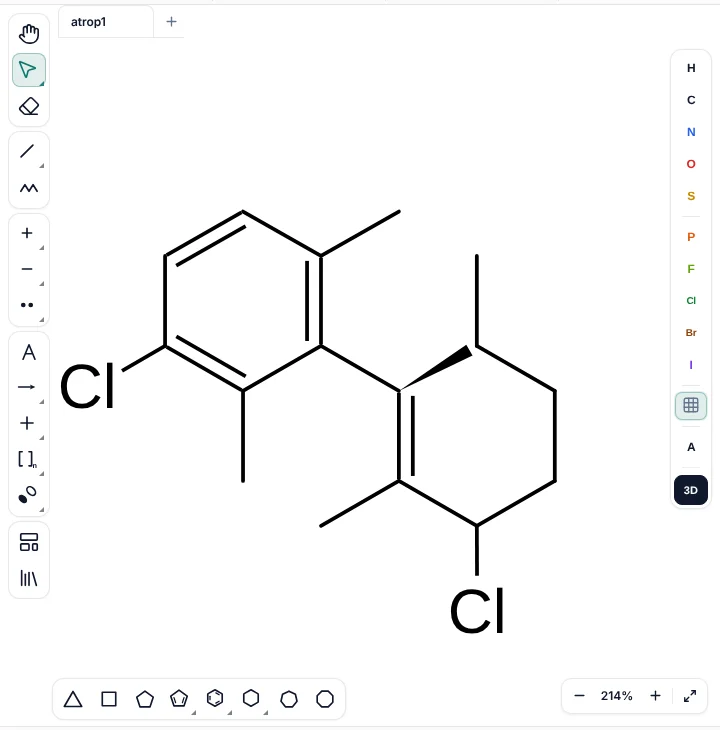
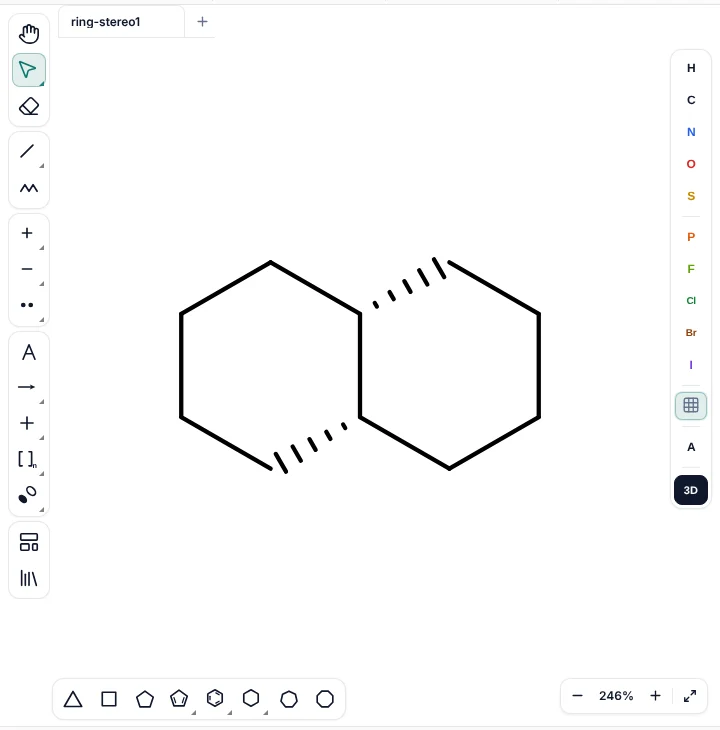
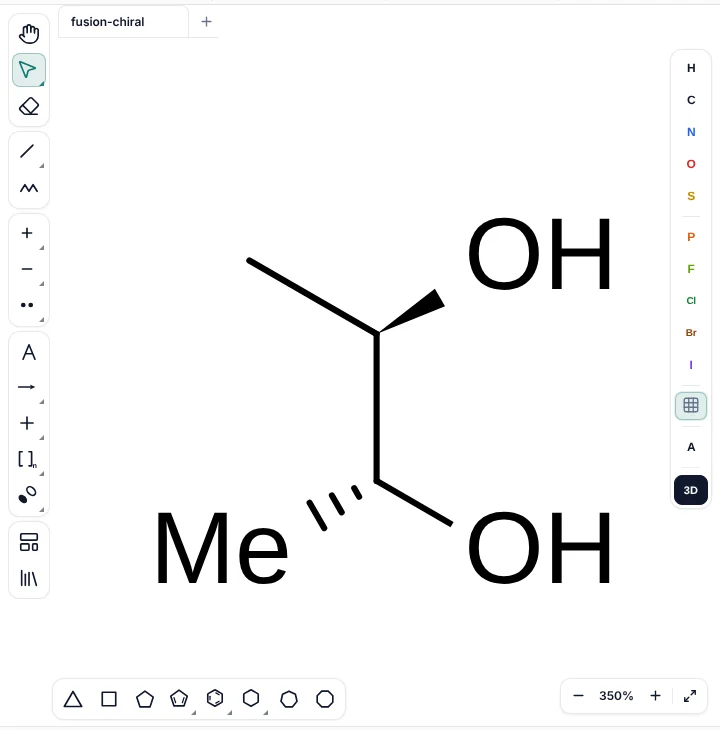
A ferrocene file saved by ChemDraw 6.0, with its rings drawn as dashed multicentre bonds, opens as two dashed rings bonded to Fe, which MolDraw marks η5.
Switch in 15 minutes: one person
- Open MolDraw. Go to moldraw.com. No account is needed to draw. Sign in (free) to save designs in the cloud.
- Open a ChemDraw file. Click File › Open and pick a .cdx or .cdxml file. Use File › Place to add a file to the drawing you already have.
- Match your journal style. In Settings, under Style presets, pick ACS 1996 (or RSC). Bond length, line width and label font then follow that style. See publication-ready figures.
- Learn the point-and-type keys. Point at a bond and press 2 for a double bond, or point at an atom and type O. The key table is below.
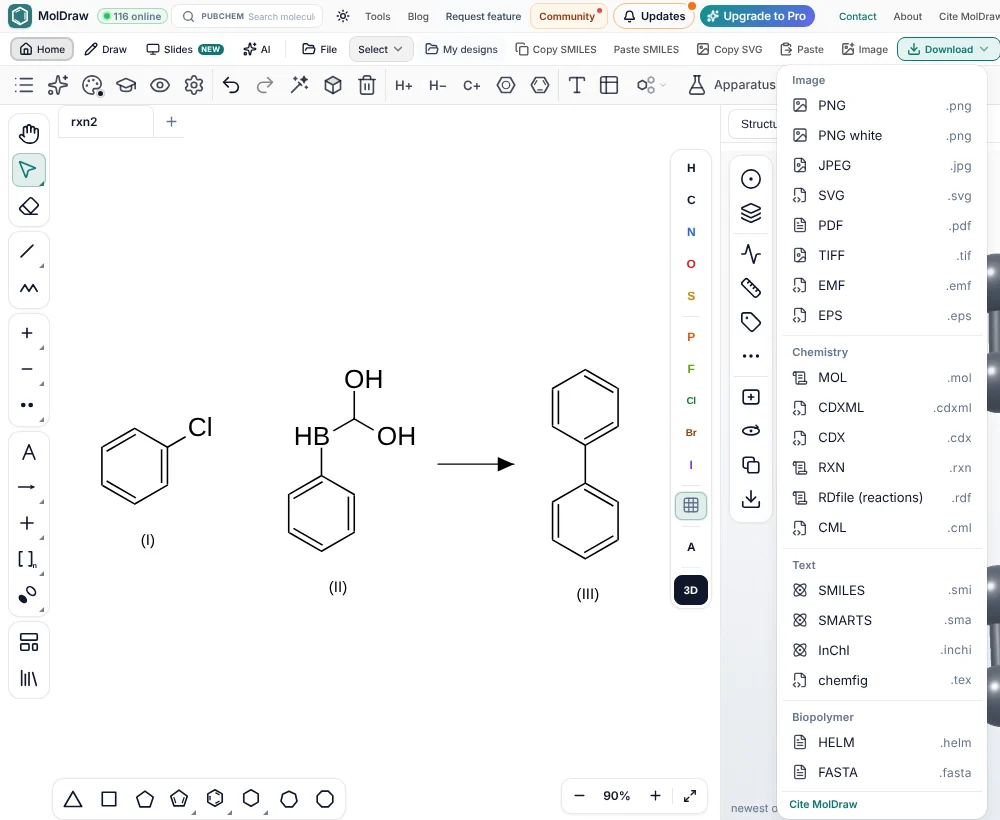
- Export. Use Download for SVG, PDF, PNG, EMF or EPS figures, MOL, SDF, RXN or CDXML files, and SMILES, InChI or chemfig text.
- Send files back to ChemDraw users. Choose Download › CDXML or CDX. Colleagues who still use ChemDraw can open them.
Switch a research group or department
A group does not need to switch in one day. This is the plan we suggest to labs and companies:
- Run both for one term. Keep ChemDraw while people try MolDraw on real work. Nobody loses anything.
- Test your own files. Collect 50 typical ChemDraw files from the group (schemes, mechanisms, SI figures) and open them in MolDraw. Note anything that looks wrong and send it to us.
- Set one house style. Agree on a style preset (for example ACS 1996) so everyone's figures match.
- Deploy the Word and PowerPoint add-in. A Microsoft 365 admin can add it for the whole organisation (details below).
- Install the desktop app where needed. The Windows app works offline for drawing, cleanup, export and 3D. See desktop app and offline use.
- Decide before the ChemDraw renewal date. By then the group has a term of real use to judge.
Where to find what you used in ChemDraw
| Task | In MolDraw |
|---|---|
| Open or save ChemDraw files | File › Open; Download › CDX or CDXML |
| Name to structure | Search box at the top: type a name or CAS number (guide) |
| Structure to name, formula and mass | Select the molecule, click Info (guide) |
| Clean up a structure | Clean up 2D (guide) |
| Journal styles (ACS 1996, RSC) | Settings › Style presets |
| Reaction schemes and conditions | Arrow tool, text above and below the arrow (guide) |
| Curly-arrow mechanisms | Curved and fishhook arrows (guide) |
| Stoichiometry table | Reaction stoichiometry table (guide) |
| Templates and ring library | Library and templates (guide) |
| Check valence errors | Structure checker (guide) |
| Predict NMR | NMR analyser plugin (guide) |
| 3D model | 3D panel beside the drawing, built as you draw (guide) |
| Lab glassware drawings | Apparatus library (guide) |
| LaTeX | Download › chemfig, or paste chemfig code (guide) |
Keyboard: point and type
If you draw fast in ChemDraw by pointing at atoms and bonds and pressing keys, MolDraw works the same way. Keep any tool active, point at an atom or bond, and press a key.
| Key | Pointing at a bond | Pointing at an atom |
|---|---|---|
| 1, 2, 3 | Single, double, triple bond (press 2 again to move the second line) | Adds a chain of 1, 2 or 3 carbons |
| 4 to 9 | Nothing | Adds a chain of that many carbons |
| W | Wedge (press again to flip) | Starts a label |
| H | Hashed wedge (press again to flip) | Starts a label |
| + or − | Nothing | Raises or lowers the charge |
| A letter such as O, N, Cl | Nothing | Opens the label editor with that letter; Tab takes the first suggestion |
Press ? in the editor for every shortcut, and change any of them in Settings › Shortcuts. The full lists are on hover keys and keyboard shortcuts. Ctrl+K opens the command palette.
Word and PowerPoint
The MolDraw add-in for Word and PowerPoint puts a MolDraw button on the Home tab. Draw, press Insert, and the structure goes into your document. Select it later and press Edit to change it in place. The drawing travels inside the document, so colleagues with the add-in can edit it too.
- Windows: the MolDraw desktop app adds the button by itself.
- Mac: the desktop app offers to add it.
- Whole organisation: a Microsoft 365 admin uploads the manifest (
https://www.moldraw.com/office/manifest.xml) in the admin center under Settings › Integrated apps.
Without the add-in, copy an SVG or PNG from MolDraw and paste it into any document.
What is different, honestly
- Desktop app: Windows only today. On Mac and Linux, use MolDraw in the browser.
- Copy and paste with desktop ChemDraw: the browser cannot read ChemDraw's own clipboard format. Save a CDX or CDXML file and open it instead. Direct copy and paste with ChemDraw is coming in the next Windows desktop release.
- Names: name to structure and IUPAC names come from PubChem, so they need an internet connection.
- Unusual objects: rare ChemDraw objects may come in simplified. Test your own files, and tell us about any that do not look right.
FAQ
Can MolDraw open ChemDraw files?
Yes. Use File › Open for .cdx and .cdxml files. Structures, stereo bonds, arrows, labels and text come in as editable drawings.
Can I save a file that ChemDraw can open?
Yes. Choose Download › CDXML or Download › CDX.
Will my figures look the same as in ChemDraw?
Pick the ACS 1996 style preset and new drawings follow the same journal geometry. Old files keep their layout. Open a sample of your own files first to check.
Do I need to install anything?
No. MolDraw runs in Chrome, Edge, Safari and Firefox. The Windows app is optional and works offline.
Who makes MolDraw?
MolDraw is owned and developed by LabCanvas Private Limited. Teams can contact us about site licences, onboarding and file migration.
Can we run MolDraw and ChemDraw side by side?
Yes. Files move both ways as CDX and CDXML, so a group can try MolDraw before its ChemDraw renewal without losing any work.
Sources
- ChemDraw file formats: CDX Format Specification (copy of the ChemDraw SDK documentation) and Library of Congress: ChemDraw Exchange format description
- Test files: ChemDraw files from the RDKit test data (rxn1, stereo, atrop1, ring-stereo1, fusion-chiral) and rdkit/Chem/test_data (ferrocene), BSD 3-Clause licence
MolDraw facts come from the MolDraw docs and the app itself (screenshots taken 27 November 2026). ChemDraw is a trademark of its owner. MolDraw is not affiliated with ChemDraw or Revvity Signals.