How to Draw Cage Molecules in 3D: Cubane, Adamantane and Coordination Cages
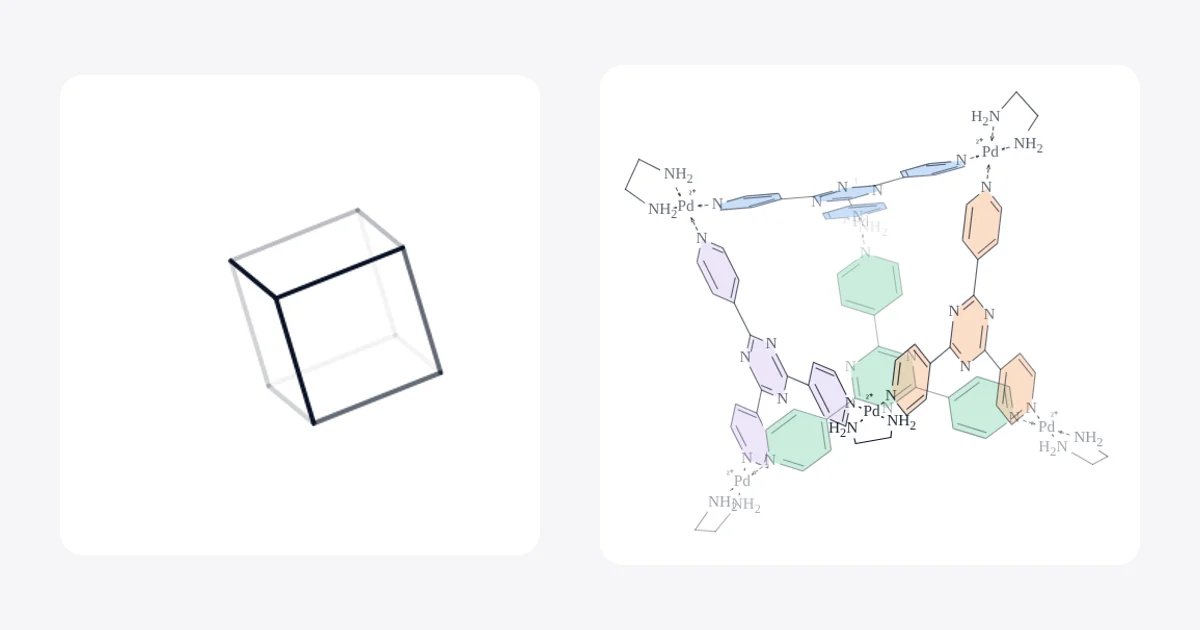
Short answer: Don't try to draw a cage as a flat projection by hand. In MolDraw, either place the cage from the Library (cards marked 3D land on the canvas in true 3D), or draw its connectivity in 2D and press 3D Clean Up (Shift+Ctrl+D). Then drag on the canvas to rotate it, and click Flatten 3D pose when you want a normal 2D figure for a paper or slide.
Why cage molecules are hard to draw
Cubane, adamantane, dodecahedrane and metal–organic cages are three-dimensional by nature. On paper every bond has to be drawn as a projection: some bonds cross, the back of the cage hides behind the front, and a small mistake makes the cube look like a flat hexagon. Textbook figures solve this by picking a good viewing angle and making the far bonds lighter.
MolDraw does the same thing for you. It builds a real 3D geometry, shows it in perspective on the canvas with depth shading, and lets you turn it until the view explains the structure. You only decide the angle.
Method 1: Place a cage from the Library (fastest)
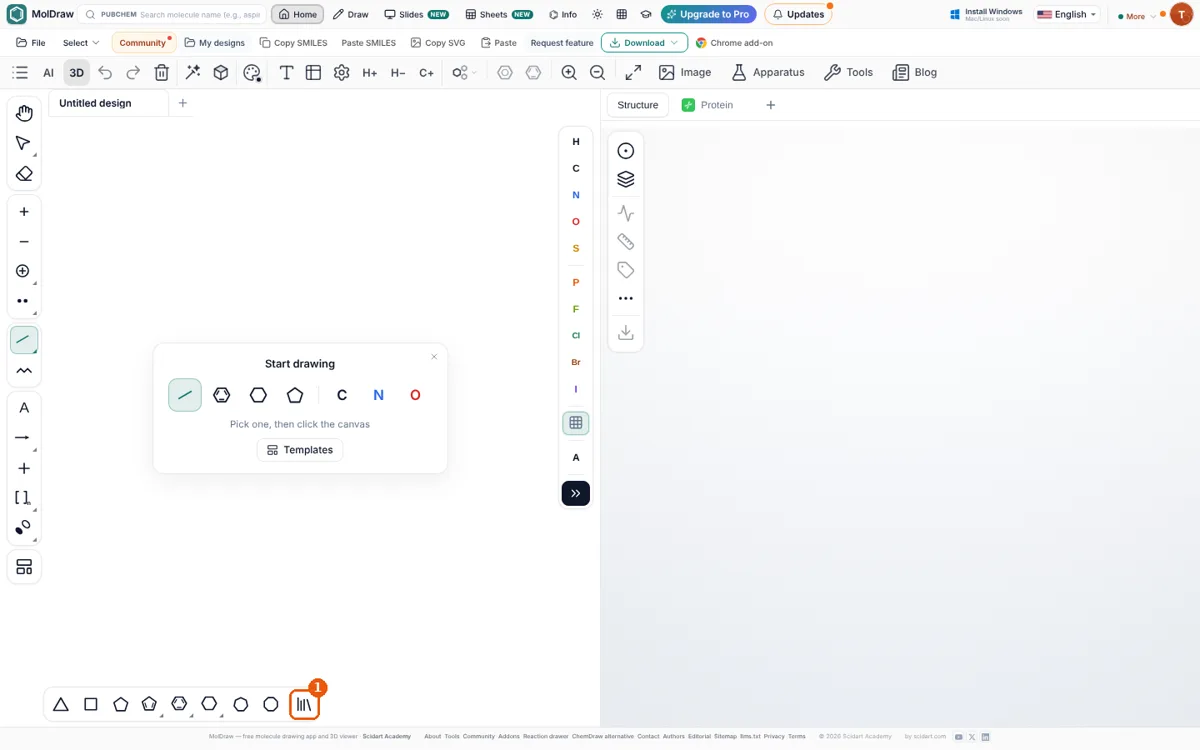
Step 1. Open the Library
Step 2. Choose a cage marked 3D
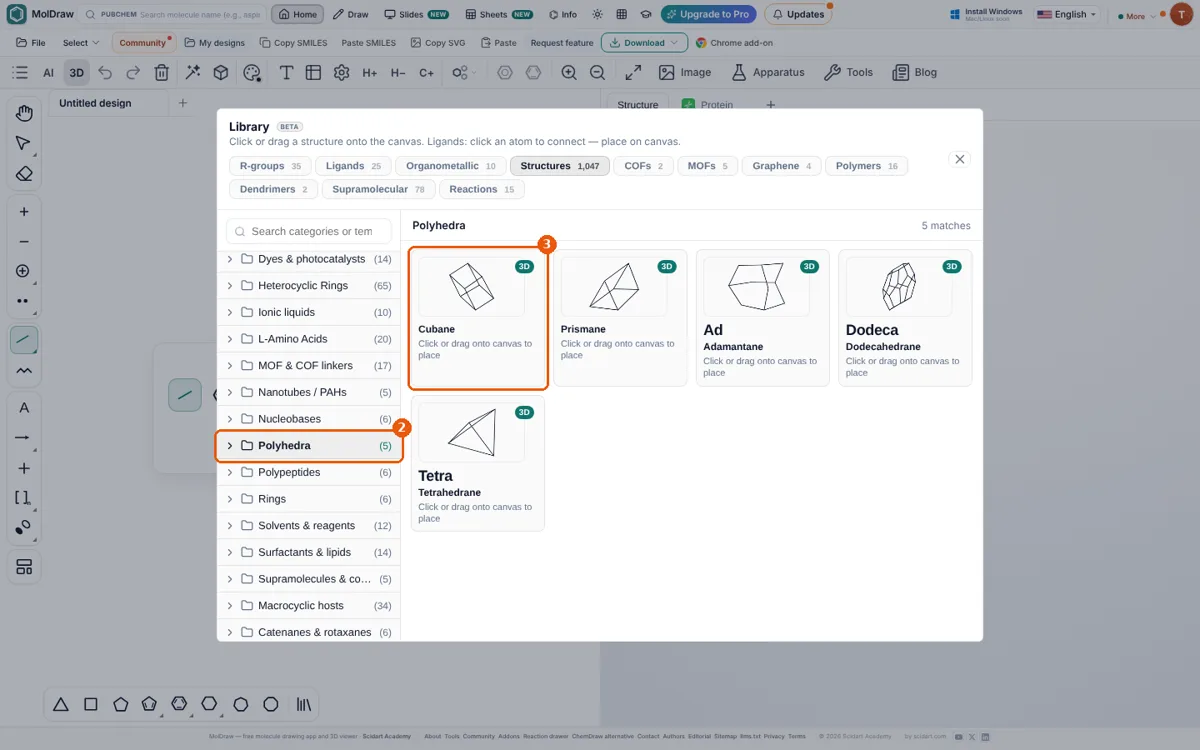
Cages are in several places:
- Polyhedra: cubane, prismane, adamantane, dodecahedrane, tetrahedrane.
- Bridged Polycyclics, Organic & amine cages (CC1, CC3 imine cages), Strained hydrocarbons (pentaprismane, diamantane, [1.1.1]propellane) and 3D Templates.
- Supramolecular tab: coordination cages such as the Fujita Pd₆(TPT)₄ cage, Pd₂L₄, Fe₄L₆ and the Pd₄ square, plus catenanes and rotaxanes.
You can also type into Search categories or templates…, for example "adamantane" or "Fujita cage".
Step 3. Click the canvas to place it
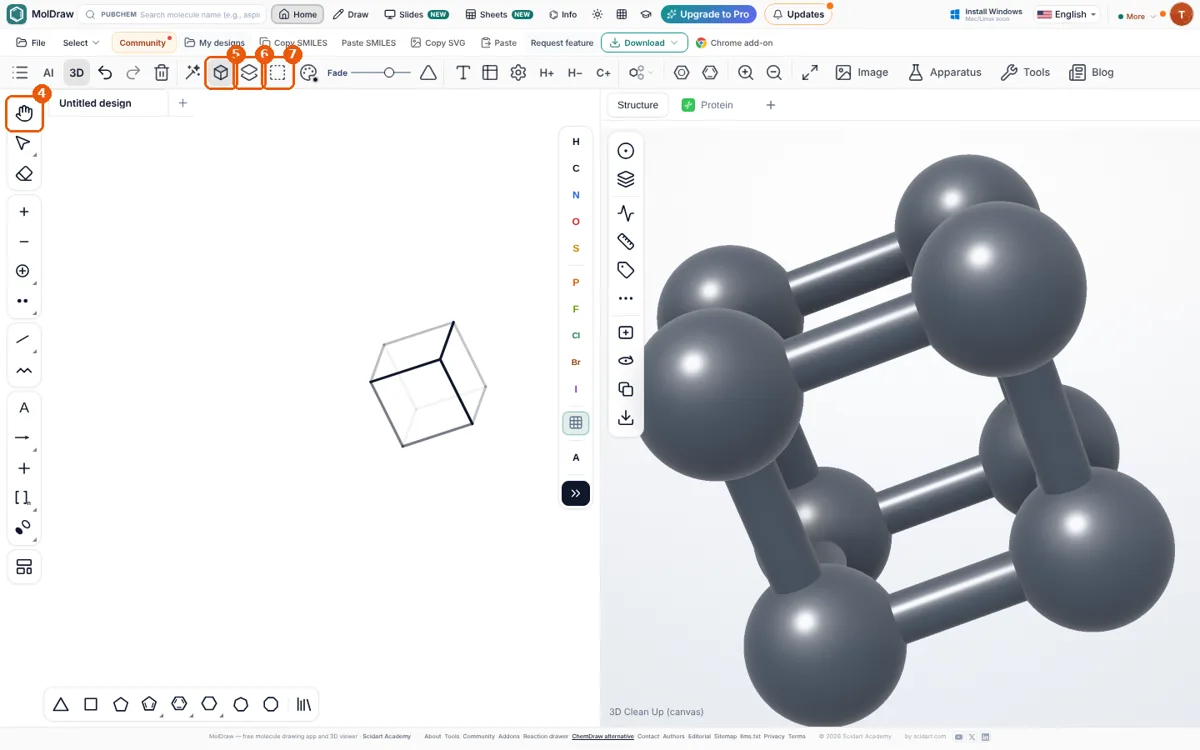
Step 4. Rotate it to the best view
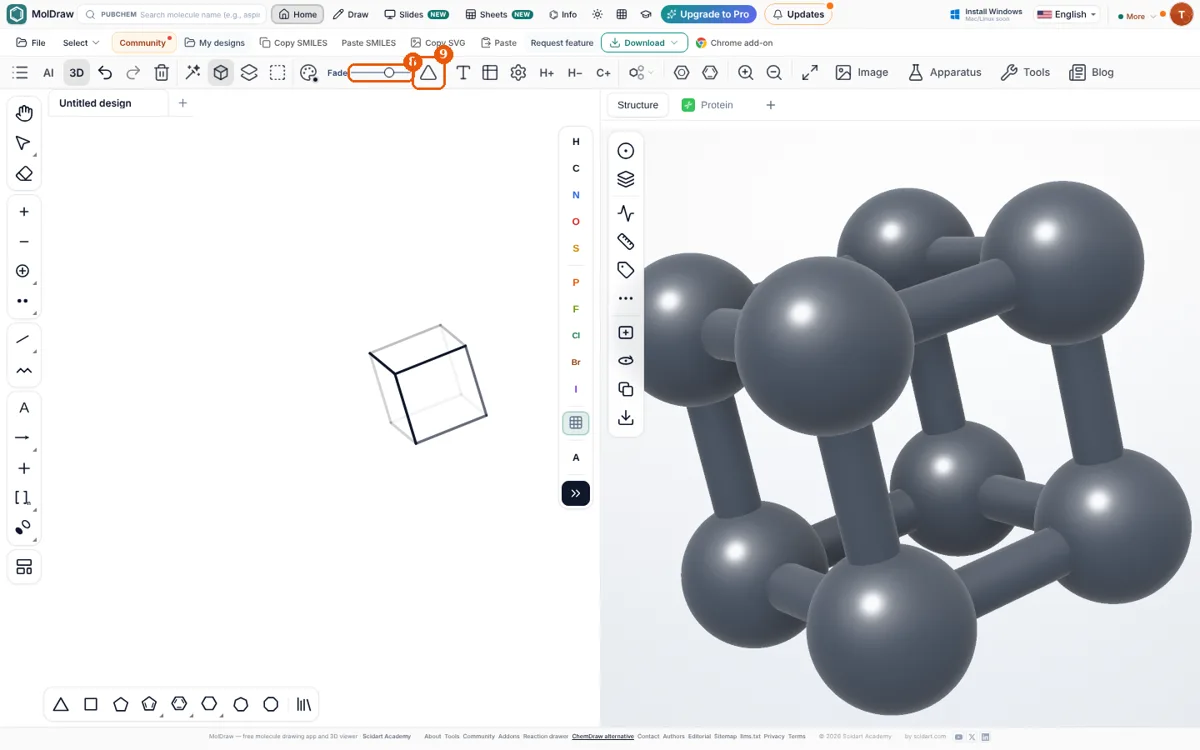
Each drag is one undo step, so Ctrl+Z takes you back to the previous angle. Press Alt+D to switch depth shading on or off.
Step 5. Flatten it into a 2D figure
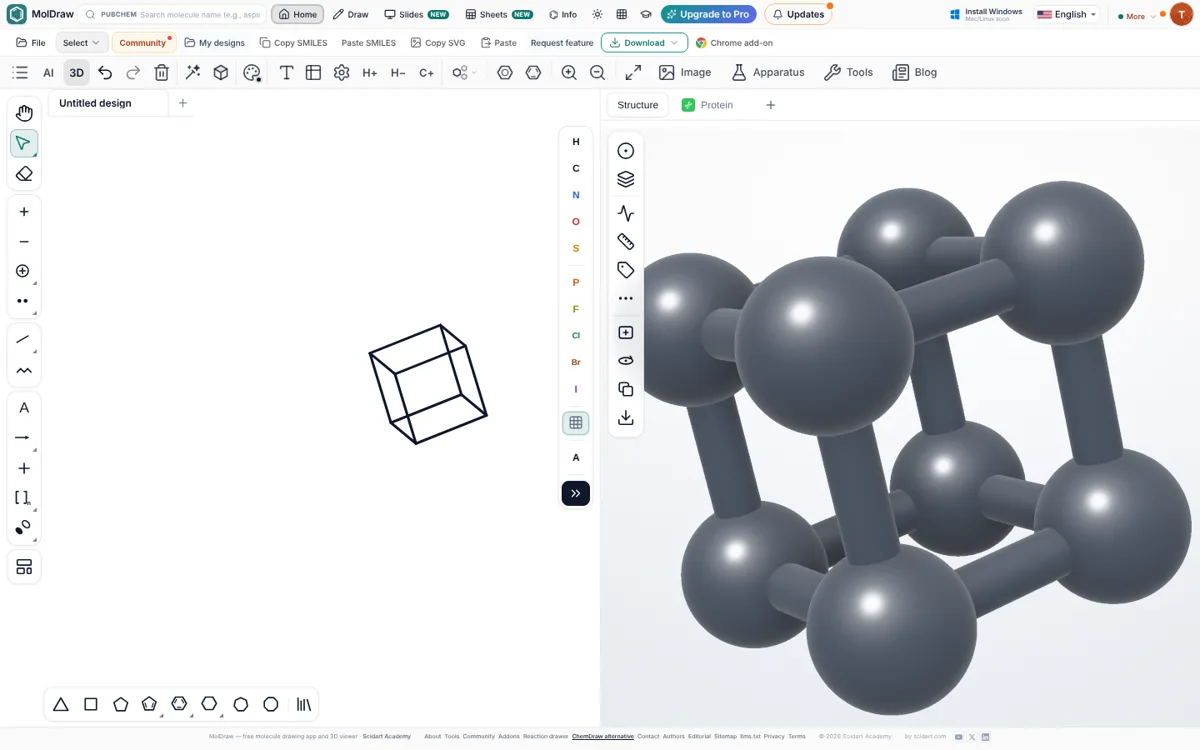
If you would rather throw the 3D view away, click Exit 3D: the pose is dropped and the original drawing comes back. If a stereocentre cannot be shown correctly from the current angle, Flatten tells you so; rotate a little and try again.
Method 2: Draw the cage yourself, then let 3D Clean Up fold it
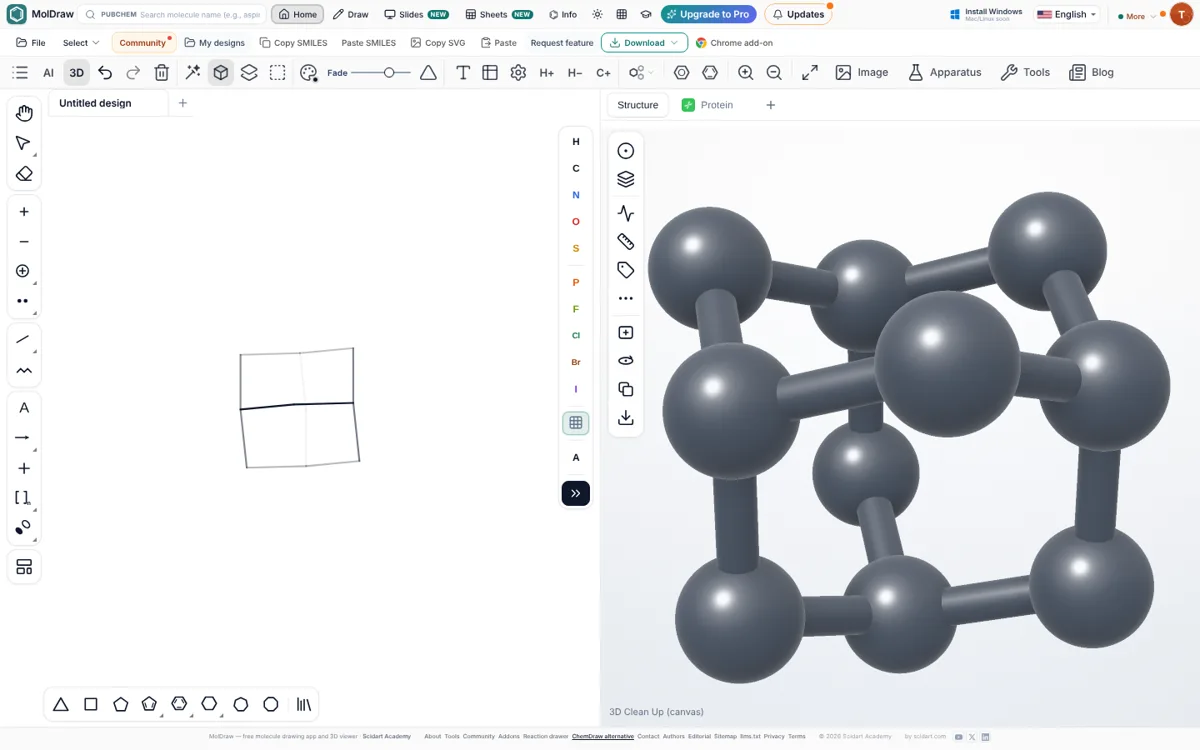
For a cage that is not in the library, draw only the connectivity. It does not matter that the 2D sketch looks wrong or that bonds cross.
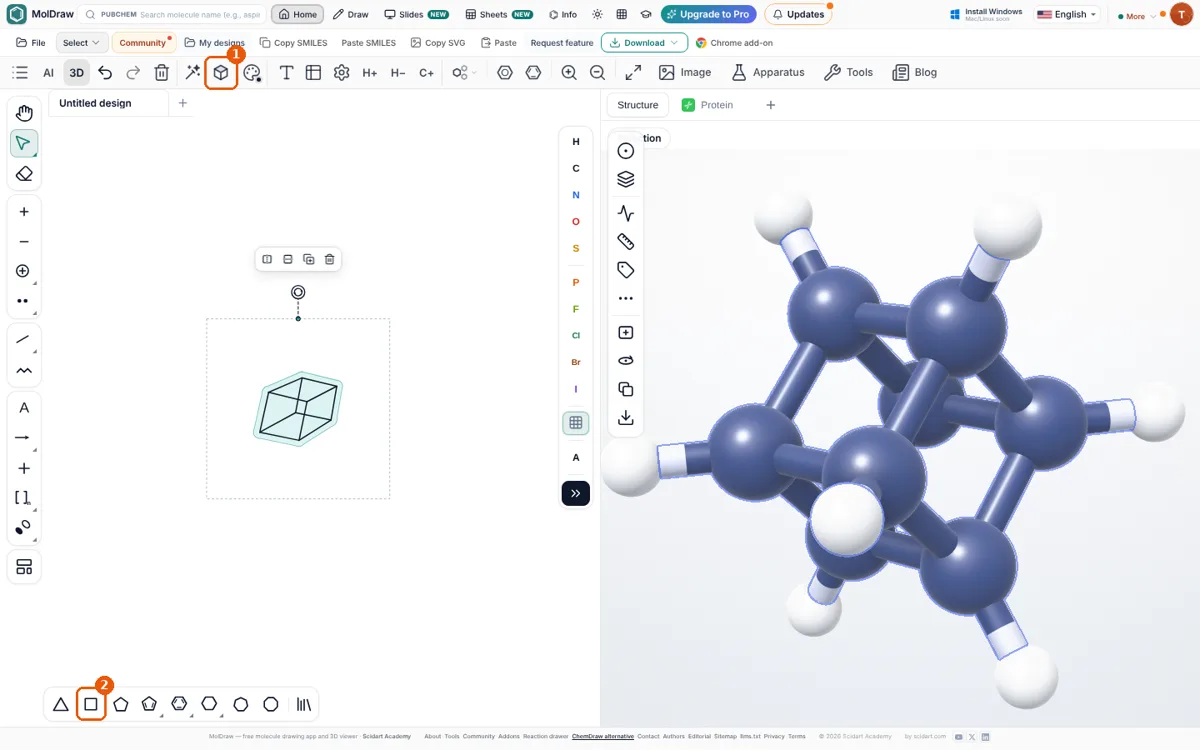
- Pick a ring from the ring bar at the bottom (square, pentagon, hexagon…) and click the canvas. For cubane, place two squares.
- Choose the single bond tool and drag from each atom of one ring to the matching atom of the other to close the cage. Add bridges the same way (for adamantane, draw cyclohexane and bridge 1,3,5-positions with CH₂ groups).
- Check the formula in the Info panel: cubane is C₈H₈, adamantane C₁₀H₁₆.
- Press 3D Clean Up in the top toolbar or Shift+Ctrl+D. MolDraw tidies the sketch, builds a 3D structure and switches to the 3D View tool.
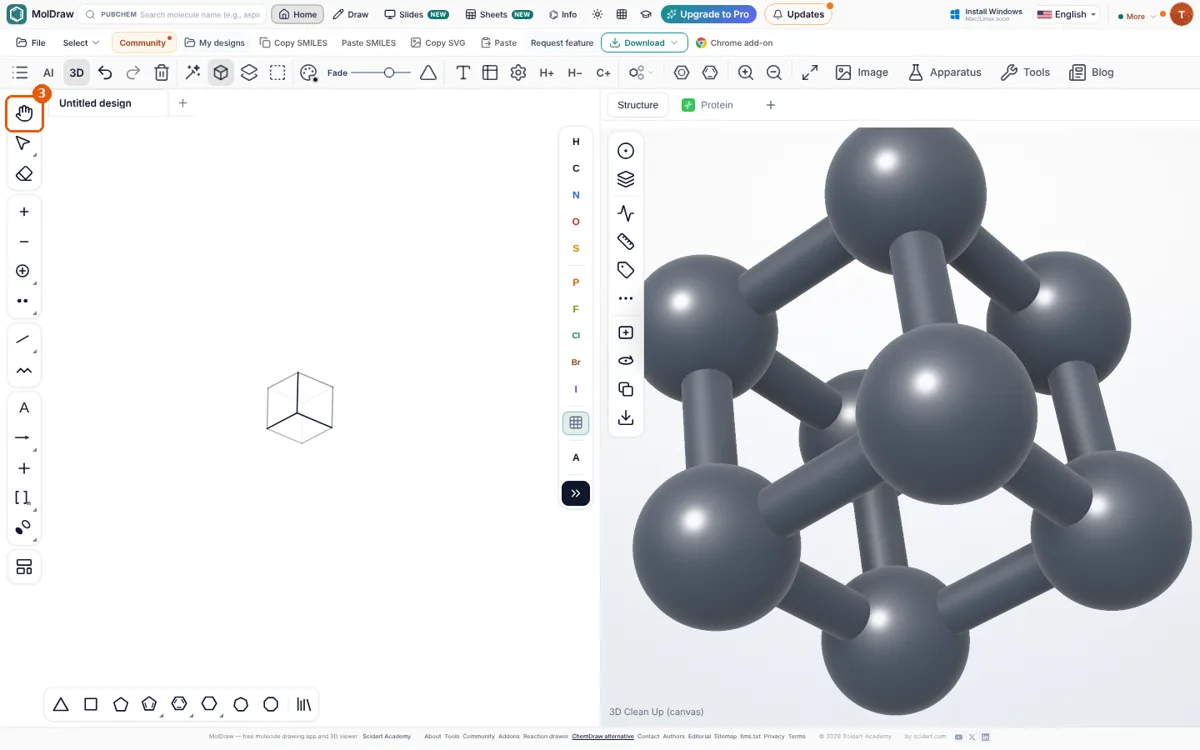
Keep drawing in 3D. You can add atoms and substituents while the pose is shown. Press 3D Clean Up again to re-minimise the geometry: the orientation you chose is kept, and the new atoms settle into proper 3D positions.
Large coordination cages
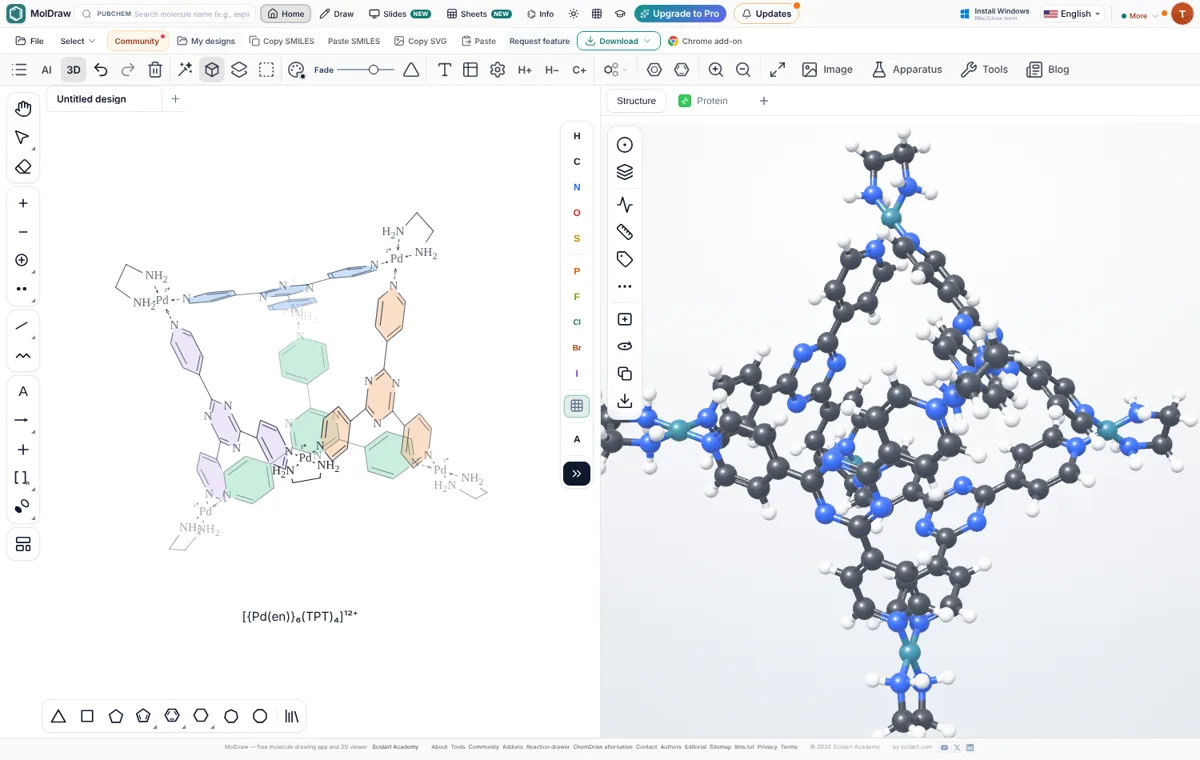
Big metal–organic cages with 100+ atoms cannot be built reliably from a 2D sketch, so the library versions ship with a checked 3D model. Place them from the Supramolecular tab and rotate them exactly like cubane. To draw your own cage, start from a library cage and edit it, or build one corner (metal plus ligand) and use Generate to make rotated copies around a centre.
Tips for clear cage figures
- Avoid edge-on views. Turn the cage until no two atoms sit on top of each other and no bond points straight at you.
- Use depth cues. A moderate Fade plus Depth taper reads well in print; switch them off for a clean line drawing.
- Flatten last. Add labels and colours after flattening, so they stay where you put them.
- Check the 3D viewer. The panel on the right shows the same geometry with hydrogens, for measuring distances or exporting a 3D file.
Questions and answers
What is the easiest way to draw a cage molecule?
Place it from the MolDraw Library. Cage templates such as cubane, adamantane, dodecahedrane and coordination cages are marked 3D and land on the canvas in true 3D perspective, ready to rotate.
Should I draw cage molecules in 2D or 3D?
Draw the connectivity in 2D (it does not matter if bonds cross), then press 3D Clean Up (Shift+Ctrl+D). MolDraw builds a real 3D geometry, shows it in perspective and lets you rotate it, which is much clearer than a hand-drawn projection.
How do I rotate the molecule on the canvas?
While a 3D pose is shown, use the 3D View tool (Alt+D) and drag on the canvas. Each drag is one undo step.
How do I turn the 3D view into a normal drawing for a paper?
Click Flatten 3D pose. The current view becomes an ordinary 2D drawing you can label, export as SVG or PDF, or paste into Word and PowerPoint.