Crystal View: Open a CIF File and See the Unit Cell in 3D
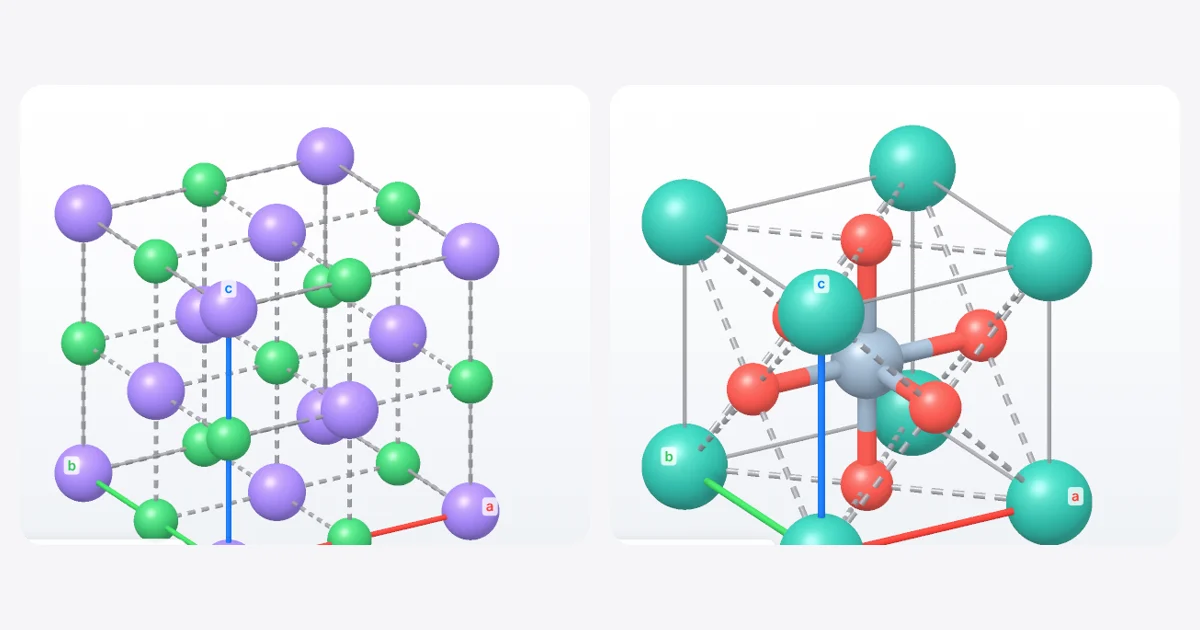
Short answer: Open the 3D viewer in MolDraw, press + and install Crystal View. In the Crystal tab, click Open and pick a CIF, POSCAR, PDB or extended XYZ file, or one of the built-in examples. You get the unit cell in 3D with its cell parameters, volume, Z and density, and you can repeat the cell, look along any [uvw] direction, show coordination polyhedra and export a PNG.
Why look at crystals in 3D?
A formula such as NaCl or SrTiO3 says nothing about how the atoms are packed. Coordination numbers, close-packed layers and the shape of polyhedra only make sense when you can turn the cell and look at it from different sides. Textbook pictures show one fixed angle; a live model lets you find the view that explains the structure.
Crystal View runs in your browser, next to your drawing. Files are read on your own computer and are not uploaded anywhere.
What the plugin shows
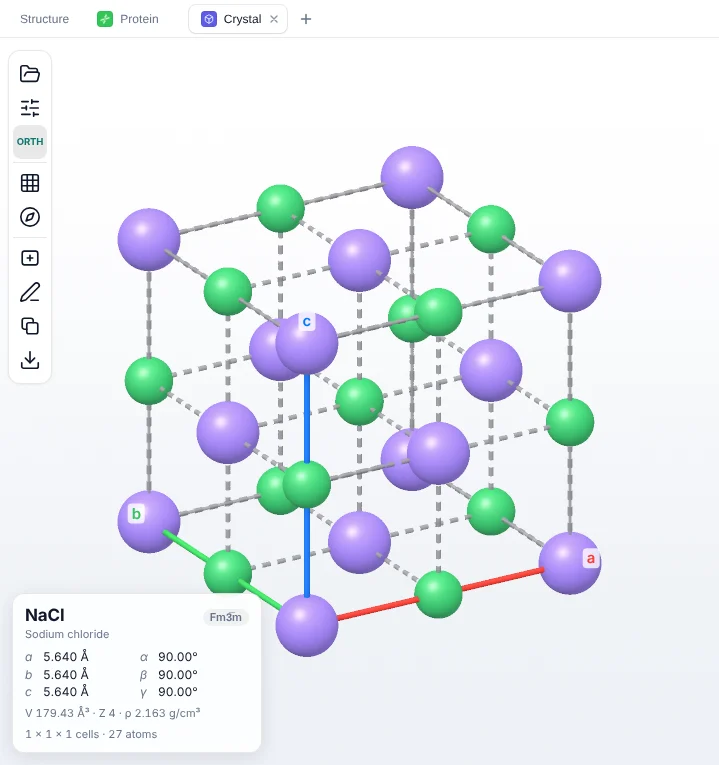
| Unit cell | The cell edges with coloured a, b and c axes, and atoms on every lattice site, including those shared with the next cell. |
|---|---|
| Cell parameters | Lengths a, b, c, angles α, β, γ, space group, volume, Z and density. |
| Repeat | Build a block of a × b × c cells to see how the structure continues. |
| Look along | Turn the view to look down an axis or any custom direction [u v w]. |
| Display | Ball and stick or space-filling atoms, coordination polyhedra, ionic contacts and atom labels. |
| Projection | Switch between perspective and parallel (orthographic) projection. |
| Output | Export a PNG, or add the current view to the canvas as an editable drawing. |
How to install Crystal View
- Open the MolDraw editor and sign in. A free account is enough.
- Open the 3D viewer and press the + next to the tabs (or go to Settings › Plugins).
- Click Install next to Crystal View. A Crystal tab appears.
How to open a CIF file
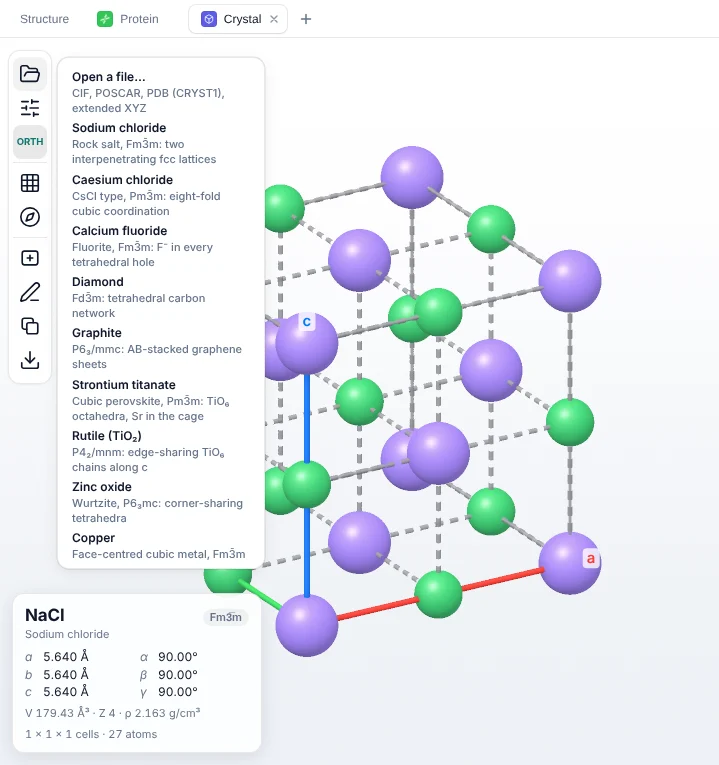
- In the Crystal tab, click Open (the folder icon at the top of the toolbar on the left).
- Choose Open a file… and pick a
.cif, POSCAR, PDB (with a CRYST1 record) or extended XYZ file. - Drag to rotate, scroll to zoom. Use Repeat to show more cells and Look along to view down an axis.
No file at hand? The examples cover the structures most courses teach: rock salt, caesium chloride, fluorite, diamond, graphite, cubic perovskite, rutile, wurtzite (zinc oxide) and face-centred cubic copper.
Seeing coordination: perovskite as an example
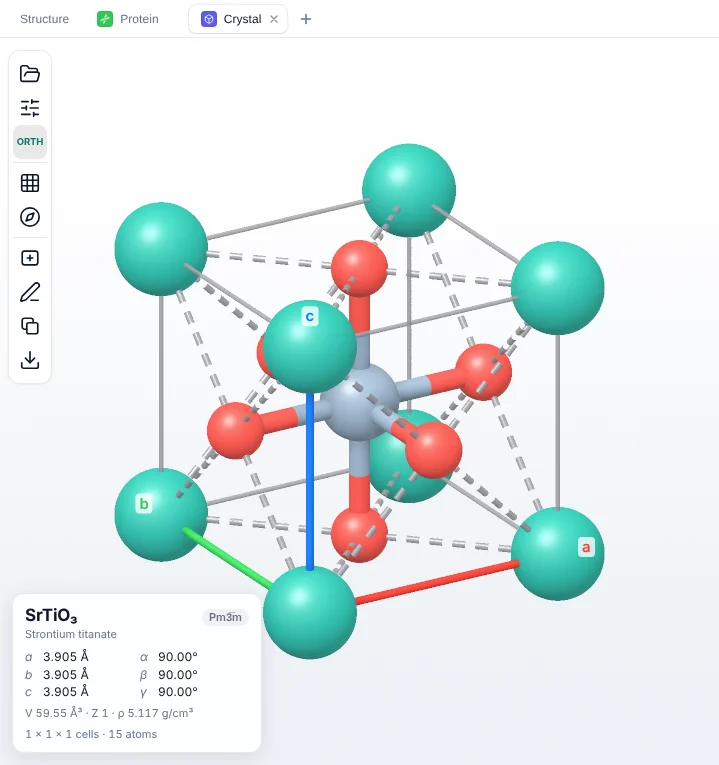
Open Display and tick Coordination polyhedra to fill in the TiO6 octahedra. With a few repeated cells you can see that the octahedra share corners, which is the key feature of the perovskite family. Try the same with rutile, where TiO6 octahedra share edges in chains along c, and compare.
Crystals on the 2D canvas
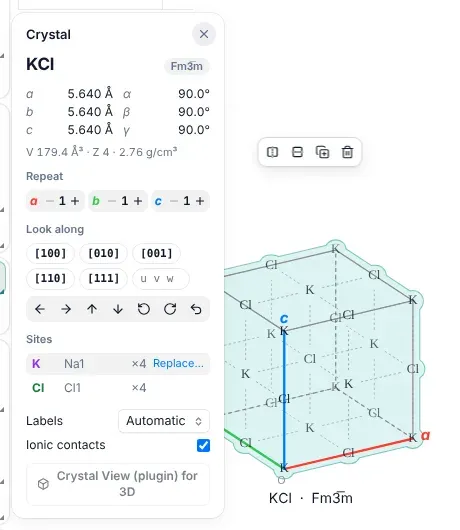
You can also open a CIF file straight onto the drawing canvas. MolDraw draws the crystal as a normal, editable drawing and shows a panel with the cell, repeats, viewing direction, labels and ionic contacts. You can swap the element on equivalent sites, for example to turn NaCl into KCl for a worksheet. Crystal View then follows the canvas drawing live, so every change appears in 3D straight away.
Ways to use it in class and in the lab
- Teaching solid-state chemistry: compare NaCl (6:6) with CsCl (8:8) coordination, or count the atoms in a cell and check the Z value on the card.
- Close packing: look along [1 1 1] in copper to see the close-packed layers.
- Carbon allotropes: put diamond and graphite side by side to discuss sp3 and sp2 bonding.
- Checking a file: open a CIF from a paper or database and check the cell, density and connectivity before you use it elsewhere.
- Figures: export a PNG, or add the view to the canvas and label it with the rest of your scheme.
Learning about ligand fields too? Our crystal field theory guide explains octahedral and tetrahedral splitting, which you can see as polyhedra in Crystal View.
Questions and answers
How do I open a CIF file online?
Install the free Crystal View plugin in MolDraw, open its tab in the 3D viewer, click Open and choose your .cif file. The unit cell appears in 3D in your browser; nothing is uploaded to a server.
Which crystal file formats does Crystal View read?
CIF, VASP POSCAR, PDB files with a CRYST1 record, and extended XYZ files with a lattice.
Is the Crystal View plugin free?
Yes. You only need a free MolDraw account to install plugins.
Can I draw a crystal structure on the 2D canvas?
Yes. Open a CIF file on the canvas to get an editable crystal drawing with its own panel for repeats, viewing direction and labels. Crystal View then follows that drawing live in 3D.