MolDraw › Templates › Graphene › Graphene flake
GraphenePremium
Graphene flake template
Premium template. Preview and edit it free in MolDraw; downloading and exporting it is part of MolDraw Pro.
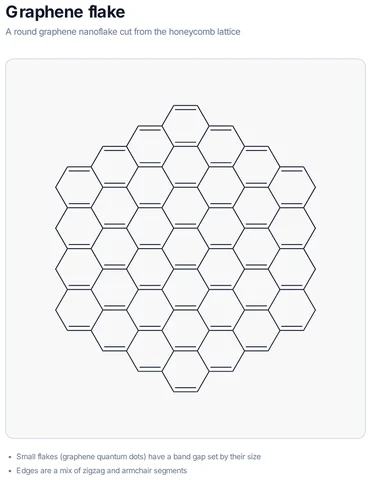
Circular graphene flake (nanoflake / graphene quantum dot outline).
What the template shows
- A round graphene nanoflake cut from the honeycomb lattice
- Small flakes (graphene quantum dots) have a band gap set by their size
- Edges are a mix of zigzag and armchair segments
Drawn with 96 atoms, 1 shape – every one editable in MolDraw.
How to use this template
- Press Edit in MolDraw. The template opens on the canvas of the free MolDraw editor.
- Change anything: move structures, edit atoms and labels, recolour highlights or delete what you do not need.
- Add your own structures, arrows and text next to it, or combine several templates on one page.
- Export the drawing as PNG, SVG or PDF for slides, worksheets, theses and papers.
Frequently asked questions
Is the Graphene flake template free?
You can preview the Graphene flake template here and open and edit it in MolDraw for free. Downloading or exporting it is part of MolDraw Pro, together with the other premium templates.
Can I edit the Graphene flake template?
Yes. It opens as an ordinary MolDraw drawing, so every structure, arrow, label and colour can be changed, and you can add your own content around it.
Is the chemistry checked?
Every structure is checked with RDKit and every curly arrow passes MolDraw’s electron-flow audit. Report anything that looks wrong from the Feedback button in the app.
What is the difference between GO and rGO?
Graphene oxide carries oxygen groups (epoxides, hydroxyls, carboxylic acids) on the carbon sheet; reduction removes most of them to give reduced graphene oxide, which conducts much better.