MolDraw Snip for Chrome: Turn Any Molecule Image into an Editable Structure

 Add to Chrome
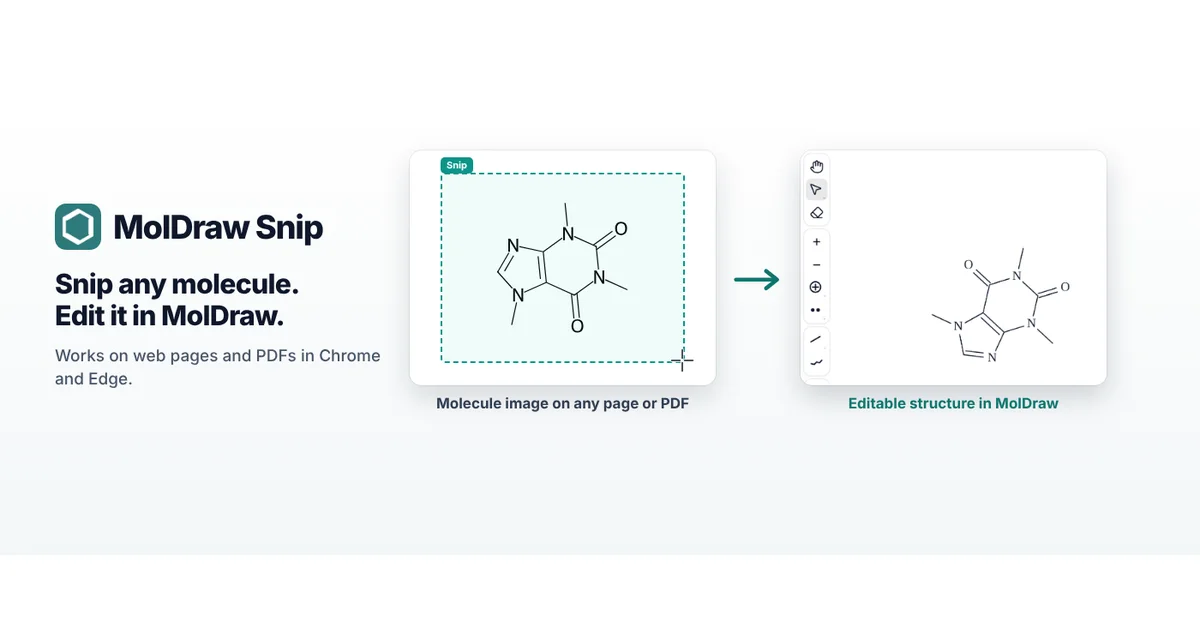
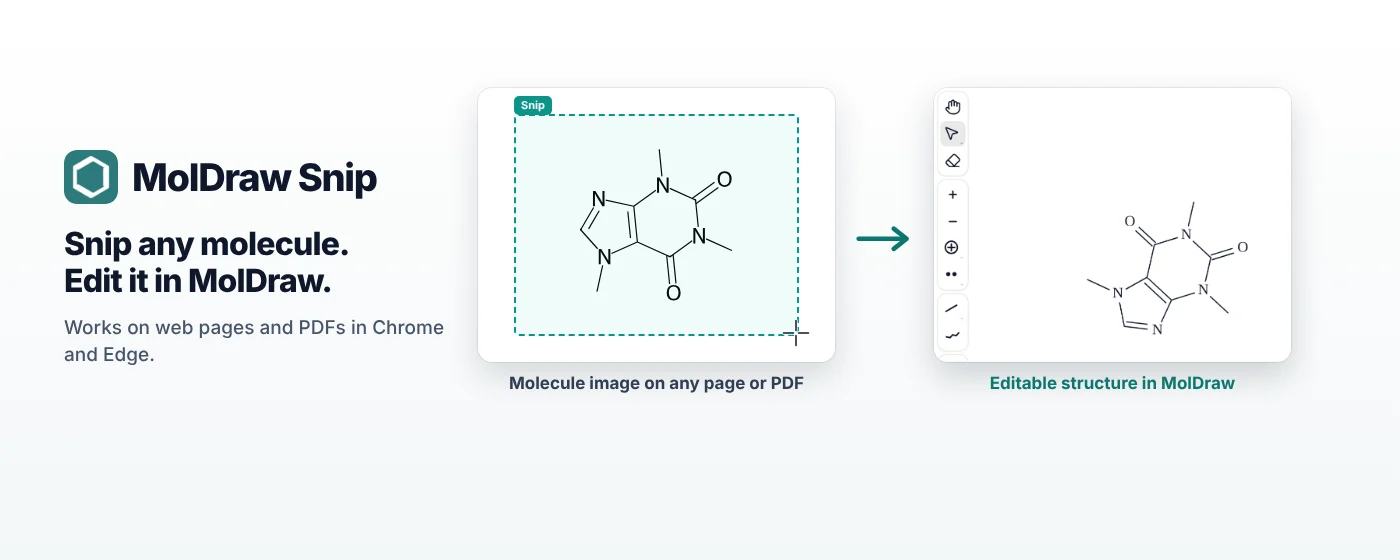
Short answer: Install MolDraw Snip from the Chrome Web Store and sign in from its popup with your MolDraw account. Then click the toolbar icon (or press Alt+Shift+M) and drag a box around a structure on a web page or PDF. MolDraw Snip shows the SMILES and a molfile you can copy, and Open in MolDraw puts the structure on the canvas, ready to edit in 2D and view in 3D.
Watch it in 40 seconds
Prefer YouTube? Watch the video on YouTube.
Why a snipping tool for molecules?
Structures in papers, textbooks, slides and websites are usually pictures. To use one you have to redraw it atom by atom, which is slow and easy to get wrong, especially for rings, stereocentres and charges. MolDraw Snip works like the snipping tool on your computer: you draw a box around the picture, and it gives you the structure as data you can edit, copy and save.
Install and sign in
- Open MolDraw Snip on the Chrome Web Store and click Add to Chrome.
- Pin it: click the puzzle-piece icon in the toolbar and the pin next to MolDraw Snip, so the icon is always one click away.
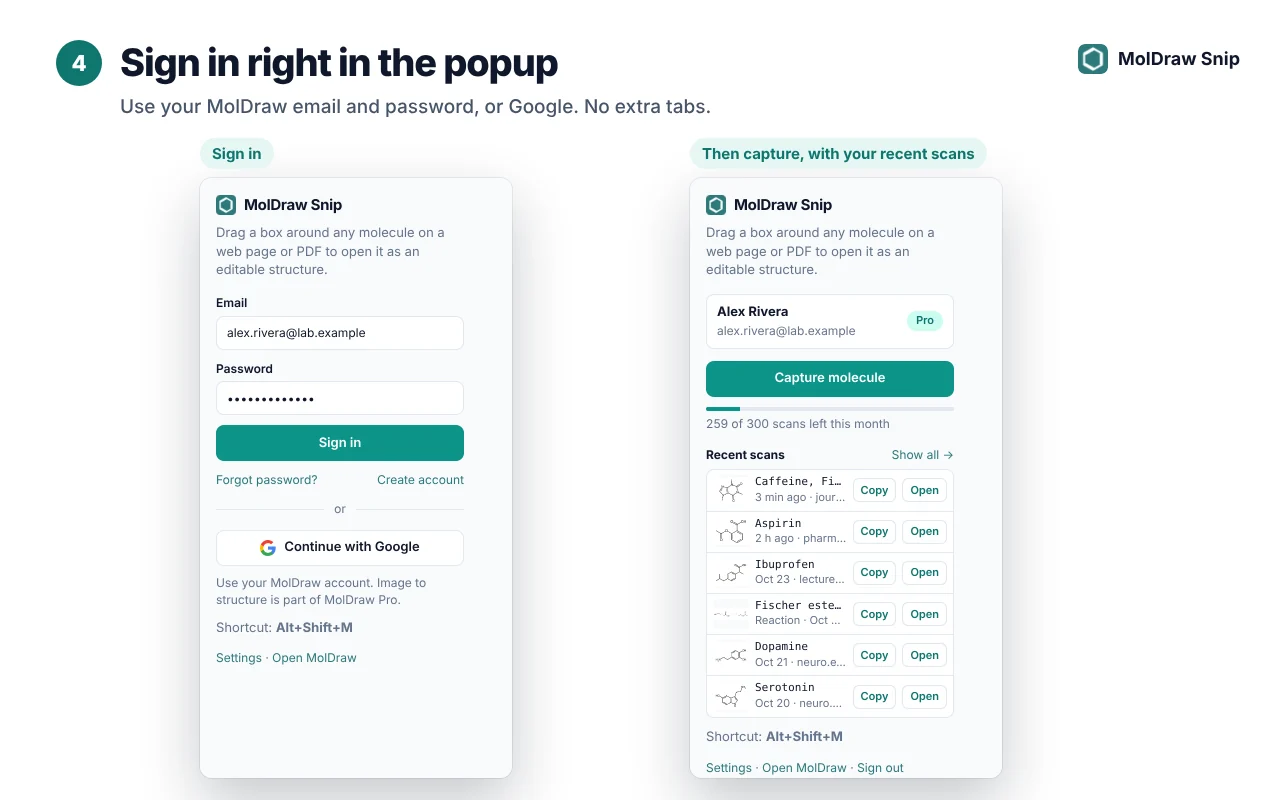
- Click the icon and sign in right in the popup with your MolDraw email and password, or with Google. No extra tabs and no API keys.
Using Microsoft Edge? Turn on Allow extensions from other stores when Edge asks, then install from the same Chrome Web Store page.
Capture a structure
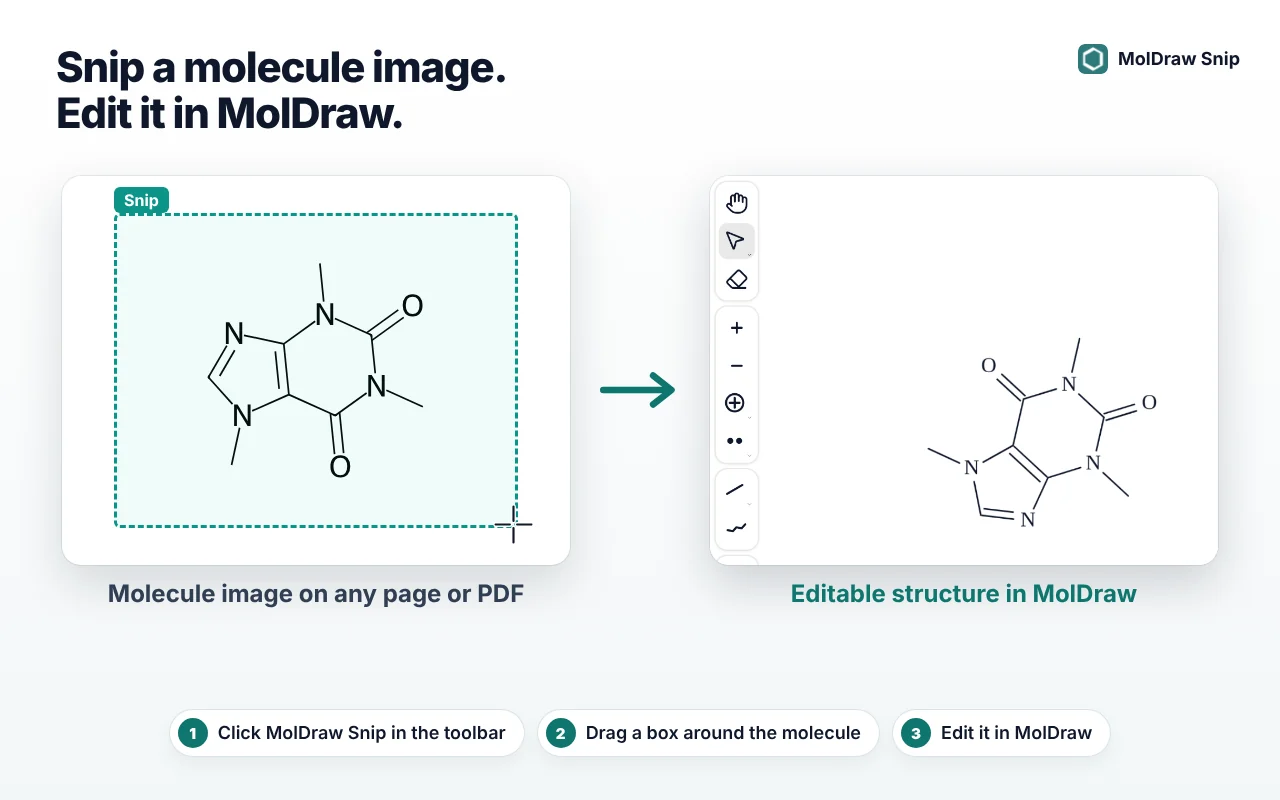
- Start a capture in any of three ways: click the toolbar icon, press Alt+Shift+M, or right-click the page and choose Capture molecule with MolDraw.
- Drag a box around the structure. Keep the whole molecule inside the box, with a little margin, and leave out nearby text where you can.
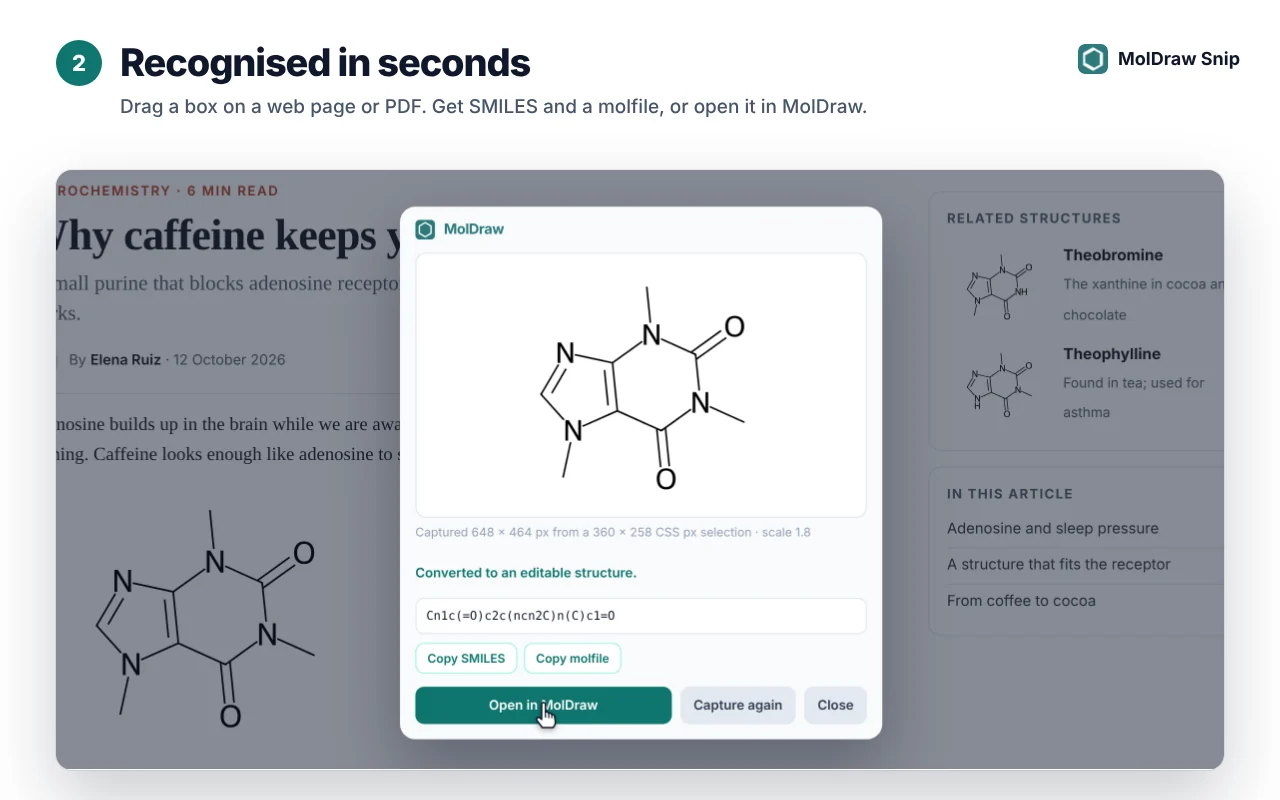
- A result card appears in seconds with the structure, its SMILES and buttons to Copy SMILES, Copy molfile, Open in MolDraw or Capture again.
MolDraw Snip reads single molecules, several structures at once and whole reaction schemes. A reaction opens in MolDraw with its arrow between the reactants and products.
Edit it in 2D and 3D
Click Open in MolDraw. If MolDraw is already open in a tab, the structure is added to your current drawing in free space, so it never covers what you have drawn. Otherwise a new MolDraw tab opens with the structure on the canvas.
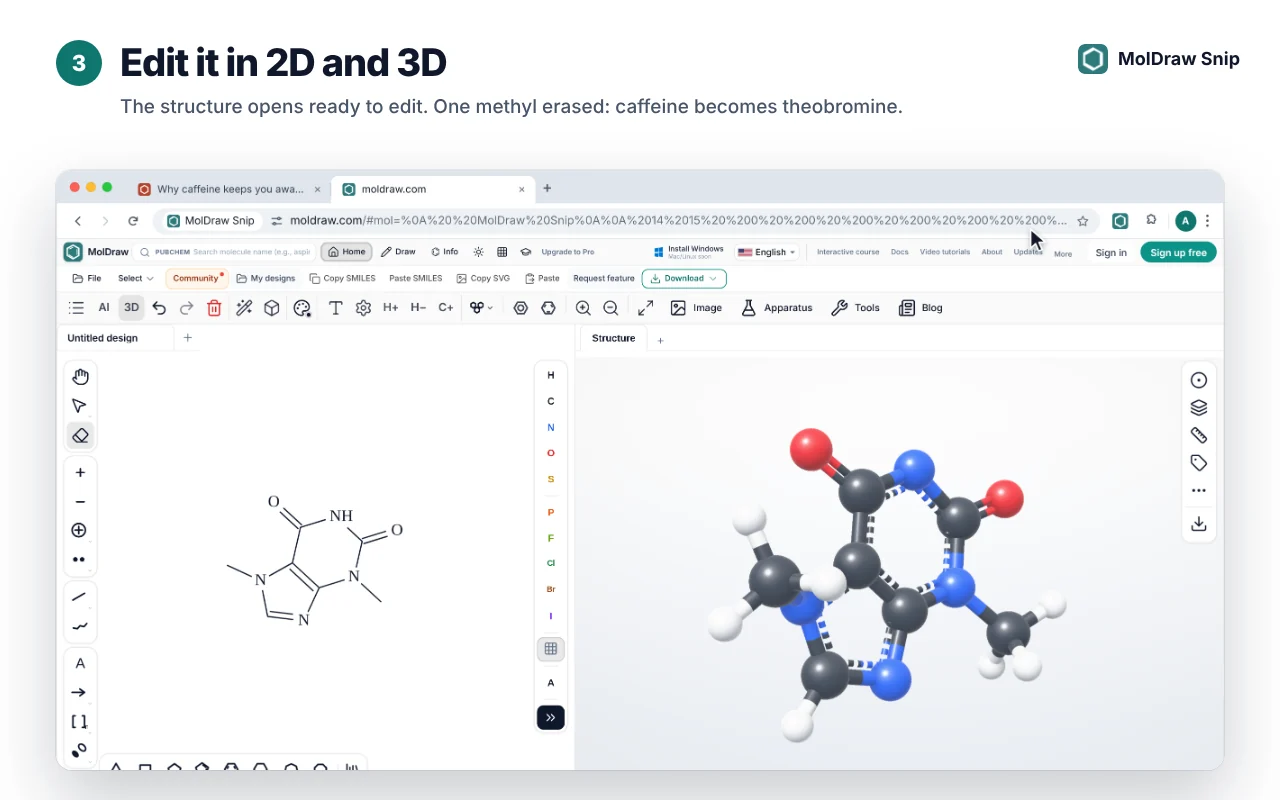
From there everything in MolDraw works on it: fix or add atoms, name it, check its formula and mass, view it in 3D, add it to a reaction scheme or a slide, and export it as MOL, SDF, SMILES, PNG, SVG or PDF.
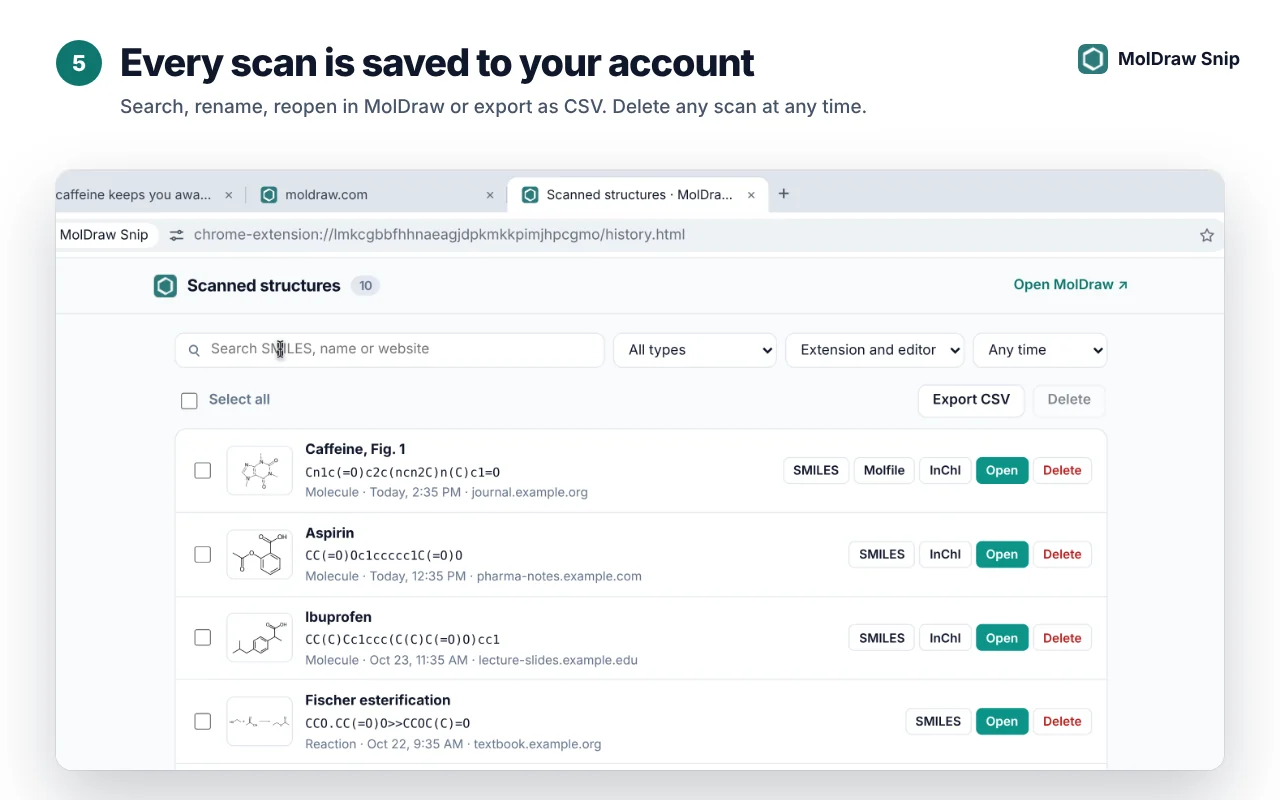
Every scan is saved to your account
Click Show all in the popup to open your scan history. Search by SMILES, name or website, filter by type, rename a scan, open it again in MolDraw, export the list as CSV, or delete scans you no longer need.
Snipping from PDFs
- PDFs open in a Chrome or Edge tab work straight away: open the PDF and start a capture.
- For PDF files on your computer (
file://), go tochrome://extensions, open Details for MolDraw Snip and turn on Allow access to file URLs. - Zoom in on small structures before you snip. A larger, sharper picture gives a better result.
Plans and pricing
| Extension | Free to install from the Chrome Web Store. |
|---|---|
| Recognition | Part of MolDraw Pro, with 300 scans a month. The popup shows how many are left. |
| In the editor | Pro also lets you right-click any image on the MolDraw canvas and choose Convert to structure. |
Privacy
- The extension only looks at a tab when you start a capture. It does not read pages in the background.
- The selected image is used for recognition and is not stored. Structure recognition is provided by Mathpix.
- Your scan history is private to your account, and you can delete any scan at any time.
- No ads and no tracking. Read the full MolDraw Snip privacy policy.
Tips for clean results
- Box one scheme at a time and leave out captions, page numbers and nearby text.
- Zoom the page in before snipping small or blurry structures.
- Check stereo wedges and charges in the result card before you rely on the SMILES.
- Change the shortcut at
chrome://extensions/shortcutsif Alt+Shift+M clashes with another app.
Questions and answers
Is MolDraw Snip free?
The extension is free to install. Recognising structures is part of MolDraw Pro, which includes a monthly allowance of 300 scans. You can sign in and try the capture tool before you upgrade.
Does it work on PDFs?
Yes. It works on PDFs open in Chrome or Edge. For PDF files saved on your computer, open the extension's details in chrome://extensions and turn on Allow access to file URLs.
Can it read reactions and several molecules at once?
Yes. Select a whole scheme and MolDraw Snip returns every structure; reactions open with the arrow between reactants and products.
Does it work in Microsoft Edge?
Yes. In Edge, turn on Allow extensions from other stores, then install MolDraw Snip from the Chrome Web Store.
What happens to the images I capture?
The extension only looks at a tab when you start a capture. The selected image is sent for recognition and is not stored. Your scan history keeps the recognised structure, not the picture, and you can delete any scan at any time.
What is the keyboard shortcut?
Press Alt+Shift+M to start a capture. You can change it at chrome://extensions/shortcuts.