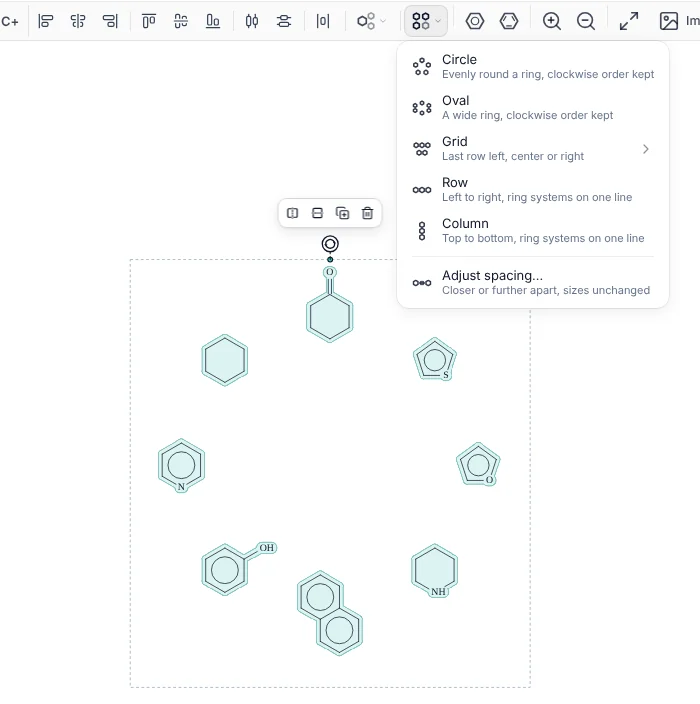
Arrange compounds in a circle, grid, row or column
In short: Select two or more compounds and open the Generate menu in the selection toolbar: the Arrange compounds section lays them out (or right-click › Arrange). They move into place without being resized or rotated.
What’s new
- Circle and Oval keep your clockwise order; Grid lines up the last row left, centre or right; Row and Column put the ring systems on one line
- Adjust spacing: a slider moves compounds closer or further apart with a live preview; Escape puts them back
- Captions and anything grouped with a compound move with it, and every layout is one undo step