How to Add Lone Pairs in MolDraw
Short answer
Short answer: Pick the Lone pair tool in the left toolbar and click the centre of an atom. Each click adds one pair. When the atom is full, the next clicks take pairs off again. To fill a whole molecule in one step, open the tool's menu and choose Add all lone pairs.
Quick steps
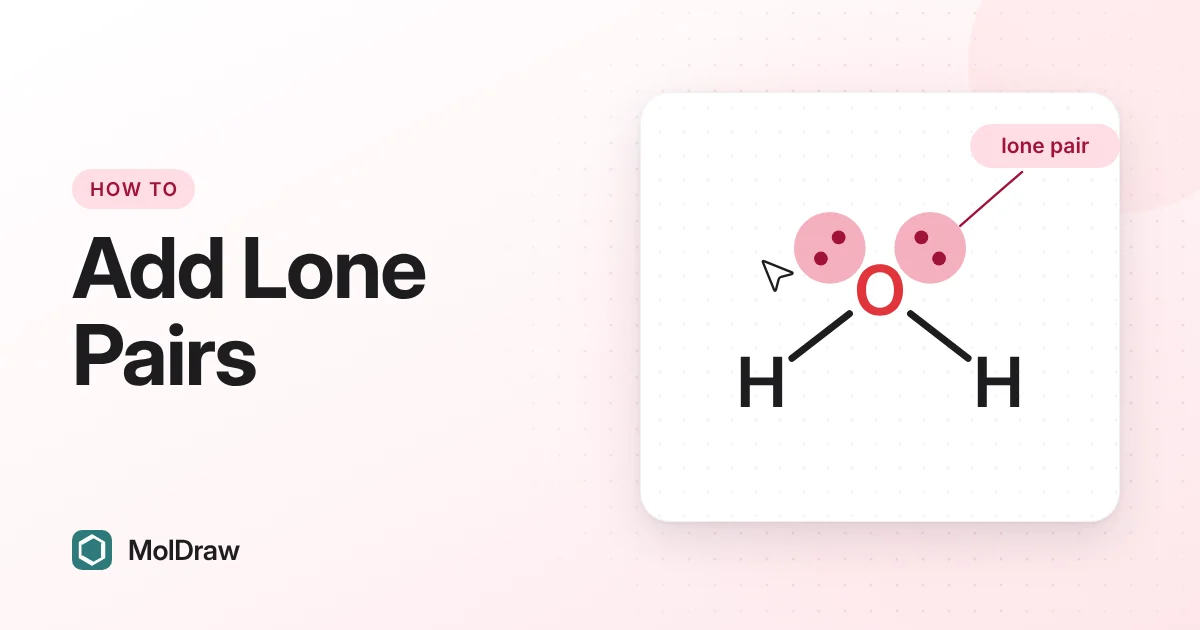
- Draw your structure, for example water as H–O–H.
- Click the Lone pair tool (the icon with two dots) in the left toolbar, next to the charge tools.
- Click the centre of the oxygen atom. A pair appears in the largest free space between the bonds.
- Click again to add the second pair. Stop when you have the number you need.
- To do every atom at once, click the Lone pair button a second time (or its small arrow) to open the menu, then choose Add all lone pairs. Select some atoms first if you only want pairs on those atoms.
When the pointer is over an existing pair, the pair lights up. A click there picks up that pair so you can move it. To add a pair, click the middle of the atom.
Every option in the lone pair tool
The Lone pair button has a menu. Click the button once to choose the tool. Click it again, or click its small arrow, to open the menu. On a touch screen, press and hold the button. The menu holds these options, in this order:
| Lone pair | The click tool. Click an atom's centre to add one pair. Clicks keep adding until the atom is full. After that, each click removes one pair until none are left, and then clicks add again. Shift-click or Alt-click always removes one pair. |
|---|---|
| Free radical | Click an atom to add one unpaired electron (a single dot). Click the atom again, or click the dot, to remove it. The Erase tool removes it too. |
| Dots (classic) | Draws each pair as two dots. This becomes the style for new pairs. Pairs on the selected atoms change to dots. With nothing selected, every pair in the drawing changes. |
| Line (bar) | Draws each pair as a short bar, as many textbooks do. It works the same way as Dots: new pairs use it, and existing pairs in the selection (or the whole drawing) switch. |
| Add one lone pair to all | Adds a single pair to every atom that still has room. Run it again to add the next pair. It skips hydrogen and neutral carbon. With atoms selected, it only works on those atoms. |
| Add all lone pairs | Fills every atom to its maximum in one step. It skips hydrogen and neutral carbon, but a charged carbon, such as a carbanion, gets its pair. With atoms selected, it only fills those atoms. |
| Remove lone pairs | Removes every lone pair from the selected atoms. With nothing selected, it clears the whole drawing. Radical dots stay. |
You can reach some of these from other places too:
- Right-click menu: right-click an atom or a selection and choose Add all lone pairs. When there are pairs to remove, you also see Remove lone pairs (with a selection) or Remove all lone pairs (without one).
- Touch menu: select atoms that have pairs and choose Remove lone pairs from the quick menu.
- Settings: Settings › General › Drawing › Lone pair style sets Dots or Line for new pairs. It does not change pairs you have already drawn. Use the tool menu for that.
The Lone pair tool has no keyboard shortcut. Undo (Ctrl+Z, or ⌘+Z on a Mac) reverses any of these actions.
Moving and removing pairs
Move a pair
Drag a pair with the Lone pair tool or the Select tool. The pair moves around its atom and stays where you let go. The other pairs on that atom do not move. Running Cleanup puts pairs back into the gaps between bonds but keeps their style.
Remove one pair
- With the Lone pair tool, Shift-click or Alt-click the atom or one of its pairs.
- With the Erase tool, click a pair.
- On a full atom, a plain click with the Lone pair tool also removes a pair.
Remove all pairs
Choose Remove lone pairs in the tool menu or the right-click menu. Select atoms first to clear only those.
Lone pairs with charges and radicals
MolDraw will not let you draw more pairs than an atom's electrons allow. It works the number out like this:
- Start with the element's valence electrons (N has 5, O has 6, Cl has 7).
- Add one for each negative charge, or take one away for each positive charge.
- Take away one for each bond, including hydrogens hidden in a label (OH, NH2, or a lone O for water). A double bond counts as two.
- Halve what is left and round down. That is the maximum number of pairs.
So set the charge before you add pairs. The charge tools add +, −, +2, circled charges and δ+ or δ−.
| Water, H–O–H | 6 − 2 bonds = 4 electrons, so oxygen gets 2 pairs. |
|---|---|
| Ammonia, NH3 | 5 − 3 bonds = 2 electrons, so nitrogen gets 1 pair. |
| Chloride, Cl− | 7 + 1 for the charge = 8 electrons, so chlorine gets 4 pairs. |
| Hydroxide, HO− | 6 + 1 − 1 bond = 6 electrons, so oxygen gets 3 pairs. |
| Hydronium, H3O+ | 6 − 1 − 3 bonds = 2 electrons, so oxygen gets 1 pair. |
| Ammonium, NH4+ | 5 − 1 − 4 bonds = 0, so nitrogen gets no pairs. The atom flashes red if you click it. |
| Carbonyl oxygen, C=O | 6 − 2 (one double bond) = 4 electrons, so oxygen gets 2 pairs. |
Set the charge first. A negative charge makes room for another pair, so add it before the pairs. If you change the charge later, MolDraw removes any pairs that no longer fit.
Radicals. When an odd number of electrons is left, one electron cannot form a pair. MolDraw rounds down, so draw that last electron as a single dot with Free radical. For the hydroxyl radical drawn as O–H: 6 − 1 = 5 electrons, which is 2 pairs and one dot. The Radical cation (•+) and Radical anion (•−) tools in the ⊕ charge menu set the dot and the charge in one click.
Using lone pairs with curved arrows
Lone pairs are where many mechanism arrows begin. To draw one:
- Add the lone pairs first.
- Open the reaction arrow menu and pick Electron flow (2e⁻) for a pair of electrons or Fishhook (1e⁻) for one electron. Both are in the Mechanism group.
- Start the arrow on a lone pair. The tail attaches to the pair, and a highlight shows what it has snapped to.
- End the arrow on an atom or a bond. The head snaps there.
An attached arrow moves with the molecule when you drag or tidy it. Hold Alt while drawing to place an end freely. To turn snapping off, go to Settings › General › Canvas › Snap curved arrows. It is on by default.
Lewis structure view and free sketch mode for teaching
Two settings under Settings › General › Teaching change how lone pairs behave.
Structure display: Lewis structure
Set Structure display to Lewis structure. MolDraw then shows every atom, every hydrogen and the lone pairs as dots, without you adding them. It counts hidden hydrogens and radical dots correctly. Only the view changes: your drawing stays the same, and you can switch back to Skeletal formula at any time.
If you place pairs on an atom yourself, MolDraw shows your pairs on that atom instead of the automatic ones. The automatic pairs are not saved in the drawing. To keep pairs in the skeletal view, add them with Add all lone pairs.
Free sketch mode: Allow any number of lone pairs
Turn on Free sketch mode to draw structures that break the usual rules, for example to show a student's mistake. The option Allow any number of lone pairs is then on by default. It lets the click tool put up to four pairs on any atom, whatever its electron count. Add all lone pairs and Add one lone pair to all still follow the normal electron count.
Two other free sketch options matter here. No valence correction means edits, such as changing a charge, never remove pairs. No automatic hydrogens means the Lewis view shows only the atoms and pairs you drew. Both are on by default when free sketch mode is on.
Troubleshooting
- The tool will not add another pair. The atom is at its maximum. Check the charge and the bonds. For example, chloride needs its −1 charge before it can take a fourth pair.
- A click removes a pair instead of adding one. The atom was full, so the tool is now counting down. Keep clicking until the pairs are gone and it adds again. Also check that you are not holding Shift or Alt.
- The atom flashes red. There is no room for a pair at all, as on the nitrogen of NH4+, or you tried to remove a pair from an atom that has none.
- A pair moved when I wanted to add one. You clicked on or next to an existing pair, which picks it up. Click the exact centre of the atom instead. Zoom in on crowded structures.
- Add all lone pairs skipped a carbon. Neutral carbon is skipped on purpose. A charged carbon gets its pairs.
- Pairs vanished after I changed a charge. MolDraw removed pairs that no longer fit. In free sketch mode with No valence correction, they stay.
- A curved arrow will not attach to a pair. Check that Snap curved arrows is on and that you are not holding Alt.
FAQ
How do I add lone pairs in MolDraw?
Choose the Lone pair tool in the left toolbar and click the centre of an atom. Each click adds one pair. To fill every atom at once, open the tool's menu and choose Add all lone pairs.
Why can't I add another lone pair to an atom?
The atom already has as many pairs as its electrons allow. MolDraw works this out from the element, its charge and the bonds drawn to it. On a full atom, the next click removes a pair instead. Free sketch mode lifts the limit to four pairs.
How do I draw lone pairs as lines instead of dots?
Open the Lone pair tool menu and choose Line (bar). New pairs use lines, and the pairs on the selected atoms change too. With nothing selected, every pair in the drawing changes. Choose Dots (classic) to go back.
How do I remove lone pairs?
With the Lone pair tool, Shift-click or Alt-click an atom to remove one pair. You can also click a pair with the Erase tool. To clear them all, choose Remove lone pairs in the tool menu or in the right-click menu.
Can a curved arrow start from a lone pair?
Yes. Pick Electron flow (2e⁻) or Fishhook (1e⁻) in the arrow menu and start the arrow on a lone pair. The tail attaches to the pair and moves with the molecule. Hold Alt to place an end freely.